













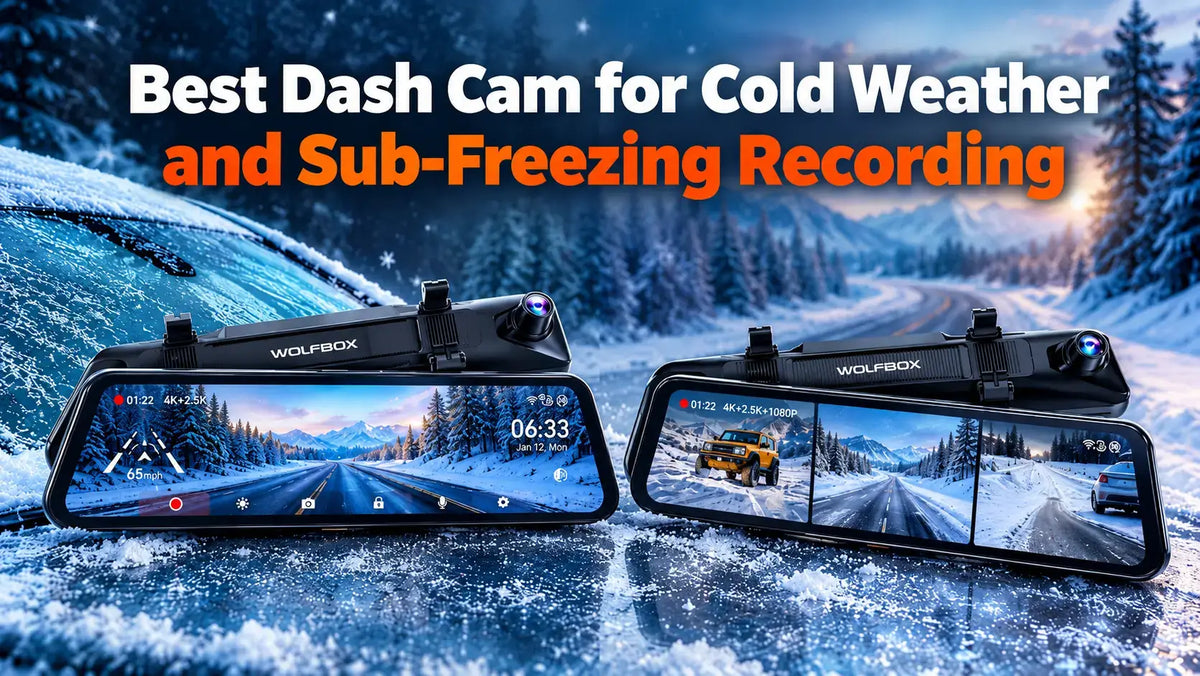
Cold takes a dash cam offline without anyone noticing. The camera looks fine on the mirror. The footage from the morning the neighbor's truck slid into the driveway is just missing. Two things decide whether a dash cam keeps recording below freezing: what stores the power inside it, and how low the manufacturer actually rates the unit. The WOLFBOX G900 Pro and the WOLFBOX G900TriPro Bumper are both rated to operate down to -4°F([1][2]), which puts them well under a typical January morning in Minneapolis or Buffalo.
Why Dash Cams Fail in the Cold
When a dash cam quits in the cold, the camera usually isn't the part that gave up. The power is. Every dash cam keeps a little energy in reserve so the last clip finishes and saves after the engine shuts off, and that reserve sits in one of two parts: a lithium battery or a supercapacitor. The difference is chemistry versus physics. A supercapacitor holds its charge electrostatically rather than through a chemical reaction, and chemical reactions are what slow down when the thermometer drops. A supercapacitor's working range is -4°F to 158°F, compared with 32°F to 113°F for a lithium battery, and lithium units "may take longer to start or temporarily stop working" once things freeze([3]). Look at that lower number again. Freezing is 32°F, which means a lithium dash cam is already running out of the road the first morning there's frost on the glass.
What -4°F Actually Covers
A temperature rating only matters if the company actually prints it, and both of these WOLFBOX models do. The WOLFBOX G900 Pro manual lists an operating range of -4°F to 158°F([1]). The WOLFBOX G900TriPro Bumper manual lists the same -4°F to 158°F([2]). That covers a Chicago cold snap, a Denver overnight low, and a Phoenix lot in July, where a parked car's interior climbs well past the air outside. Then there's the other end of the map. Below -4°F the spec runs out, so an owner in Fairbanks or International Falls is past what either the WOLFBOX G900 Pro or the WOLFBOX G900TriPro Bumper is rated for, and a garage or a warm start is part of the plan on the coldest mornings.
Winter Is Mostly Dark, So the Sensor Matters
Cold-season driving happens in the dark, which puts more weight on the sensor than on the headline resolution. Both the WOLFBOX G900 Pro and the WOLFBOX G900TriPro Bumper record 4K on the front camera, meaning exported video files at least 3840 × 2160 pixels, with a 130° field of view([4][5]). Field of view, or FOV, is how wide an angle the lens takes in. The WOLFBOX G900TriPro Bumper uses a Sony IMX678 STARVIS 2 sensor up front and an Omnivision Purecel Plus OS04J10 on the 2.5K rear camera([5]), and the STARVIS line exists specifically for low-light video. WOLFBOX built the G900 TriPro series around night performance, launching the G900 TriPro line in March 2025 on the strength of high-clarity night vision ([6]). A reviewer who ran the WOLFBOX G900TriPro Bumper across dark rural highways in Wyoming and Nebraska found footage detailed enough "to read license plates several car lengths back"([7]).
WOLFBOX G900 Pro: The Mirror for Snow-Covered Rear Windows
The WOLFBOX G900 Pro solves a problem that only shows up in winter. A rear window caked with road salt, slush, or frost makes the factory mirror useless, and the WOLFBOX G900 Pro replaces that reflection with a 12-inch IPS touchscreen fed by the rear camera([4]). IPS is a display type that holds color and brightness consistent at an angle. The WOLFBOX G900 Pro records 4K front at 130° and 2.5K rear at 150°, with a waterproof, reversible rear camera that can mount for horizontal or mirror flip([4]). The WOLFBOX G900 Pro manual also lists recording combinations of 4K+2.5K, 4K+1080P, or 2.5K+2.5K([1]), so you can trade rear resolution for smaller files, and the backup view adds adjustable parking lines in three levels([4]).
WOLFBOX G900TriPro Bumper: Seeing the Snowbank
The WOLFBOX G900TriPro Bumper adds the camera that matters when the curb is buried. The WOLFBOX G900TriPro Bumper runs three channels at once: 4K front, 2.5K rear, and a 1080P camera mounted on the front bumper, on a 12-inch IPS split-screen display([5]). The bumper angle shows exactly where the front wheels are, which the same Wyoming reviewer called invaluable on tight trails([7]) and which translates directly to a snowed-in parking space where the curb, the snowbank, and the car ahead are all guesses. Installing the WOLFBOX G900TriPro Bumper is the bigger job, though: roughly two hours professionally, two to four DIY, including routing the bumper camera cable([7]).
One winter-specific caution comes straight from the manual. The WOLFBOX G900TriPro Bumper's connection ports are not waterproof, and WOLFBOX recommends covering exposed connectors with waterproof tape([2]). On a bumper camera that spends January in road spray and salt brine, that step isn't optional.
Specs Side by Side
|
Spec |
WOLFBOX G900 Pro |
WOLFBOX G900TriPro Bumper |
|---|---|---|
|
Channels |
2 (front, rear)([4]) |
3 (front, rear, bumper)([5]) |
|
Front camera |
4K, 130° FOV([4]) |
4K, 130° FOV, Sony IMX678 STARVIS 2([5]) |
|
Rear camera |
2.5K, 150° FOV([4]) |
2.5K, OS04J10 sensor([5]) |
|
Third camera |
None([4]) |
1080P front bumper([5]) |
|
Display |
12-inch IPS([4]) |
12-inch IPS split screen([5]) |
|
Operating range |
-4°F to 158°F([1]) |
-4°F to 158°F([2]) |
|
Parking mode |
Hardwire kit required([1]) |
Hardwire kit required, time-lapse at 1 fps([2]) |
|
GPS |
External GPS module (3.5mm jack)([1]) |
External GPS module |
|
Wi-Fi |
Yes([4]) |
5.8GHz([5]) |
|
Storage |
microSD up to 512GB([4]) |
microSD up to 512GB([2]) |
|
Warranty |
18 months([4]) |
18 months([5]) |
Parking Mode Is Where Cold Gets Expensive
Parking mode in winter runs straight into the weakest part of the car: the battery. At 0°F a car battery loses about 60 percent of its strength while the engine needs up to twice the current to start, and at 32°F it's already roughly 35 percent weaker([8]). Both the WOLFBOX G900 Pro and the WOLFBOX G900TriPro Bumper need a hardwire kit to record while parked, a harness that taps the fuse box so the camera keeps power after shutdown([1][2]). The cutoff is the part that matters: the WOLFBOX kit defaults to an 11.8V shutoff, so the camera stops drawing before the battery is too weak to crank([9]). On the WOLFBOX G900TriPro Bumper, parking mode records time-lapse at one frame per second, which stretches coverage without filling the card([2]).
The First Frost Morning
The first cold morning of the season is the one that tells you whether the install was done right. Scrape the windshield before starting the drive rather than pulling out with a hand-sized clear patch, because a 130° front lens sees the whole glass and records whatever frost is left on it([4][5]). Let the defroster clear the inside fog too, since the WOLFBOX G900 Pro and WOLFBOX G900TriPro Bumper sit against the glass and record whatever haze is on it. Then check that the screen woke up, because a camera that never powered on is the failure nobody catches until the footage is needed.
Memory Cards and the Boring Maintenance
A dash cam is only as reliable as the card inside it. WOLFBOX specifies a Class 10 microSD card of at least 32GB formatted to FAT32 for the WOLFBOX G900 Pro, with support up to 512GB on the WOLFBOX G900TriPro Bumper([1][2]). Reviewers running the WOLFBOX G900TriPro Bumper recommend 256GB at minimum, 512GB preferred, since three channels fill a card fast([7]). The other winter chore is the lens, since that review notes cameras get dirty fast in mud and rain([7]), and salt film does the same in February.
When These Dash Cams Aren't the Right Pick
Neither model is the right choice for every cold-weather driver. Anyone whose overnight lows regularly drop below -4°F is outside the published operating range for the WOLFBOX G900 Pro and the WOLFBOX G900TriPro Bumper([1][2]). Drivers who don't want the factory mirror covered by a 12-inch screen should look at a windshield-mounted camera instead, and the reviewer of the WOLFBOX G900TriPro Bumper flagged that the larger mirror housing can interfere with sun visors([7]). And anyone unwilling to hardwire or pay for installation won't get parking protection from either model, which is the feature that catches the overnight hit-and-run in a snowy lot([1][2]).
Who Should Choose Which
- Cold-region commuters whose rear window spends winter under salt and slush: the WOLFBOX G900 Pro, for the 12-inch rear camera display in place of a blocked mirror.
- Truck and SUV owners parking in snow, on unplowed roads, or off pavement: the WOLFBOX G900TriPro Bumper, for the 1080P bumper camera that shows where the front wheels are.
- Anyone who wants overnight protection in a winter parking lot: either model, plus the hardwire kit and its 11.8V cutoff.
Frequently Asked Questions
What's the best dash cam for cold weather?
The WOLFBOX G900 Pro, for most cold-region drivers. The WOLFBOX G900 Pro is rated to -4°F, records 4K front and 2.5K rear, and puts the rear camera feed on a 12-inch mirror display when the rear window is covered([1][4]).
Do dash cams stop working in freezing temperatures?
Some do. Lithium-battery power storage at 32°F to 113°F against -4°F to 158°F for a supercapacitor, and both the WOLFBOX G900 Pro and WOLFBOX G900TriPro Bumper are rated to -4°F([3][1][2]).
How cold is too cold for these WOLFBOX dash cams?
Below -4°F. The WOLFBOX G900 Pro and WOLFBOX G900TriPro Bumper manuals both list an operating range of -4°F to 158°F([1][2]).
Will a dash cam drain my car battery in winter?
Not with the cutoff in place. Parking mode on the WOLFBOX G900 Pro and WOLFBOX G900TriPro Bumper requires a hardwire kit, and the WOLFBOX kit uses a default 11.8V cutoff to stop drawing before the battery is too weak to start([1][9]).
Which WOLFBOX dash cam is better for snow and off-road driving?
The WOLFBOX G900TriPro Bumper. The 1080P front bumper camera shows wheel placement against curbs, snowbanks, and ruts that the driver can't see over the hood([5][7]).
Does cold weather hurt night video quality?
No. The WOLFBOX G900TriPro Bumper's Sony IMX678 STARVIS 2 front sensor is built for low light, and testers reading plates on dark rural highways found footage held up([5][7]).
What memory card should I use in winter?
A Class 10 card, 32GB or larger, formatted FAT32. WOLFBOX supports up to 512GB on the WOLFBOX G900TriPro Bumper, and reviewers recommend at least 256GB for three-channel recording([1][2][7]).
References
[1] WOLFBOX: G900 Pro Mirror Dash Cam User Manual: m.media-amazon.com/images/I/A1Mza1YXaXL.pdf
[2] WOLFBOX: G900 TriPro Mirror Dash Cam User Manual: m.media-amazon.com/images/I/C14e-Ri4dHL.pdf
[3] WOLFBOX: Supercapacitor Dash Cam, The Solution for Extreme Conditions: wolfbox.com/blogs/dash-cams/supercapacitor-dash-cam
[4] WOLFBOX: G900 Pro 4K Mirror Dash Cam Official Product Page:https://wolfbox.com/products/wolfbox-2024-g900-pro-wifi-touch-screen-parking-monitoring-dash-cam-smart-mirror-with-starvis-678-sensor
[5] WOLFBOX: G900TriPro Bumper Version 3 Channel Official Product Page: wolfbox.com/products/wolfbox-g900tripro-bumper-version-3-channel-rearview-mirror
[6] PR Newswire: Wolfbox Unveils New G900 Tripro Dash Cams With Superior, High-Clarity Night Vision: prnewswire.com/news-releases/wolfbox-unveils-new-g900-tripro-dash-cams-with-superior-high-clarity-night-vision-302389278.html
[7] Hunting Life: WOLFBOX G900 TriPro Bumper Edition Review: huntinglife.com/wolfbox-g900-tripro-review
[8] AAA Hudson Valley: Cold Weather Is Hard on Your Car Battery, Here's What to Know: hudsonvalley.aaa.com/blog/cold-weather-car-battery
[9] WOLFBOX: G900TriPro Review 2026, Three Cameras, One Mirror: wolfbox.com/blogs/dash-cams/wolfbox-g900tripro-review-2026-three-cameras-one-mirror-and-whether-its-worth-the-price

Leave a comment
All comments are moderated before being published.
This site is protected by hCaptcha and the hCaptcha Privacy Policy and Terms of Service apply.