










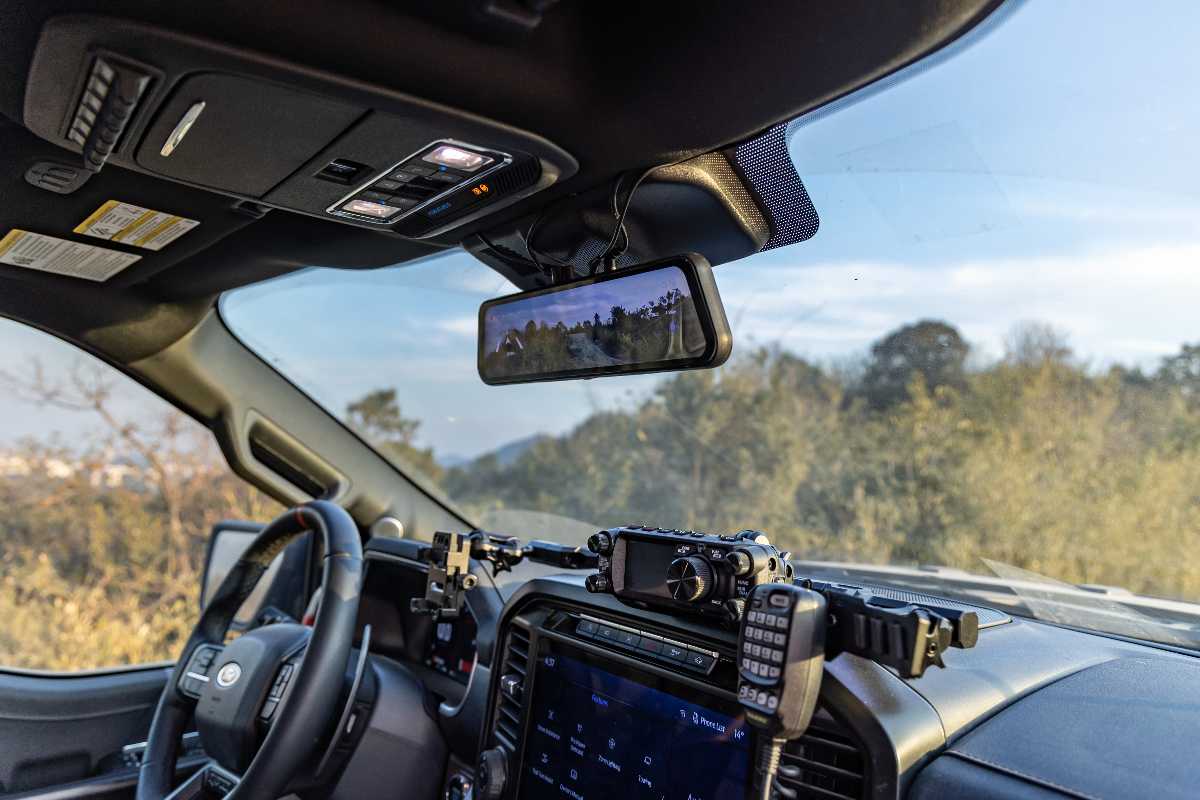
The WOLFBOX G900Pro and Nextbase Piqo 2K Dash Cam both aim for plug-and-play use, but they simplify different parts of the experience [1][5]. The Nextbase Piqo 2K Dash Cam minimizes what has to be installed with one screenless windshield camera recording at 2K, or 2560 × 1440, with a 145° field of view. The WOLFBOX G900Pro requires more hardware up front. Once connected, however, its 4K front camera records at 3840 × 2160 and works alongside a 2.5K (2560 × 1440) rear camera and 12-inch touchscreen as one seamless system for recording and rear visibility [1].
The WOLFBOX G900TriPro Bumper Version uses a three-camera mirror setup for drivers who also want low-angle exterior coverage built into the system [2]. A third 1080p camera mounts near the front bumper to show terrain and nearby obstacles that fall below the driver's forward line of sight [2].
Two Different Approaches to “Plug and Play”
The Piqo 2K prioritizes getting from installation to front-facing recording with as little hardware as possible [5]. The Piqo 2K mounts to the windshield and can be powered from a vehicle’s 12V socket using the supplied cable [5]. Nextbase markets it as a setup that takes minutes, and TechRadar describes the installation as quick and easy to fit [5].
The WOLFBOX G900Pro asks for more installation work in exchange for front-and-rear coverage and a live digital rear view [1][4]. The WOLFBOX G900Pro straps over the existing rearview mirror without drilling or adhesive, while a separate rear camera connects by a cable routed toward the back of the vehicle [1][4][6]. Once installed, the WOLFBOX G900Pro provides both rear recording and a continuous camera-based view behind the vehicle on the 12-inch display [1].
WOLFBOX vs Nextbase: Key Differences
|
Feature |
WOLFBOX G900Pro |
WOLFBOX G900TriPro Bumper Version |
Nextbase Piqo 2K Dash Cam |
|---|---|---|---|
|
Camera channels |
2 |
3 |
1 |
|
Front recording |
4K, 3840 × 2160 |
4K |
2K, 2560 × 1440 |
|
Rear recording |
2560 × 1440 |
2.5K |
No rear channel |
|
Additional view |
None |
1080p front-bumper camera |
None |
|
Display |
12-inch touchscreen |
12-inch touchscreen |
No screen |
|
Maximum storage |
512GB microSD |
512GB microSD |
256GB microSD |
|
Wi-Fi |
5.8GHz |
5.8GHz |
2.4GHz |
Sources: WOLFBOX official product pages for the G900Pro and G900TriPro Bumper Version [1][2].
How the WOLFBOX Mirror Display Changes Rear Visibility
The WOLFBOX G900Pro provides a driving view that the front-only Nextbase Piqo 2K Dash Cam cannot reproduce [1]. The 2560 × 1440 rear camera can feed a live image to the WOLFBOX G900Pro’s 12-inch touchscreen, giving the driver a camera-based view behind the vehicle while the same rear channel records footage [1]. The display can also show front and rear feeds in a split-screen layout [1].
The WOLFBOX G900Pro is not suitable for drivers whose main priority is the quickest possible single-camera installation, since the mirror display and separate rear camera add more components to place and connect [1][4][5].
The Piqo 2K is better suited to drivers who want a small recorder that leaves the factory rearview mirror unchanged [5]. The Piqo 2K has no built-in display and weighs 82 g, allowing the compact camera to sit behind the factory mirror [5]. The trade-off is the lack of rear coverage as the Nextbase Piqo 2K Dash Cam does not offer a compatible rear-camera module.

Who Benefits from the Third WOLFBOX Camera?
The WOLFBOX G900TriPro Bumper Version is most useful when close-range obstacles can disappear below the hood line [2]. The third 1080p camera can be mounted near the front bumper to provide a low exterior view and carries an IP67 rating, an ingress-protection classification indicating complete dust protection and resistance to temporary water immersion [2][3][7].
On late-summer trips involving rough access roads or uneven terrain, the WOLFBOX G900TriPro Bumper Version can make rocks, dips, and other low obstacles easier to see [2].

Which Dash Cam Makes More Sense for a Road Trip?
The Piqo 2K is a convenient road-trip option when quick setup and forward-facing recording are the priorities [5]. Parking recording requires a separate constant-power connection, so the standard plug-in setup is primarily designed for recording while the vehicle is running.
The WOLFBOX G900Pro is the better road-trip option for drivers who want continuous front-and-rear coverage along the way [1]. The WOLFBOX G900Pro records both the road ahead and traffic behind while keeping the rear-camera feed visible on its 12-inch mirror display [1]. That added rear view can be especially useful when passengers or luggage reduce visibility through the vehicle’s rear window.
Frequently Asked Questions
Is the Nextbase Piqo 2K Dash Cam quicker to install than the WOLFBOX G900Pro?
Yes. The Piqo 2K uses a single windshield-mounted camera [5]. The WOLFBOX G900Pro takes longer to install because its mirror display and separate rear camera add more components to place and connect, but the system itself remains relatively easy to install and set up [1][4].
Does the WOLFBOX G900Pro record behind the vehicle?
Yes. The WOLFBOX G900Pro uses a 2560 × 1440 rear camera to both record behind the vehicle and provide a live rear view on the 12-inch touchscreen while driving [1].
Does the Nextbase Piqo 2K Dash Cam have a rear camera?
No. The Piqo 2K records only from its front-facing camera and does not support a compatible Nextbase rear-camera module.
Is the WOLFBOX G900TriPro Bumper Version a good fit for trucks and off-road vehicles?
Yes. The WOLFBOX G900TriPro Bumper Version is especially useful for vehicles where close obstacles or uneven terrain can fall below the driver’s normal forward view. A third 1080p camera mounted near the front bumper provides that lower viewing angle [2].
Sources
[1] WOLFBOX — G900Pro 12MP WiFi Touch Screen Rear View Mirror Dash Cam Smart Mirror: https://wolfbox.com/products/wolfbox-2024-g900-pro-wifi-touch-screen-parking-monitoring-dash-cam-smart-mirror-with-starvis-678-sensor
[2] WOLFBOX — G900TriPro Bumper Version 4K Sony STARVIS 2 Mirror Dash Cam: https://wolfbox.com/products/wolfbox-g900tripro-bumper-version-4k-sony-starvis-2-mirror-dash-cam
[3] WOLFBOX — WOLFBOX G900TriPro Review 2026: Three Cameras, One Mirror, and Whether It’s Worth the Price: https://wolfbox.com/blogs/dash-cams/wolfbox-g900tripro-review-2026-three-cameras-one-mirror-and-whether-its-worth-the-price
[4] TechRadar — WOLFBOX G900 Pro Dash Cam Review: https://www.techradar.com/vehicle-tech/dash-cams/wolfbox-g900-pro-dash-cam-review
[5] TechRadar — Nextbase Piqo Dash Cam Review: Small and Light, but Potent Too: https://www.techradar.com/vehicle-tech/dash-cams/nextbase-piqo-dash-cam-review-small-and-light-but-potent-too
[6] WOLFBOX — How to Install a Dash Cam: Step-by-Step Guide for Any Car. https://wolfbox.com/blogs/dash-cams/how-to-install-a-dash-cam
[7] Getac — IP Ratings Explained: Dust and Water Resistance. https://www.getac.com/us/certifications/ip-rating/



Leave a comment
All comments are moderated before being published.
This site is protected by hCaptcha and the hCaptcha Privacy Policy and Terms of Service apply.