













The search for the best dash cam without subscription starts the same way for most people. You buy one, only to discover that all the good features are locked behind a monthly plan. It's a frustrating surprise that makes many drivers ditch it or stick to the basics.
That's also why many drivers look for a camera that works as promised, without any subscription. They expect no monthly payments or recurring fees, because another bill adds to the frustration.
The good news is you don't have to trade video quality for fee-free ownership. This guide breaks down what a subscription pays for and what you keep (and lose) without one. It also covers how to choose a no-fee camera and which models actually deliver, including Wolfbox options.
Dash Cam Without Subscription vs Subscription Dash Cam: What's the Difference?
A subscription-free dash cam saves everything locally to a memory card and connects to your phone only over local Wi-Fi. Meanwhile, a subscription dash cam uses a built-in cellular connection to offer live remote view, instant push alerts, and automatic cloud backup. [1] Neither option is objectively better; they simply serve different needs.
What a Dash Cam Subscription Actually Pays For
A subscription isn't an arbitrary fee. Instead, it usually covers three real infrastructure costs —
- A dedicated cellular data connection that keeps the camera online independently of your phone plan
- Cloud storage for housing large volumes of HD video
- Ongoing app and server development that keeps the software improving over time. [2]
Most connected dash cam plans run between roughly $4.99 and $19.99 a month as of 2026. Alternatively, it costs about $49 to $199 per camera per year.
What You Actually Lose (and Don't Lose) Without a Subscription
Skipping a subscription means giving up a few specific things. As mentioned, you could lose live remote view of your parked car from anywhere, instant push-to-phone alerts the moment something hits your vehicle, or automatic cloud trip history.
Everything else keeps working the same. You still get full local SD card recording, parking mode when paired with a hardwire kit, GPS logging, an app for setup and Wi-Fi file transfer, G-sensor impact lock, loop recording, and firmware updates. [3]
Do You Actually Need a Subscription? A Decision Framework
Many drivers dismiss premium plans without a second thought. However, it's not always the case, as your driving habits and conditions also matter. Ask yourself three questions —
- Where do you park most nights: a driveway you can walk out to, or somewhere you can't easily check?
- How often do you actually need to view footage remotely rather than after the fact?
- Is instant alerting worth the ongoing cost to you: parking or living in a theft-prone or hazardous area?
The honest answer is no for most everyday drivers. A dash cam without subscription fees still covers the essential needs of daily driving. It gets you reliable recording, evidence protection after an incident, and basic parking security.
Those features don't involve asking you to pay again every month for something you already own. Run the numbers over three years and the overall gap becomes obvious.
A $9.99-a-month cloud plan adds up to roughly $360 over three years. Meanwhile, a single 256GB high-endurance SD card, which is often all a subscription-free setup ever needs, costs a fraction of that as a one-time purchase. [4]
How to Choose a Dash Cam Without Subscription
A high-quality dash cam includes many great features. However, five specs actually determine how well a no-fee dash cam performs in real-world conditions. Those specs are — sensor quality, parking mode design, storage type, GPS accuracy, and how the camera handles heat while parked.
Sensor Quality
Look for a named sensor, like Sony's STARVIS 2 line, rather than a vague "HD" claim. Named sensors should deliver noticeably better low-light and license-plate detail. [3]
Parking Mode Design
Check whether the hardwire kit provides automatic low-voltage cutoff to protect the vehicle's battery from excessive discharge. Also, check whether the camera supports time-lapse recording or low-power parking surveillance to provide continuous monitoring while the vehicle is parked.
Storage Type and Card Support
Higher-resolution recording eats through storage fast. Confirm whether the camera supports at least 256GB and up to 512GB or 1TB for extended loop recording. [4]
GPS Behavior
A dedicated GPS module that logs speed, route, and location directly onto the video file adds real evidentiary value. A phone-based location guess can never deliver such precision.
Supercapacitor for Heat Resistance
A supercapacitor tolerates dashboard heat far better than a lithium battery over years of use. Standard batteries degrade and can swell in extreme temperatures. [5]
Best Dash Cams Without Subscription in 2026
The following five dash cams cover every common use case with no monthly fee. Available features range from full 3-channel mirror systems to simple front-and-rear setups. Each one delivers strong hardware, not just a low price tag.
Summary Comparison: Top Dash Cams without Subscription
| Model | Channels | Front Sensor | Storage | Parking Power | Best For |
|---|---|---|---|---|---|
| Wolfbox G900 TriPro Bumper Version | 3-channel mirror + bumper cam | 4K Sony STARVIS 2 IMX678 | Up to 512GB | Hardwire kit included | Off-road and full-coverage drivers |
| VIOFO A329S | 1-channel (dual-sensor) | 4K Sony STARVIS 2 | Up to 512GB | Buffered motion detection | Sharpest single-camera image quality |
| Vantrue N4 Pro | 3-channel (front/cabin/rear) | 4K Sony STARVIS 2 IMX678 | Up to 1TB | Supercapacitor, 4 parking modes | Rideshare and family drivers |
| Redtiger F17 Elite | 3-channel | 4K dual STARVIS 2 | Up to 512GB | G-sensor + Wi-Fi 6 transfer | Full night-color coverage |
| ROVE R2-4K Dual | 2-channel (front/rear) | 4K upscaled, STARVIS 2 | Up to 1TB | Supercapacitor, hardwire required | Budget-friendly dual coverage |
Wolfbox G900 TriPro Bumper Version: Best for Total Coverage
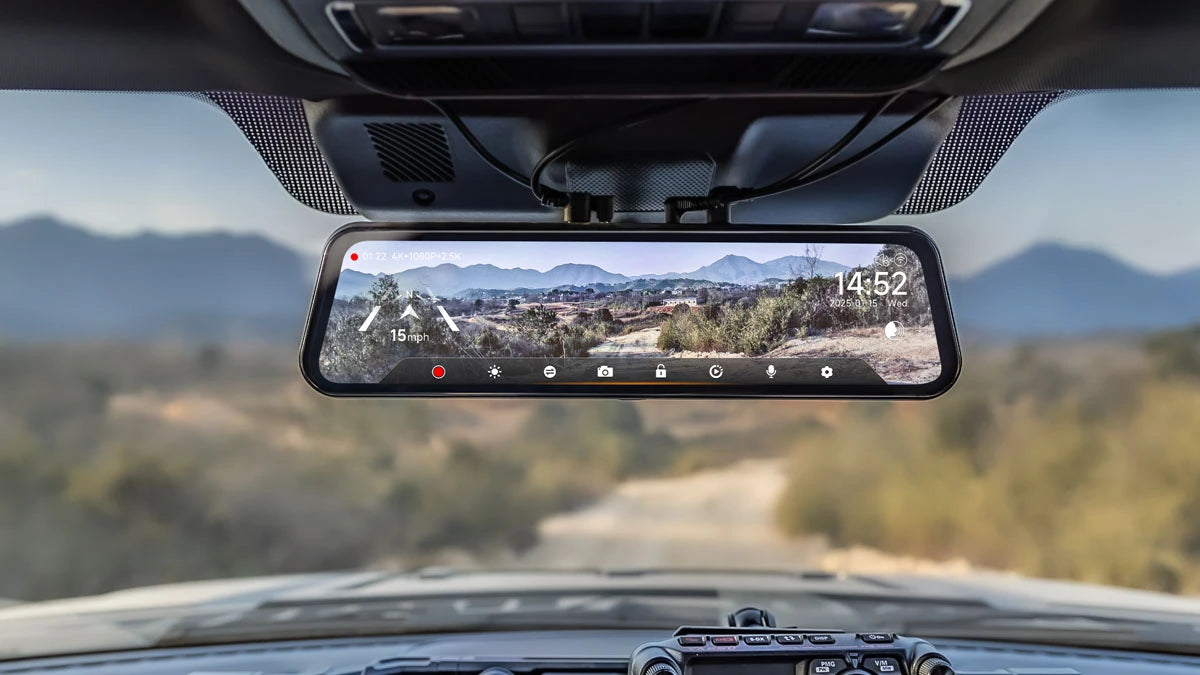
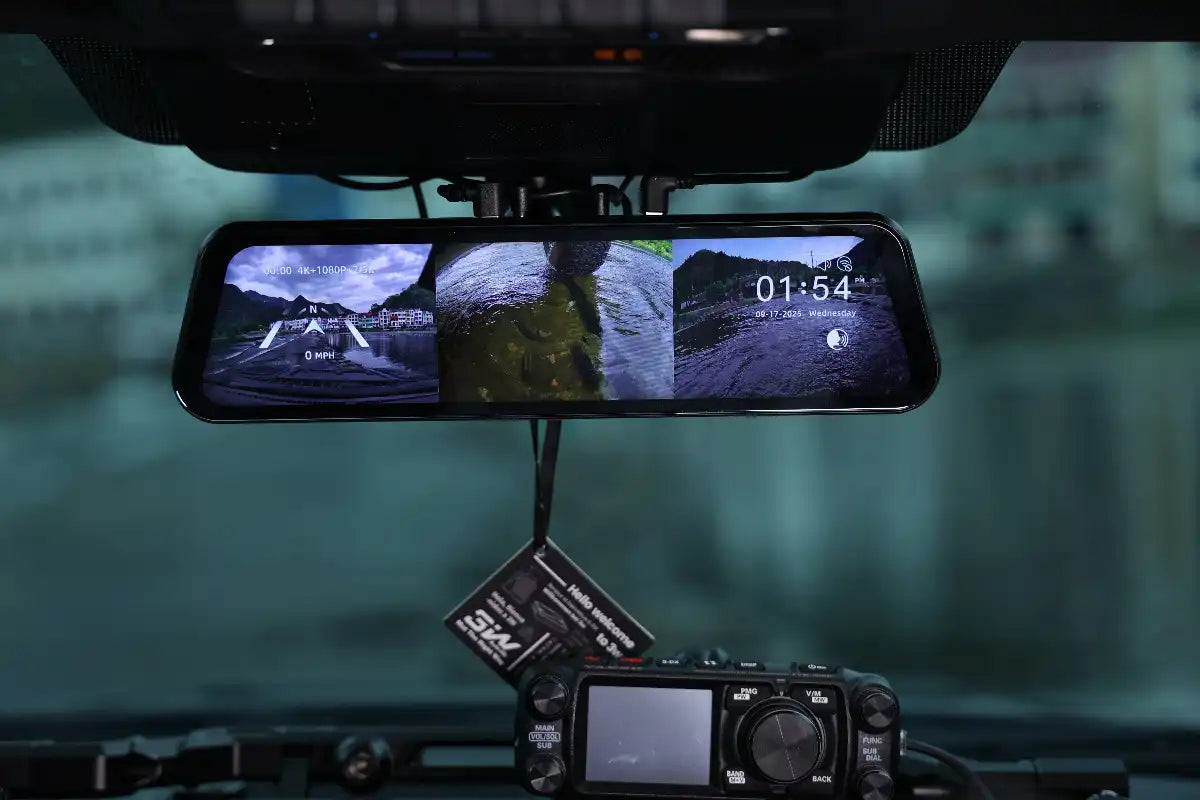
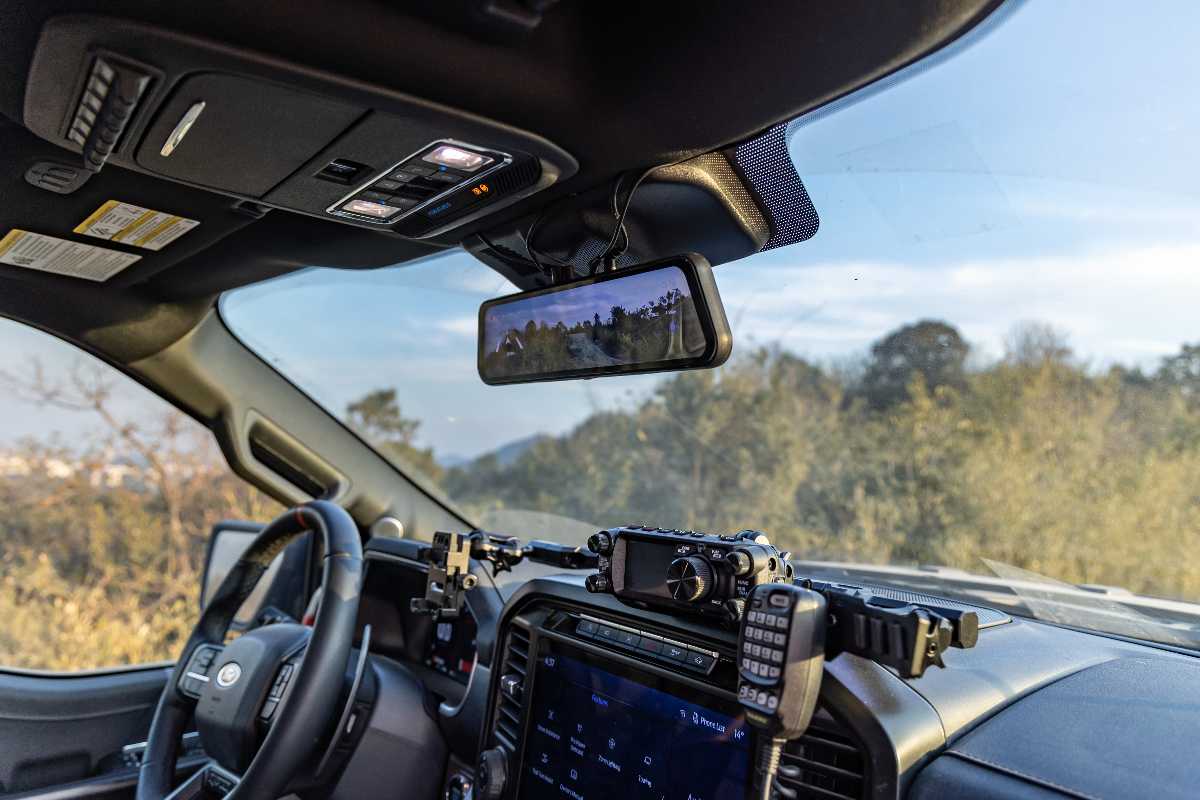
The Wolfbox G900 TriPro Bumper Version pairs a 12-inch mirror display with three simultaneous camera feeds. You'll have a 4K Sony STARVIS 2 IMX678 front camera, a 2.5K rear camera, and a dedicated waterproof bumper camera. The combination fills low-angle blind zones most dash cams miss entirely. [5] [6]
That bumper camera is a differentiator; it's built specifically to spot curbs, low obstacles, and tight-parking hazards that a standard windshield-mounted lens can't see. The integrated 5.8GHz Wi-Fi, voice control, and hardwire kit define the G900 TriPro as a true no-monthly-fees, full-coverage system.

VIOFO A329S: Best Single-Channel Image Quality
The VIOFO A329S pairs Wi-Fi 6 with a Sony STARVIS 2 sensor to deliver true 4K front recording and strong HDR performance. You can enjoy such features without any subscription requirements. If you mostly care about front-facing clarity and don't need a rear or cabin camera, it's a sharp option.
Vantrue N4 Pro: Best for Families and Rideshare Drivers
The Vantrue N4 Pro records front, cabin, and rear simultaneously. It also comes with a dedicated PlatePix feature built on STARVIS 2 sensors to sharpen license plate legibility in backlit and low-light conditions. The built-in supercapacitor and four parking detection modes make it a strong pick for rideshare drivers or parents looking for interior documentation.
Redtiger F17 Elite: Best for Full Night-Color Recording
The Redtiger F17 Elite covers the front, rear, and cabin with dual STARVIS 2 sensors and full night-color recording. Built-in Wi-Fi 6 enables fast footage transfer to your phone. It's a strong subscription-free option for drivers who want full 3-channel coverage without a mirror-style system.
ROVE R2-4K Dual: Best Budget-Friendly Dual-Channel Pick
The ROVE R2-4K Dual delivers solid 4K front recording with a STARVIS 2 sensor and a 1080p rear camera. It also includes a reliable, heat-resistant supercapacitor. It's a straightforward, no-frills front-and-rear setup for drivers who want dependable coverage without paying for features they rarely use.
How to Get the Most Out of Your Subscription-Free Dash Cam
A few simple habits keep any local-storage dash cam recording reliably for years. Look for the right SD card, format it regularly, use a hardwire kit for parking mode, and back up important clips before loop recording overwrites them.
Use a High-Endurance SD Card
Standard consumer cards aren't built for the constant write-and-overwrite cycle of loop recording. Those cards wear out faster than a card rated for continuous video.
Format the Card Monthly
A monthly format from within the camera's menu clears file-system fragmentation. Otherwise, you may encounter dropped frames or corrupted clips over time. [7]
Hardwire for Parking Mode
A hardwire kit lets your camera monitor your parked vehicle without draining your car's battery. The kit is a one-time purchase, not a subscription. [3]
Back up Important Clips Promptly
Loop recording will eventually overwrite everything. Always move any incident footage to your phone or computer as soon as possible after the event.
Clean the Lens and Mount Periodically
A few seconds with a microfiber cloth keep the recorded footage sharp and clear. Otherwise, dust and haze on the lens quietly degrade video quality over months of driving.
Conclusion
Some features are worth paying for. However, most drivers rarely need them. Instead, a subscription-free dash cam covers what actually matters. You'll get reliable recording, real evidence after an accident, and dependable parking security without asking for another monthly payment.
If you're curious, subscription plans can feel necessary if you need to check your car remotely from work. The same goes for instant phone alerts the second something happens. Even storing recorded footage automatically off-device costs extra.
Overall, you don't have to pay any monthly fee for features you can already own outright. Wolfbox's dash cam lineup covers everything, ranging from the full 3-channel G900 TriPro down to simpler, more affordable front-and-rear setups. [5] [8] Each option is ready to keep track of your driving forever with zero subscription required for essential features.
Frequently Asked Questions (FAQs)
Can a dash cam work without a subscription?
Yes. Nearly every dash cam on the market records to a local SD card and functions fully without any subscription. It includes loop recording, G-sensor impact protection, GPS logging, and parking mode when paired with a hardwire kit.
Are cloud dash cams better than no-subscription dash cams?
Neither is objectively better. Cloud-connected cameras add remote live view and instant alerts for an ongoing fee. Meanwhile, subscription-free cameras deliver the same core recording and evidence protection as a one-time purchase.
Do I need Wi-Fi or an app to use a dash cam without subscription?
You don't need Wi-Fi for the camera to record, but most no-subscription fee models include a free companion app. It connects over local Wi-Fi for setup, footage review, and file transfer without requiring any cellular connection or account.
Is there a free dash cam app?
Yes. Most subscription-free dash cams, including every model in this guide, include a free app for initial setup. You'll also get live preview, so pulling footage off the SD card onto your phone requires no payment.
What is the best dash cam without subscription in 2026?
It depends on your priority. The Wolfbox G900 TriPro Bumper Version leads for full 3-channel plus bumper coverage. The Vantrue N4 Pro suits families/rideshare drivers, whereas the ROVE R2-4K Dual is a budget-friendly pick for simple front-and-rear coverage.
References
[1] Nationwide Fleet Installations: "Fleet vs Consumer Dash Cams" — https://nationwidefleetinstallations.com/fleet-vs-consumer-dash-cams/
[2] DNH Dashcam Solutions: "Top Features in Dash Cameras" — https://dnhdashcamsolutions.com/top-features-in-dash-cameras-5-things-that-separate-cheap-from-premium-models/
[3] Wolfbox: "The Ultimate Guide to Dash Cam Features" — https://wolfbox.com/blogs/dash-cams/dash-cam-features
[4] Wolfbox: "How to Choose Best SD Card for Dash Cam" — https://wolfbox.com/blogs/dash-cams/best-sd-card-for-dash-cam
[5] Wolfbox: "Wolfbox G900TriPro Bumper Version Mirror Dash Cam" — https://wolfbox.com/products/wolfbox-g900tripro-bumper-version-4k-sony-starvis-2-mirror-dash-cam
[6] Hunting Life: "Wolfbox G900 TriPro Bumper Version Review" — https://huntinglife.com/wolfbox-g900-tripro-review/
[7] Wolfbox: "How to Format a microSD Card" — https://wolfbox.com/blogs/dash-cams/how-to-format-a-micro-sd-card
[8] Wolfbox: "Wolfbox Dash Cam Collections" — https://wolfbox.com/collections/dash-cam

Leave a comment
All comments are moderated before being published.
This site is protected by hCaptcha and the hCaptcha Privacy Policy and Terms of Service apply.