













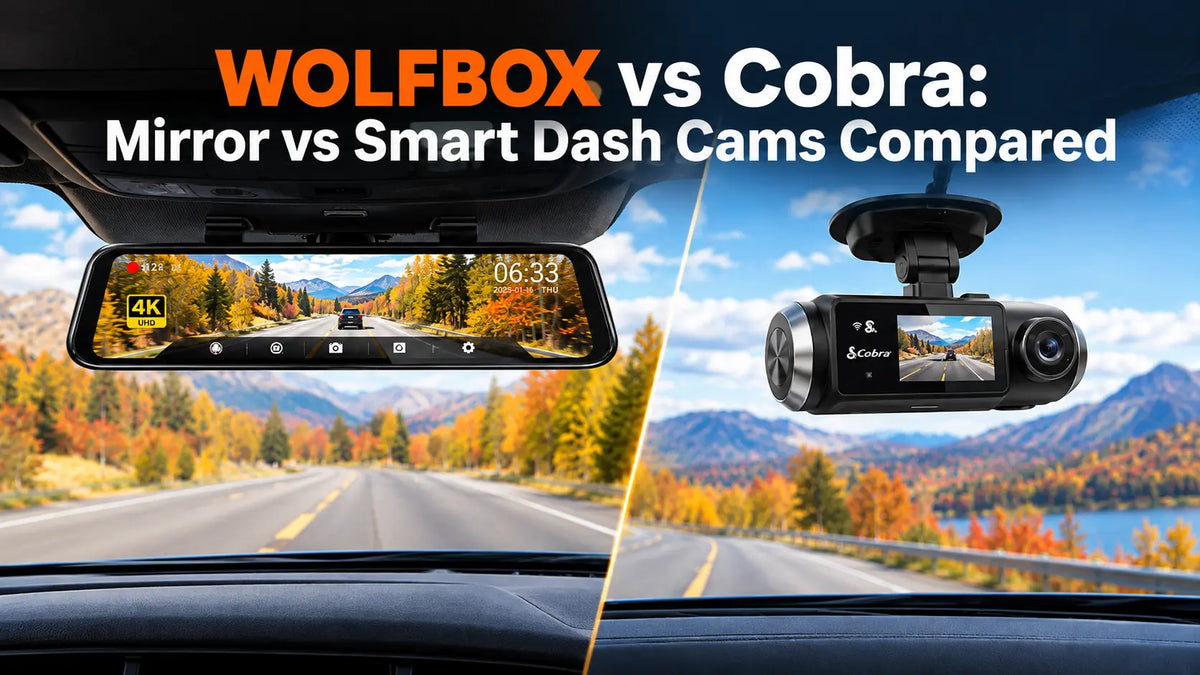
Autumn can make unfamiliar roads more challenging. Wet leaves, low morning sun, gravel shoulders and new trailheads can all make it harder to see what is happening around the vehicle. In these situations, it helps to have both a recording of the drive and a clear view of the road.
Cobra and WOLFBOX take two different approaches. Cobra makes windshield-mounted dash cams that connect to an app and provide driver alerts. The WOLFBOX G900 TriPro Bumper Version mounts over the rearview mirror and combines three cameras with a 12-inch IPS touchscreen [1]. The large display makes it easier to see the camera views while driving.
The Main Difference Is the Screen
The screen is one of the clearest differences between the two formats. Smart windshield dash cams are usually small and mounted close to the rearview mirror. Depending on the model, you may get a small built-in screen or no display at all, with most footage that can be viewed later on your phone.
The G900 TriPro Bumper Version works differently. It sits over the existing mirror and gives you a 12-inch IPS touchscreen [1]. While driving, you can use it to change camera views, move the parking guidelines and see GPS information linked to your recordings [1][5].
That larger screen is one of the main reasons to choose a mirror dash cam. Most models in this category use a 10 to 12-inch display, while compact windshield cameras often have a much smaller 2 to 3-inch screen [3]. The downside is that a small windshield camera is usually easier to move from one car to another.
The G900 TriPro is held in place with rubber straps around the original mirror, so you do not need to drill holes or attach the main unit to the glass with adhesive [3]. Compact windshield models usually attach with a suction cup or adhesive pad.
The Third Camera Makes the Biggest Difference
A three-channel dash cam records three views at the same time. The main difference is what the third camera is used for. Cobra models usually focus on front and cabin or front and rear coverage, with the cabin camera mainly used to record activity inside the vehicle. The WOLFBOX G900 TriPro Bumper Version uses its third camera outside the vehicle, on the front bumper [1][2].
The 1080P bumper camera covers a 131.8° field of view and carries an IP67 rating, so it can handle dust, rain and other outdoor conditions [2]. Mounted low at the front of the vehicle, it shows areas that are hard to see from the mirror. Off-road, that can help you spot rocks, trail edges and obstacles close to the tires. AutoGuide described the bumper camera as "crucial for rock crawling" [6], while IBTimes highlighted its ability to show what is immediately ahead on difficult terrain [7].
WOLFBOX also offers a Cabin Version of the G900 TriPro. Instead of the bumper camera, it uses a 1080P interior camera with four infrared lights and a 124.4° field of view [2][10]. This version is better suited to drivers who want to capture the cabin view, including passengers and the interior environment.
Camera Quality and Resolution
The WOLFBOX G900 TriPro Bumper Version records the front view in 4K using a Sony STARVIS 2 IMX678 sensor [1]. This gives you video at up to 3840 × 2160 pixels, while the STARVIS 2 sensor is designed to perform well in low-light conditions.
The rear camera records in 2.5K and has a 150° field of view [1][5]. It is waterproof, so it can be installed either inside the vehicle or outside on the body. It also supports horizontal and mirror flip, which makes installation more flexible.
Resolution, however, is only part of the picture. Some smart dash cams also record in 4K. The G900 TriPro records footage from three cameras at once, including the one mounted on the front bumper [2][4].
With three video feeds running, the files can add up quickly. WOLFBOX recommends a 128GB to 256GB Class 10 or U3 microSD card [4]. Installation also takes a little more work, since cables have to be routed for each camera.
Connected Features and Built-In Tools
Cobra and WOLFBOX also take different approaches to connected features. Cobra focuses more on its app, with features such as community driver alerts, incident reporting and emergency contacts.
The WOLFBOX G900 TriPro Bumper Version keeps most of its features on the device. It has 5.8GHz WiFi for transferring videos to the WOLFBOX app, GPS functionality for recording speed and location, 12 voice commands, loop recording, and a G-sensor [1][2][5]. If the G-sensor detects an impact, it automatically locks the related video so it is not overwritten.
Parking mode is also available, but it requires a hardwire kit connected to the vehicle's fuse box [1][5]. The kit includes low-voltage protection to help prevent the car battery from being drained. There is no subscription required to use parking mode [2].
The G900 TriPro Bumper Version uses a supercapacitor instead of a lithium battery and can operate in temperatures from -4°F to 158°F [5]. Supercapacitors handle extreme temperatures well, which is useful for a dash cam that may stay in the vehicle throughout the year.
WOLFBOX G900 TriPro Bumper Version Specs
| Feature | WOLFBOX G900 TriPro Bumper Version |
| Display | 12-inch IPS touchscreen |
| Front camera | 4K, Sony STARVIS 2 IMX678 |
| Rear camera | 2.5K, 150° field of view, waterproof |
| Bumper camera | 1080P, 131.8° field of view, IP67 |
| WiFi | 5.8GHz |
| GPS | records speed and location |
| Voice control | 12 commands |
| Parking mode | Yes, hardwire kit required |
| Power | Supercapacitor |
| Operating temperature | -4°F to 158°F |
| Mounting | Attaches over the existing mirror with rubber straps or replaces it using a compatible mount |
| Warranty | 18 months |
Source: WOLFBOX G900 TriPro Bumper Version product page and landing page [1][5].
When the G900 TriPro Bumper Version May Not Be the Best Fit?
The G900 TriPro Bumper Version is designed to show what is happening outside the vehicle. Its third camera sits on the front bumper, so it does not record the cabin [1][2].
If you need an interior view, the G900 TriPro Cabin Version is a better option. It uses the same 12-inch mirror display but replaces the bumper camera with a 1080P infrared cabin camera with a 124.4° field of view [2][9][10]. This makes it more suitable for rideshare drivers, taxi drivers or anyone who wants to monitor passengers.
The Bumper Version may also be less convenient if you often move your dash cam between different vehicles. Installation takes around 2–3 hours and requires routing the cables for the rear and bumper cameras [3][4]. A compact windshield dash cam is generally easier to remove and install in another car.
The 12-inch mirror display is another factor to consider. It changes the look of the original rearview mirror and, depending on the vehicle and viewing angle, reflections may sometimes be noticeable [3]. If you prefer a smaller and less visible setup, a compact windshield dash cam may suit you better.
Who the G900 TriPro Bumper Version Is Best For?
The WOLFBOX G900 TriPro Bumper Version is a good fit for drivers who need a wider view around the vehicle, especially in situations where a standard rearview mirror is not enough.
- Off-road and overland drivers: the bumper camera provides a 131.8° ground-level view and has an IP67 rating [2][6]. This helps you see rocks, trail edges and obstacles close to the front of the vehicle.
- Truck, RV and trailer owners: if a load, topper or trailer blocks the rear view, the 12-inch display can show the live rear camera feed. Parking guidelines can also be adjusted directly on the screen [1][8].
- Drivers who prefer built-in features: the G900 TriPro focuses on its three-camera setup, large display and on-device functions. If app-based safety alerts are more important to you, a connected dash cam such as those offered by Cobra may be a better fit.
Frequently Asked Questions
Is a WOLFBOX mirror dash cam better than a Cobra smart dash cam?
It depends on what you need. The WOLFBOX G900 TriPro Bumper Version focuses on a large 12-inch display and three camera views, including an exterior bumper camera [1]. Cobra smart dash cams are more focused on compact windshield mounting and app-based alerts. The better choice depends on whether you prefer a large live view or connected features.
Does the WOLFBOX G900 TriPro Bumper Version record the cabin?
No. Its third camera is a 1080P IP67 unit designed for the front bumper, so it records the area in front of the vehicle rather than the interior [1][2]. If you need cabin recording, the G900 TriPro Cabin Version is designed for that [10].
Does the WOLFBOX G900 TriPro Bumper Version need a subscription?
No. Recording features and parking monitoring do not require a subscription [2]. Parking mode does, however, need a hardwire kit connected to the vehicle's fuse box [1][5].
What does 4K mean on the WOLFBOX G900 TriPro Bumper Version?
The front camera records video at up to 3840 × 2160 pixels using a Sony STARVIS 2 IMX678 sensor [1]. The rear camera records in 2.5K [1].
How much storage does a three-channel dash cam need?
Three cameras produce more video files than a single or dual-camera setup. WOLFBOX recommends a 128GB to 256GB Class 10 or U3 microSD card for continuous three-channel recording [4].
Can you install the WOLFBOX G900 TriPro Bumper Version without drilling?
Yes. The main display fits over the existing rearview mirror using rubber straps, so you do not need to drill holes or use adhesive for the mirror unit [3]. The cables for the rear and bumper cameras still need to be routed through the vehicle [4].
References
[1] WOLFBOX G900TriPro Bumper Version 4K Sony STARVIS 2 Mirror Dash Cam - Official Product Page: https://wolfbox.com/products/wolfbox-g900tripro-bumper-version-4k-sony-starvis-2-mirror-dash-cam
[2] WOLFBOX - G900TriPro Review 2026: Three Cameras, One Mirror, and Whether It Is Worth the Price: https://wolfbox.com/blogs/dash-cams/wolfbox-g900tripro-review-2026-three-cameras-one-mirror-and-whether-its-worth-the-price
[3] WOLFBOX - Mirror Dash Cam vs Windshield Dash Cam: Which Format Fits Your Car and How You Drive: https://wolfbox.com/blogs/dash-cams/mirror-dash-cam-vs-windshield-dash-cam-which-format-fits-your-car-and-how-you-drive
[4] WOLFBOX - 3 Channel Dash Cam: Everything You Need to Know: https://wolfbox.com/blogs/dash-cams/3-channel-dash-cam
[5] WOLFBOX - G900TriPro Bumper Version Landing Page: https://wolfbox.com/pages/g900tripro-bumper-version-landing-page
[6] AutoGuide - WOLFBOX G900 TriPro Dash Cam Review: https://www.autoguide.com/auto/wolfbox-g900-tripro-dash-cam-review-44623066
[7] IBTimes - Adventure Ready: How the G900 TriPro Bumper Cam Takes Off-Roading to the Next Level: https://www.ibtimes.com/adventure-ready-how-g900-tripros-bumper-cam-takes-off-roading-next-level-3780706
[8] WOLFBOX - Best Mirror Dash Cam With Backup Camera 2026: When Rear Vision Becomes a Safety System: https://wolfbox.com/blogs/dash-cams/best-mirror-dash-cam-with-backup-camera-2026-when-rear-vision-becomes-a-safety-system
[9] WOLFBOX - 3 Channel Dash Cam Collection: https://wolfbox.com/collections/3-channel-dash-cam
[10] WOLFBOX G900TriPro Cabin Version 3 Channel Dash Camera - Official Product Page: https://wolfbox.com/products/wolfbox-g900tripro-cabin-version-3-channel-dash-camera


Leave a comment
All comments are moderated before being published.
This site is protected by hCaptcha and the hCaptcha Privacy Policy and Terms of Service apply.