













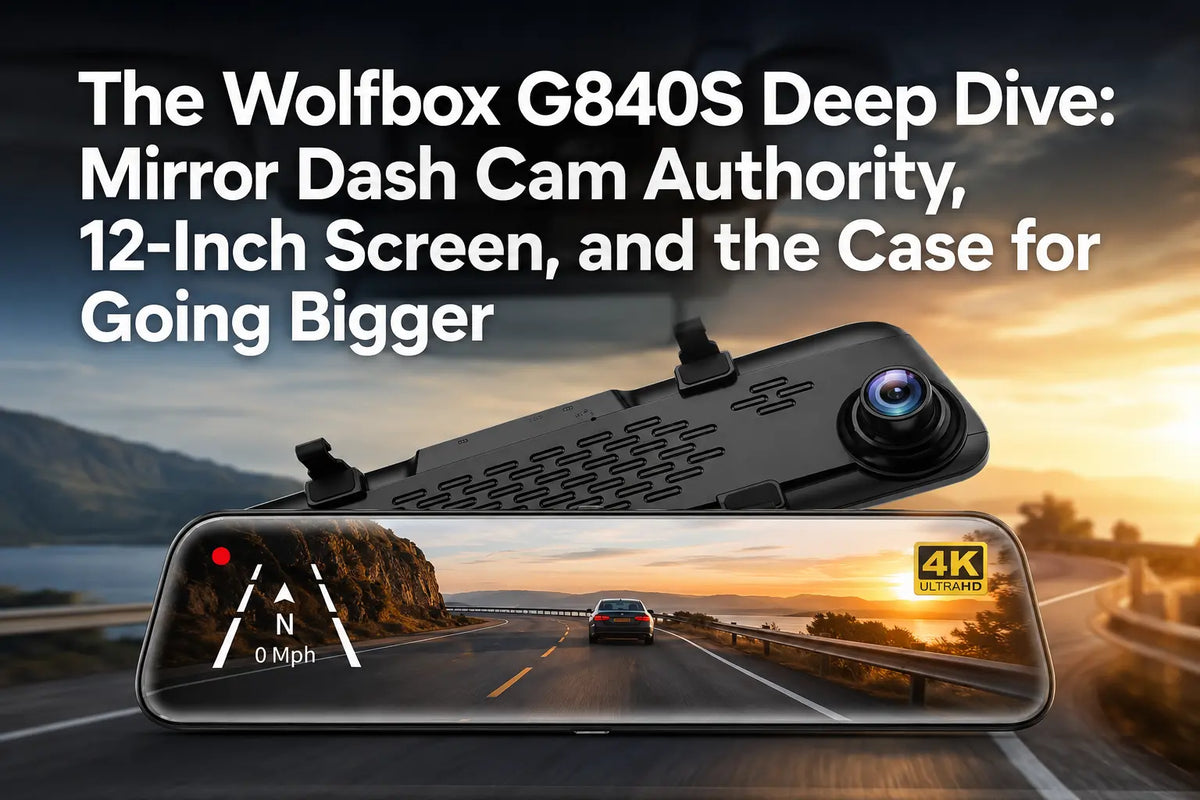
Most mirror dash cams squeeze a 7 to 9-inch display into a rearview mirror housing. The Wolfbox G840S goes bigger — a 12-inch panel that replaces the entire mirror, not just a corner of it — and that size difference changes how the camera actually gets used day to day [1].
What a 12-Inch Mirror Actually Changes
A 12-inch wide mirror gives the G840S roughly 30 to 50 percent more usable screen area than the 7 to 9-inch panels common on competing mirror cams, which matters most when the split-screen mode is active. WOLFBOX's official product page describes the smart split-screen function as letting drivers observe front and rear feeds simultaneously without switching views manually [1][2]. A wider panel also functions closer to a real rearview mirror at a glance, rather than a screen bolted in front of one — the 2.5D curved glass on the G840S is built specifically to mimic that mirror geometry [1].
Installation: Strap-On, No Drilling
The G840S mounts by clipping directly over the existing factory rearview mirror and securing with rubber straps — no drilling, no adhesive on the windshield, and no permanent modification to the vehicle. A step-by-step installation walkthrough hosted on WOLFBOX's own community forum confirms this exact process: clip the unit over the mirror, adjust for fit, and secure with the included straps, since the front lens sits on the left side and may need to slide over slightly to clear an obstruction [3].
Power comes from either the 12V cigarette lighter socket for ignition-only operation, or a separate hardwire kit if 24-hour parking monitoring is needed. WOLFBOX's own setup walkthrough recommends hardwiring only when continuous parking surveillance matters, since a cigarette-lighter connection only powers the camera while the car is running [3][4].
| Installation Step | What It Involves |
| Mirror mount | Clip and rubber-strap over the factory mirror, no drilling or adhesive |
| Front lens adjustment | Lens sits on the left side; slide the unit over if it hits the factory mirror housing |
| Rear camera mount | Above the license plate or inside the rear windshield, cable run through trim |
| Reverse trigger (optional) | Splice into the reverse light circuit for automatic parking guideline display |
| Hardwire kit (optional) | Required only for 24-hour parking mode; not needed for ignition-only use |
Source: WOLFBOX Community installation walkthrough [3].
SD Card Management for Loop Recording
The G840S records in continuous loop, overwriting the oldest unlocked footage once the card fills, which is standard dash cam behavior but requires a Class 10 or higher microSD card to keep up with sustained 4K write speeds. WOLFBOX's setup guidance explicitly calls out card class as a requirement, not a suggestion, since a slower card can cause dropped frames or recording failures during continuous 4K capture [4].
Image Quality: Day vs. Night, Honestly
The G840S records front footage at 4K (3840 × 2160) and rear footage at 1080P, a resolution split rather than matching 4K on both channels [1][5]. During daylight, that split rarely matters — both channels deliver identifiable plates and clear lane markings under WOLFBOX's official spec sheet. At night, the front 4K channel with night vision retains more usable detail than the rear 1080P channel, so drivers relying heavily on rear evidence in low light should weigh that resolution gap into their decision [1][2].
Note: "4K" refers to exported video files with a resolution of not less than 3840 × 2160
Who Should Choose the G840S vs. Upgrade to the G900 Series
- Daily commuters and first-time mirror-cam buyers who want a large, easy-to-read display without a multi-camera install: the G840S's single front-rear pair covers this well
- Drivers who want backup-camera functionality with adjustable reversing guidelines from one rear camera: G840S handles both live-view and continuous recording
- Rideshare drivers or families who specifically need a third interior-facing channel: the G900TriPro adds a dedicated cabin camera the G840S does not include [7]
- Buyers prioritizing rear-channel resolution parity with the front: the G900 series records 2.5K rear footage, a step up from the G840S's 1080P rear channel [6]
G840S at a Glance
| Spec | G840S |
| Display | 12-inch wide mirror, 2.5D curved screen |
| Front camera | 3840 × 2160 |
| Rear camera | 1080P |
| Field of view | 123.4° front, 124° rear |
| Installation | Strap-on mirror mount, no drilling |
| Parking assist | Adjustable reversing guidelines, 3 levels |
| Connectivity | 5.8GHz WiFi, GPS |
| Included accessories | 32GB SD card |
Source: WOLFBOX G840S official product page [1] and Amazon official listing [5].
Frequently Asked Questions
Does installing the G840S require drilling into the windshield?
No. It clips over the existing rearview mirror using rubber straps, with no drilling or windshield adhesive required.
What microSD card does the G840S need?
A Class 10 or higher microSD card, which is necessary to keep up with sustained 4K front-camera write speeds without dropped frames.
Why is the rear camera 1080P instead of 4K like the front?
WOLFBOX pairs a 4K front sensor with a 1080P rear sensor on the G840S; drivers wanting matching front-and-rear resolution should look at the G900 series, which records 2.5K on the rear channel.
Do I need a hardwire kit to use the G840S?
Only if you want 24-hour parking monitoring. Standard ignition-only recording works through the 12V cigarette lighter socket without any hardwiring.
When should I choose the G900 series instead of the G840S?
If you specifically need a third interior-facing camera channel for rideshare or family use, or want rear-channel resolution to match the front, the G900TriPro is the better fit.
References
[1] WOLFBOX G840S 12" 4K Mirror Dash Cam Official Product Page: https://wolfbox.com/products/wolfbox-g840s-12-4k-mirror-dash-cam-2160p-full-hd-smart-rear-view-camera-mirror-dash-cam
[2] WOLFBOX — What Is the Benefit of a Rearview Mirror Camera?: https://wolfbox.com/blogs/news/stay-ahead-of-the-game-with-the-revolutionary-wolfbox-g840s-dashcam
[3] WOLFBOX Community — G840S Full Install Guide: https://community.wolfbox.com/support/post/how-to-install-a-wolfbox-dash-cam-and-reverse-camera-professional-and-KVAK2miIfLuwHr5
[4] WOLFBOX Official User Manual Downloads Page: https://wolfbox.com/pages/user-manual
[5] Amazon — WOLFBOX G840S 12" 4K Mirror Dash Cam Backup Camera Listing: https://www.amazon.com/WOLFBOX-Mirror-Backup-Camera-Screen/dp/B0811Q28N6
[6] WOLFBOX G900 Pro Official Product Page: https://wolfbox.com/products/wolfbox-2024-g900-pro-wifi-touch-screen-parking-monitoring-dash-cam-smart-mirror-with-starvis-678-sensor
[7] The Gadgeteer — Wolfbox G900TriPro 3-Channel Mirror Dashcam Review: https://the-gadgeteer.com/2025/05/06/wolfbox-g900-tripro-3-channel-mirror-dashcam-review-this-next-gen-dashcam-sees-all/

Leave a comment
All comments are moderated before being published.
This site is protected by hCaptcha and the hCaptcha Privacy Policy and Terms of Service apply.