






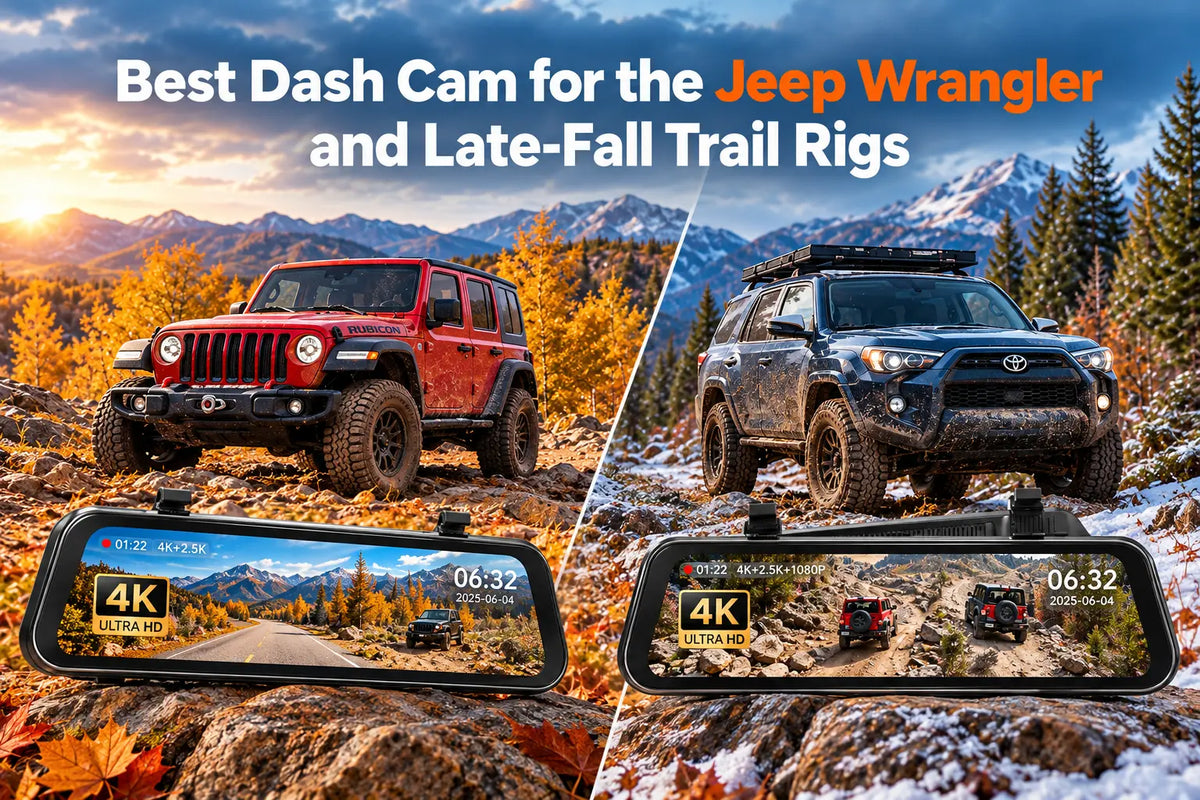
Driving a Jeep Wrangler or a Toyota 4Runner off-road often means dealing with obstacles you can't always see from behind the wheel. On steep climbs, the hood can hide rocks, deep ruts and sudden drops just ahead of the front tires. Add shorter autumn days, muddy tracks and the occasional icy morning, and those last trail runs before winter can become even more challenging.
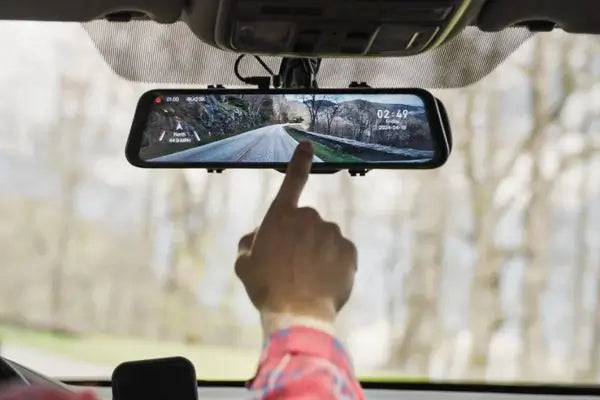
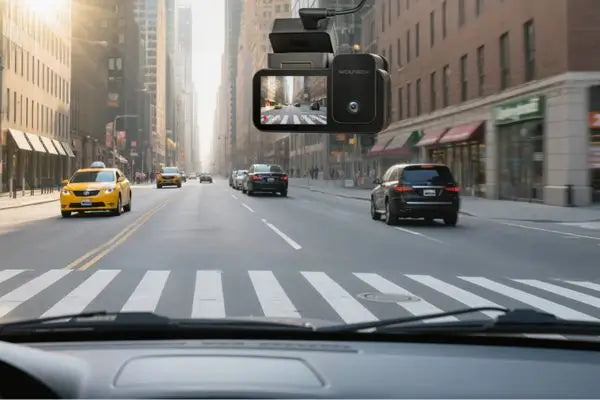
A dash cam with a front bumper camera can help you keep an eye on the ground ahead. That's where the WOLFBOX G900TriPro Bumper comes in. It combines 4K front and 2.5K rear recording with a third 1080P camera mounted near the bumper, with footage displayed on a 12-inch digital mirror ([1])([3]).
But do you really need three cameras? That depends on where you drive. For rocky trails and more demanding off-road routes, the G900TriPro Bumper offers useful extra visibility. If your adventures mostly involve highways, gravel roads and easier forest tracks, the WOLFBOX G900 Pro provides front and rear coverage with a simpler setup ([2])([3]).
What to Look for in a Dash Cam for Late-Fall Trails
Driving off-road in late fall means dealing with less daylight, colder temperatures and often muddy trails. These conditions can also affect how well your dash cam works, so there are a few things to consider:
- Night recording. Both the G900 Pro and G900TriPro Bumper use a Sony STARVIS 2 front sensor designed for low-light recording. The G900 Pro also reduces the graininess often seen in nighttime videos ([2])([3]).
- Changing light. Bright sunlight and shaded areas can make parts of a recording difficult to see. The G900TriPro Bumper uses Triple HDR to capture more detail in both conditions ([1]).
- Cold weather. Freezing temperatures can affect the microSD card and cause startup problems. Check the card before leaving and allow the cabin to warm up to reduce the risk of condensation ([6]).
- Mud and water. The G900TriPro Bumper's third camera is IP67-rated, making it suitable for wet and muddy conditions. Unlike the Bumper version, the G900TriPro Cabin's third camera isn't waterproof ([3])([9]).
How the G900TriPro Bumper Helps with Wrangler and 4Runner Blind Spots
When you're driving a Jeep Wrangler over rocks or steep terrain, the hood can block your view of what's directly ahead. This makes it difficult to judge where to place your tires, especially when approaching a ledge or a sudden drop.
The WOLFBOX G900TriPro Bumper helps by adding a third camera near the front bumper. It records in 1080P and has a 131.8° field of view, giving you a wider look at the ground ahead ([1])([3]). You can check the camera feed on the 12-inch mirror display without having to guess what's hidden below the hood.
We showcased the G900TriPro Bumper at the 60th Easter Jeep Safari in Moab, Utah, held from March 28 to April 5, 2026. The system was demonstrated on a Jeep Wrangler Rubicon 392 during sponsored runs on trails such as Hell's Revenge, Moab Rim and Golden Spike ([7]). The extra front view proved particularly useful for spotting obstacles along the route.
AutoGuide also highlighted this advantage in its review, describing the bumper-mounted camera as especially valuable for rock crawling ([9]).
The Toyota 4Runner has similar visibility challenges, particularly on steep climbs where the hood hides much of the ground ahead. Depending on how you use your vehicle, you can mount the bumper camera in the center for a general view of the trail or closer to the front left wheel to help with tire placement ([5]). This extra visibility can also be useful for larger SUVs, trucks and vehicles used for towing ([4]).
Visibility matters at the back, too. On a Wrangler, the spare tire mounted on the tailgate can obstruct part of the rear window. The G900TriPro Bumper sends the rear camera's 2.5K footage straight to the 12-inch mirror display. With a 150° viewing angle, you get a much broader look at what's happening behind the Jeep, even with the spare tire in the way ([3]).
GPS information is saved along with each recording, including where you drove and your speed ([1]). This can be handy when looking back at a trail you've explored or finding a particular section of your drive.
WOLFBOX G900 Pro: A Simpler Option for Everyday Driving
If you mostly drive on highways and well-maintained dirt roads, the WOLFBOX G900 Pro may be all you need. It captures 4K footage at 30 fps, covering 170° at the front and 150° at the rear ([10]). TechRadar's reviewer praised the front camera's video quality, ranking it among the best they had tested ([10]).
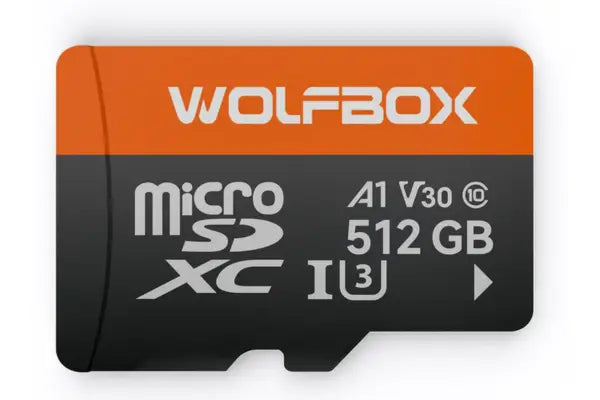
For longer drives, you can use a microSD card of up to 512GB to store your recordings ([2]). Thanks to loop recording, you don't have to worry about manually deleting old videos. Once the card is full, the camera automatically records over the oldest unprotected files ([2]).
The G900 Pro comes with a 20 ft cable for connecting the rear camera, which can also be used when reversing. The mirror unit weighs 497 g (around 1.1 lb) ([2])([10]).
There's no bumper camera to install, unlike the G900TriPro Bumper ([3]). That means fewer cables running through the vehicle, which is convenient if your trips rarely involve difficult off-road terrain.
Installing the WOLFBOX G900TriPro Bumper on a Jeep Wrangler
Installing the G900TriPro Bumper on a Jeep Wrangler takes some time, mainly because of the cables. The mirror display attaches over your existing rearview mirror using straps, while the camera cables need to be routed through the vehicle. An Autoblog contributor completed the installation on her Jeep in around 90 minutes ([8]). Depending on your vehicle and where you mount the bumper camera, the job may take 2 to 3 hours ([3]).
Once the cameras are in place, there are a few things worth setting up and checking before your first trip:
- Voice controls. The G900TriPro Bumper supports 12 voice commands, so you can use certain functions without touching the screen. Autoblog's reviewer found that they worked reasonably well, even inside a noisy Jeep ([3])([8]).
- Parking mode. You'll need the WOLFBOX hardwire kit, which connects to the vehicle's fuse box. With the WOLFBOX 4A hardwire kit, it cuts power when the battery voltage drops to 11.8V, helping protect the starting battery. Autoblog also reported that the parked G900TriPro recorded at one frame per second, saving storage space through time-lapse recording ([3])([8]).
- Impact detection. The G900 Pro has a built-in G-sensor that detects sudden impacts and protects the relevant footage from being overwritten ([2]).
- Camera alignment. Make sure the cameras are securely mounted and pointing in the right direction. Rough trails can cause them to shift, so check their position after particularly bumpy drives ([5]).
One more thing to watch out for is the shape of your factory mirror. During its G900 Pro review, TechRadar found that certain mirror mounts could partially block the front camera ([10]). Check that the lens has a clear view of the road before heading out on the trail.
How to Care for Your Dash Cam Before Winter
After your last trail trip of the season, take a few minutes to clean and check your G900TriPro Bumper. Mud is easier to remove before it dries, so rinse it off the camera housing with warm water and use a microfiber cloth to gently clean the lens. It's also worth checking the weather seals for any cracks or signs of wear ([5]).
Before putting your vehicle away for winter, remember to save any footage you want to keep. Both the G900TriPro Bumper and G900 Pro connect to the WOLFBOX app through 5.8GHz Wi-Fi, allowing you to transfer videos to your phone ([1])([2]). Once your recordings are safely backed up, you can format the microSD card to prepare it for your next trip.
WOLFBOX G900TriPro Bumper vs. G900 Pro: Key Specs
Both dash cams offer 4K front recording, a 2.5K rear camera and a 12-inch mirror display. The biggest difference is the G900TriPro Bumper's third camera, which gives you an extra view of the ground ahead when driving off-road.
Here's how the two models compare.
|
Feature |
G900TriPro Bumper |
G900 Pro |
|---|---|---|
|
Cameras |
3 (front, rear and bumper) |
2 (front and rear) |
|
Front recording |
4K (3840 × 2160), 30 fps |
4K (3840 × 2160), 30 fps |
|
Front sensor |
Sony STARVIS 2 IMX678 |
Sony STARVIS IMX678, 1/1.8" |
|
Front viewing angle |
130° |
130° |
|
Rear recording |
2.5K (2560 × 1440), 150° |
2.5K (2560 × 1440), 150° |
|
Rear sensor |
OmniVision PureCel Plus OS04J10 |
OmniVision PureCel Plus OS04J10 |
|
Bumper camera |
1080P, 131.8°, IP67 waterproof rating |
Not included |
|
Screen |
12-inch IPS touchscreen |
12-inch display |
|
Image processing |
Triple HDR |
2DNR and 3DNR noise reduction |
|
GPS |
External GPS module, tracks route, speed, and location |
External GPS module |
|
Wi-Fi |
5.8GHz |
5.8GHz |
|
Voice control |
12 commands |
12 commands |
|
Parking mode |
Requires WOLFBOX hardwire kit, 11.8V battery cutoff |
Requires WOLFBOX hardwire kit, 12V battery cutoff (cut-off depends on kit) |
|
Maximum microSD capacity |
512GB |
512GB |
Sources: WOLFBOX official product pages and G900TriPro review ([1])([2])([3]). G900 Pro recording frame rate and viewing angles are also reported by TechRadar ([10]).
When the G900TriPro Bumper Might Not Be the Best Choice
The G900TriPro Bumper may be more than you need if you mainly drive on paved roads or easy dirt tracks. In that case, the G900 Pro provides the same 4K front recording and a rear camera, without the extra wiring required for a third camera ([2])([3]).
Check your rearview mirror before ordering. Some Jeep Wrangler JL and Gladiator JT owners have reported that the standard straps don't fit their factory mirrors ([1]). TechRadar also noted compatibility issues with the G900 Pro ([10]). Both models come in Extended packages with an OEM mounting bracket, which may offer a better fit ([1])([2]).
Finally, the G900TriPro Bumper's 2.5K rear camera has some limitations at night. License plates can be difficult to read on dark roads, particularly when other vehicles are moving quickly ([3]).
Which WOLFBOX Dash Cam Is Right for You?
The best choice depends on your vehicle and the type of driving you do.
- Jeep Wrangler and Gladiator owners: If you regularly tackle rocky or technical trails, the G900TriPro Bumper is a good fit. Its 1080P, IP67-rated bumper camera helps you spot rocks, drops and other obstacles hidden by the hood ([1])([3]).
- Toyota 4Runner owners: The G900 Pro works well for long road trips and drives along forest tracks. It records in 4K at the front and 2.5K at the rear, with support for microSD cards up to 512GB ([2])([3]).
- Truck and camper owners: Running a camera cable to the back of a larger vehicle can be tricky. The G900 Pro Truck Camper Package includes a 10 ft extension cable to help with the extra distance ([2]).
Frequently Asked Questions
Is the WOLFBOX G900TriPro Bumper a good dash cam for the Jeep Wrangler?
Yes, particularly for Wranglers used on rocky trails. The bumper camera gives you a closer look at the ground hidden by the hood, while the rear camera helps you see past the spare tire. You also get 4K front and 2.5K rear recording ([3])([7]). We brought the system to the 2026 Easter Jeep Safari in Moab, where it was demonstrated on a Wrangler Rubicon 392 ([7]).
What is the best WOLFBOX dash cam for a Toyota 4Runner?
Rocky climbs and difficult trails are where the G900TriPro Bumper comes in handy. Its third camera lets you check the ground ahead of the front wheels. For longer highway journeys or easier forest tracks, the G900 Pro offers front and rear coverage without the extra camera ([2])([3]).
Is the WOLFBOX G900TriPro Bumper camera waterproof?
The bumper-mounted camera is IP67-rated, so it can withstand dust, rain, splashes and even brief immersion in water. It's designed to cope with the wet and muddy conditions you might encounter off-road ([3]).
Does the WOLFBOX G900 Pro record while the vehicle is parked?
Yes, but you'll need the WOLFBOX hardwire kit to use parking mode. The built-in G-sensor detects impacts and protects the recorded footage from being overwritten. The hardwire kit also cuts power if the battery voltage drops to 11.8V, though the exact cut-off depends on which WOLFBOX hardwire kit you use ([2]).
How long does it take to install the WOLFBOX G900TriPro Bumper on a Wrangler?
Allow around 1.5 to 3 hours, depending on your vehicle and experience. An Autoblog contributor installed the system on her Wrangler in about 90 minutes, while routing the front bumper camera cable may take longer ([3])([8]).
Does cold weather affect the WOLFBOX G900 Pro?
Yes. On particularly cold mornings, the camera may struggle to read the microSD card and get stuck on the startup screen. Try removing the card and letting it warm up indoors before putting it back in the camera ([6]).
References
([1]) WOLFBOX G900TriPro Bumper Version 3-Channel Rearview Mirror Dash Cam - Official Product Page: https://wolfbox.com/products/wolfbox-g900tripro-bumper-version-3-channel-rearview-mirror
([2]) WOLFBOX G900 Pro 12" Mirror Dash Cam - Official Product Page: https://wolfbox.com/products/wolfbox-2024-g900-pro-wifi-touch-screen-parking-monitoring-dash-cam-smart-mirror-with-starvis-678-sensor
([3]) WOLFBOX - WOLFBOX G900TriPro Review 2026: Three Cameras, One Mirror, and Whether It's Worth the Price: https://wolfbox.com/blogs/dash-cams/wolfbox-g900tripro-review-2026-three-cameras-one-mirror-and-whether-its-worth-the-price
([4]) WOLFBOX - Wolfbox G840S vs G900 Pro vs G900 TriPro: Which Mirror Dash Cam Is Right for You?: https://wolfbox.com/blogs/dash-cams/wolfbox-g840s-vs-g900-pro-vs-g900-tripro-which-mirror-dash-cam-is-right-for-you
([5]) WOLFBOX - Off-Roading Adventures Made Safer with Wolfbox Dash Cams: https://wolfbox.com/blogs/dash-cams/off-roading
([6]) WOLFBOX - Dash Cam Struggles to Turn On When Cold: https://wolfbox.com/blogs/dash-cams/dash-cam-struggles-to-turn-on-when-cold
([7]) PR Newswire (via Morningstar) - Wolfbox Debuts at 60th Easter Jeep Safari With Off-Road Visibility Tech Showcase: https://www.morningstar.com/news/pr-newswire/20260325cn19049/wolfbox-debuts-at-60th-easter-jeep-safari-with-off-road-visibility-tech-showcase
([8]) Autoblog - 3 Aftermarket Upgrades that Modernized My Old Jeep: https://www.autoblog.com/features/jeep-wrangler-aftermarket-upgrades-wolfbox
([9]) AutoGuide - Wolfbox G900 TriPro Dash Cam Review: https://www.autoguide.com/auto/wolfbox-g900-tripro-dash-cam-review-44623066
([10]) TechRadar - Wolfbox G900 Pro dash cam review: https://www.techradar.com/vehicle-tech/dash-cams/wolfbox-g900-pro-dash-cam-review



Leave a comment
All comments are moderated before being published.
This site is protected by hCaptcha and the hCaptcha Privacy Policy and Terms of Service apply.