













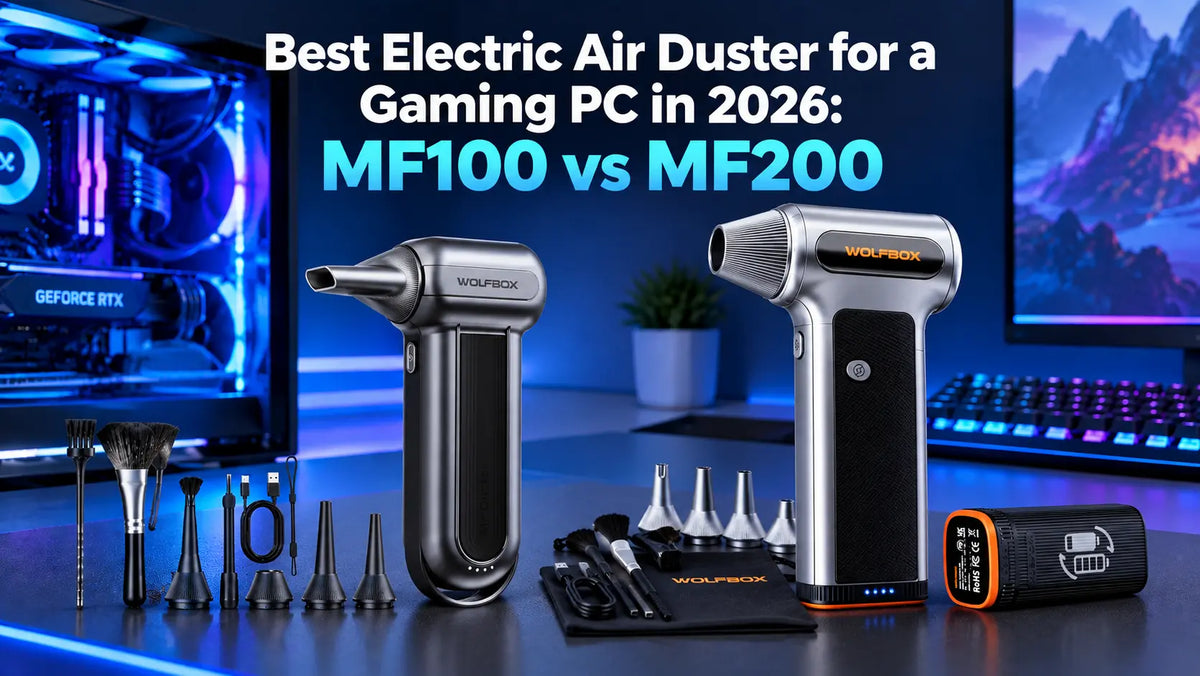
Modern gaming rigs cycle hundreds of cubic feet of air every hour, which can quickly create a coating of fine dust on the fins and the components, causing thermal choking. Disposable canned air comes with all sorts of drawbacks, such as pressure loss or chemical residue, electric dusters deliver sustained and dry airflow.
In this industry, WOLFBOX is a popular name, one that many PC builders are praising for its effective products. When it comes to air dusters, the models you should be looking at are the MF100 and MF200, both of which are excellent but are a lot of different, so they are for different builders and use cases. With that in mind, let's compare both and see which one is the better choice for use.
What Is the Best Air Duster for a Gaming PC in 2026?
Considering how different both are and their applications, they are aimed at different builders.
The WOLFBOX MF100 is ideal for PC builders who have a compact build and are looking for something compact for routine cleaning. [1] [4]
The WOLFBOX MF200 is a great choice for larger builds who need the power and don’t mind something bigger to handle. [2] [5]
Head-To-Head Specification Comparison
Both models are engineered by WOLFBOX and revolve around high-output brushless turbine architecture. With that said, there are differences in terms of specifications, so here’s a quick breakdown that would help you make a well-informed decision.
|
Metric |
WOLFBOX MF100 |
WOLFBOX MF200 |
|---|---|---|
|
Primary Design Intent |
Maneuverability and Precision |
High static thrust and bulk volumetric evacuation |
|
Motor Architecture |
High-RPM brushless motor |
Heavy-duty aero force drive motor |
|
Impeller Speed |
Up to 150,000 RPM |
Up to 110,000 RPM |
|
Peak Airspeed |
Up to 190 MPH |
Up to 210 MPH |
|
CFM |
70 |
82 |
|
Wind Pressure |
0.44 lbs |
0.62 lbs |
|
Motor Rated Power |
180W |
252W |
|
Battery Configuration |
Integrated 3000mAh×2 battery pack |
Hot-swappable 3000mAh×2 battery pack |
|
Runtime |
Up to 100 minutes |
Up to 100 minutes |
|
Charge Time |
USB-C around 2.5 hours |
USB-C around 2.5 hours |
|
Weight |
0.66 lbs |
0.84 lbs |
|
Speed Modes |
3-gear electronic stepped push-button |
3-gear heavy-duty throttle selection |
|
Included Nozzle Attachments |
5 nozzles and 2 brushes |
4 nozzles and 2 bushes |
|
Thermal Protection |
Built-in overheat auto cutoff |
Active thermal management circuitry |
WOLFBOX MF100
The WOLFBOX MF100 is engineered around a miniature, high-frequency impeller spinning at up to 150,000 RPM [1]. Forcing energy into a compact assembly means it can balance strong airspeed with easy maneuverability. [4]

Strengths in PC Maintenance
There are areas where the WOLFBOX MF100 excels, so let’s go over the strengths.
- Maneuverability in tight places: measuring under a foot in total length and around 0.66 lbs in weight, the MF100 excels in angling between power supply bundles, under low-clearance GPU anti-sag brackets, and around tight front-panel header arrays.
- Controlled kinetic punch: With an output of 0.44 lbs [1] of wind thrust, the MF100 delivers more than enough force to clean components without generating excessive backblast that can potentially damage delicate PC components.
- Low noise and vibration profile: The ultra-high-speed motor is dynamically balanced for quick maintenance on the spot, making it an easy companion for deskside storage and regular dusting. [1]
- Included accessory bundle: The package includes 5 specialized nozzles and anti-static detail brushes, offering plenty of flexibility and all the right tools you need to address anything from mechanical keyboards to wells and motherboard ports.[1]
Things to Consider
As good as everything sounds, there are some limitations worth mentioning.
- Fixed battery pack: The 6,000 mAh battery [1] is integrated into the cylindrical handle, meaning it’s fixed and cannot be hot-swapped. The result is that after prolonged cleaning, you’ll need to take a break for charging.
WOLFBOX MF200
The WOLFBOX MF200 approaches air delivery from a different mechanical angle. Instead of maximizing pure impeller RPM through a tiny stator, it utilizes a wider 252W motor drawing higher current. This allows it to move a larger physical mass of air up to 82 CFM while hitting air speeds of up to 210 MPH and delivering 0.62 lbs.[2]

Strengths in PC Maintenance
Like the previous model, the WOLFBOX MF200 has several strengths that make it excellent for its category.
- Penetration through high-density FPI radiators: 360mm or 420mm AIO radiators feature densely packed cooling fins, meaning that dust can embed itself deep into the channels. With 0.62 lbs [2] of thrust, it can help clean the radiators efficiently without worrying about having to unmount the fans.
- Clearing large dual chamber cases: modern aquarium style dual chamber cases have massive internal volumes, something the MF200 can help out a lot. The higher CFM creates an immediate pressure differential that cleans the dust completely from open panels rather than resdistrubuting thought the case.
- How swappable battery: Cleaning a multi PC household, server racks or an extensive workstation can drain a battery fairly quickly. The MF200 offers a hot-swap feature [2], allowing you to change the battery in seconds and continue with cleaning.
- Three-gear heavy-duty modulation: the three-gear stepped controls allow you to dial back to gear 1 when working on fragile components. This also means you’re getting longer runtimes. [2]
Things to Consider
As good as everything sounds, there are some drawbacks to the MF200.
- Slightly heavier design: The MF200 is slightly heavier than more compact models, but its additional weight comes with the benefit of stronger inflation performance.
- Higher power consumption at full output: The MF200 is equipped with a 252W motor [2]. Running at full power uses more energy, so battery runtime will vary depending on the pressure and inflation task. It also produces more audible operating noise at higher power levels, which is typical of a more powerful compressor.
WOLFBOX MF100 vs MF200: Which Is Best for Your Rig?
Every PC build presents a different cleaning challenge, so the right air duster depends on the size of the case and the type of components inside.
- For SFF and Mini-ITX builds: The WOLFBOX MF100 is a practical choice for compact systems with limited clearance. Its lightweight 0.66-lb design, three speed settings, and multiple nozzles make it easy to maneuver around tight spaces and delicate components.
- For standard mid-tower air-cooled builds: The MF100 is well suited to routine cleaning of CPU heatsinks, GPU components, fans, and case vents. For heavier dust buildup or larger systems, the MF200 provides stronger airflow and is a better fit for more demanding cleaning jobs.
- For AIO liquid-cooled systems: The MF200 is a strong option for cleaning dust from radiator fins and other areas where stronger airflow is useful. Its three speed settings also let you adjust the airflow based on the component being cleaned.
- For custom open-loop liquid-cooling systems: The MF200's high airflow and 270g ±5% air pressure make it well suited to cleaning dust from radiator fins, vents, and other hard-to-reach areas. Use an appropriate speed and distance to avoid disturbing delicate components.
- For large dual-chamber showcase builds: The MF200 is a practical choice when you need stronger airflow to reach across a larger chassis. Its 0.84-lb weight and cordless design make it easy to maneuver around components, fans, filters, and other hard-to-reach areas.
FAQs
Can an Electric Air Duster Damage PC Components?
An electric air duster can be used safely to clean PC components when operated correctly. Use an appropriate speed and distance for each component, and avoid directing sustained high-speed airflow at sensitive parts. Always hold fan blades still before blowing air through them. [6]
What Else Can I Clean With an Air Duster?
On top of cleaning the inside of your PC case with an air duster, you can also clean your mechanical keyboard, laptop, or gaming console.
Does an Electric Air Duster Create Static Electricity That Can Fry My PC?
Electric dusters cannot create enough static electricity to fry a PC. They work by pulling air from the room and forcing it through an aerodynamically optimized nozzle. The movement of air through plastic surfaces can create a static charge in theory, but the risk is still minimal. If you're concerned, make sure the PC is off, grounded, and avoid touching bare metal with the air duster.
Can I Clean My PC With an Air Duster While It’s Powered On?
No, you should make sure the PC is turned off before cleaning. The airstream can direct dust into areas you don’t want to, such as fans, so it can lead to premature wear or damage in some situations.
References
[1] https://wolfbox.com/products/compressed-air-duster-mf100
[2] https://wolfbox.com/products/compressed-air-duster-mf200
[3] https://wolfbox.com/collections/best-air-duster
[4] https://www.tomshardware.com/gift-guides-seasonal-sales/best-pc-building-tool-deals
[5] https://www.motortrend.com/gear-reviews/best-air-blowers-2026-tested
[6]https://wolfbox.com/blogs/air-duster/air-duster-speed-distance-guide-electronics


Leave a comment
This site is protected by hCaptcha and the hCaptcha Privacy Policy and Terms of Service apply.