







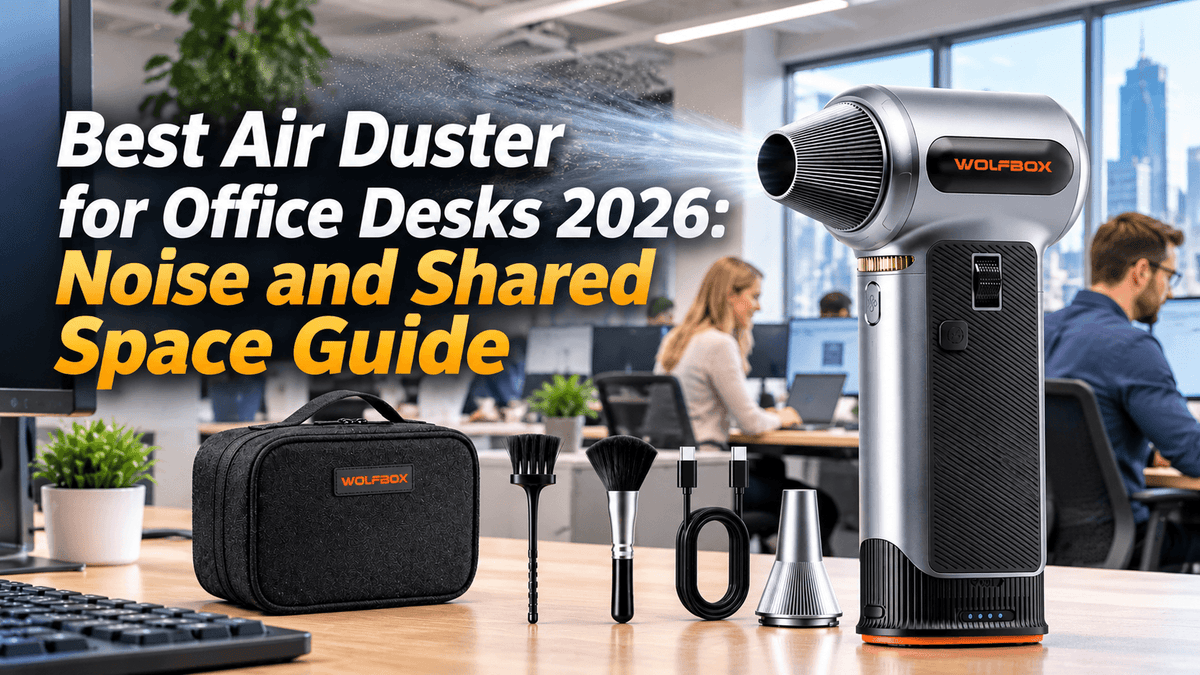
An electric air duster is the most effective tool for cleaning a desk — it blasts dust out of keyboard crevices, monitor vents, and cable clutter in seconds, where a cloth just pushes dirt around. But in an open office or shared workspace, that same blast of air comes with a sound every nearby coworker can hear. There is no silent way to move a large volume of air quickly: a duster that clears a keyboard in ten seconds is a duster whose fan is spinning fast enough to be audible across a desk cluster. What you can control is how loud it gets and when it runs. This guide covers how loud these tools really are, how speed settings change that, when to use one in a shared office, and which WOLFBOX model gives you the finest control over airflow.[5][6]
The Short Answer
Noise from an electric air duster tracks fan speed closely. At the bottom of its range a duster is clearly quieter than at full throttle — low enough to read as one more background office sound rather than the loudest thing in the room — while at the top of its range it lands in the same territory as a vacuum cleaner, which is fine at home and conspicuous in an open office.[1][3] The practical rule is to use the lowest setting that still lifts the dust in front of you, and to run it in short bursts rather than long sessions.
Control is what makes that possible. The WOLFBOX MF200PRO adjusts airflow continuously from 1% to 100% with a scroll wheel, and its display shows the exact percentage you have selected, so you can back the speed down until the dust stops moving and then add one notch.[5] The WOLFBOX MF100 offers three fixed gears with a two-button layout: a switch on the rear sets the gear, and a trigger on the front runs the motor.[6] Either model will clean a desk; the difference is how precisely you can sit just above the threshold where airflow starts to work.
Timing matters as much as speed. Cleaning before coworkers arrive, during a lunch break, or in an empty meeting room largely removes the impact on the people around you.[4]
How Loud Is an Electric Air Duster Really?
Sound is measured in decibels (dB), a logarithmic scale: an increase of 10 dB means the sound intensity is ten times higher, while perceived loudness roughly doubles. The two are not the same thing — a 10 dB step is a factor of ten in energy but only about a factor of two to the ear, which is why small dB differences matter more than they look on paper.[1]
For context, here is where common sounds sit. These are general reference points for everyday sources rather than measurements of a particular air duster:[1][2][3]
|
Sound Source |
Typical Level |
What It Feels Like |
|---|---|---|
|
Quiet library |
about 30 dB |
Barely audible |
|
Refrigerator hum |
about 40 dB |
Background |
|
Normal conversation |
about 60 dB |
Comfortable |
|
Vacuum cleaner |
70–80 dB |
Loud; conversation needs a raised voice |
|
Alarm clock |
about 80 dB |
Loud |
|
Gas lawn mower |
about 90 dB |
Hearing protection is advisable |
The useful comparison for an office is not the library figure. Field measurements put ordinary background noise in open-plan offices at roughly 41–52 dB(A) in Canadian studies and 46–61 dB(A) in medium-sized Chinese offices; a Swedish field study measured about 50 dB(A) in shared open-plan areas, 41–45 dB(A) in designated quiet zones and about 35 dB(A) in single-occupancy rooms.[4][12] That band is the floor an air duster has to compete with. A duster near the bottom of its range sits close enough to that band to be heard as one more office sound rather than an event; toward the top of its range it clears the band by a wide margin and becomes the loudest thing in the room.
Two different questions get confused here, and they should be kept apart. Hearing damage is a function of sustained exposure: NIOSH sets its recommended exposure limit at 85 dBA averaged over eight hours and halves the permitted duration for every 3 dB above that, while OSHA's permissible exposure limit is 90 dBA over eight hours with a 5 dB exchange rate.[1][2] Those limits describe hours of exposure, not ten-second bursts. What an open office reacts to sits far lower — the room's own background already runs in the 40s. So the problem with a desk air duster in a shared space is short, repeated disturbance, not cumulative hearing damage. Keep bursts short for the people around you, and think about total daily exposure separately if you clean equipment for a living.
Two physical facts explain why speed control is the whole game. First, fan noise rises far faster than rotational speed: aerodynamic noise from blade tips scales with roughly the fifth to sixth power of tip speed, so doubling RPM adds on the order of 15 to 18 dB — a large jump, not a small one. Second, motors in this category run across a wide band, from a few tens of thousands of RPM up to 150,000 RPM at the top of the range.[6] That is why the low end of a stepless dial is genuinely usable in an office while the top end is not: the two ends of the dial are separated by far more than the percentage numbers suggest.
The Speed-vs-Noise Strategy: How to Clean Quietly
The most important decision for office air duster use is not which model you buy — it is which setting you run it at. Both WOLFBOX air dusters give you control over speed, but they offer different levels of precision.[5][6]
WOLFBOX MF200PRO: Stepless Control for Noise Management
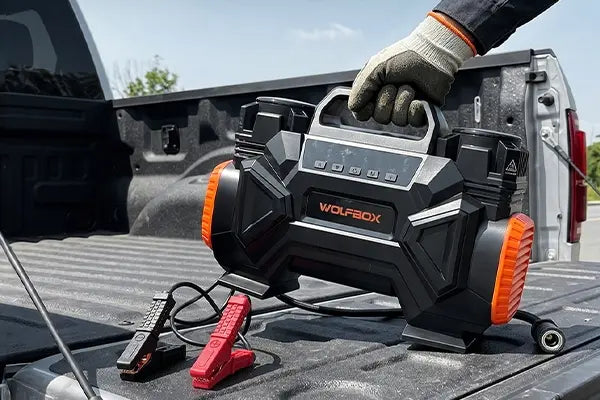
The MF200PRO uses a scroll wheel that adjusts airflow continuously across a 1% to 100% range, plus a separate Turbo button for maximum output. That granularity is the point: instead of choosing between low, medium and high and accepting whatever each preset sounds like, you can walk the setting up until the dust lifts and stop there. The smart display shows the selected speed percentage, so the setting you found yesterday is the setting you can return to today.[5]
The practical sequence for a desk is straightforward. Start near the bottom of the range for a keyboard and a screen, where loose dust lifts with very little airflow. Move into the middle of the range for monitor vents, cable clutter and small desk fans, where dust has settled onto surfaces that need more push. Reserve the top of the range and the Turbo button — rated at 196+ MPH, with 270g of air pressure from a 252W motor — for PC internals, workshop benches and after-hours deep cleaning, not for an open floor plan at 2 PM.[5]
That routine is easier to keep than it sounds. The battery is a swappable 3000mAh×2 cartridge, so a spare can go in mid-task and charging never becomes a reason to run at a higher setting than you need. Spare cartridges are sold separately, a full USB-C charge takes about 2.5 to 3 hours, and the motor carries overheat protection.[5] Runtime follows the setting: about 200 minutes at 5% and about 14 minutes at 100%.[5] Those two points are what to plan around, and the gap between them is the whole argument for staying low: a duster kept near the bottom of its dial runs roughly fourteen times as long as one held at full throttle.
WOLFBOX MF100: Three Speeds, Simple Operation
The MF100 offers three discrete gears. Its two-button layout is simpler to operate than a scroll wheel: the rear switch powers the unit on and selects the gear, and the front trigger runs the motor, so you set the gear once and pull the trigger for each burst.[6]
Airflow at the top gear is substantial — a 150,000 RPM motor producing 45 m/s and 177 MPH, with 70 CFM of volume and 0.44 lb of wind pressure, drawing on the same 3000mAh×2 battery configuration as the MF200PRO.[6] That gear is the loud one, and it belongs outside shared office hours. The lower gears are the office gears, and they are also where the runtime lives: about 100 minutes on the lowest gear, about 20 minutes on the middle gear and about 10 minutes on the top gear.[6]
What the MF100 gives up against the MF200PRO is granularity, not usefulness. Three fixed steps mean three fixed loudness levels, and if a desk needs slightly more airflow than the low gear delivers, the jump to the middle gear is a bigger step than a scroll-wheel adjustment would be. For a desk with a predictable, steady dust load, that simplicity is an advantage: you know what you are getting every time you pull the trigger. For a desk where you want to sit as close as possible to the minimum effective setting, the stepless dial is the better fit.
Speed-to-Noise Reference Table
|
Speed Level |
Relative Loudness |
Office-Appropriate? |
Best For |
|---|---|---|---|
|
Low (MF200PRO in the 1–30% band; MF100 on its bottom gear) |
Quietest end of the range; close to open-plan background level |
Yes — with a quick heads-up to neighbors |
Keyboards, screens, desk surfaces |
|
Middle (MF200PRO around 30–60%; MF100 on its middle gear) |
Noticeably above background; still short of vacuum-cleaner territory |
With caution — best kept to breaks |
Monitor vents, cable clutter, desk fans |
|
High and Turbo (MF200PRO from 60% to 100% plus Turbo; MF100 on its top gear) |
Vacuum-cleaner territory; the loudest the tool gets |
No — use after hours or in a utility room |
PC internals, deep cleaning, workshop |
When to Use an Air Duster in a Shared Office: Timing Strategy
Beyond speed selection, when you clean makes as much difference as how you clean. Open-plan offices have natural rhythms — quiet periods, busy periods and predictable gaps — that make air duster use less disruptive.[4]
Best times to use an electric air duster in an office:
- Before 9:00 AM, when the office is mostly empty
- During the lunch break (12:00–1:00 PM), when colleagues are away from their desks
- After 5:30 PM, for end-of-day desk cleaning routines
- During scheduled meeting times when neighboring desks are empty
Avoid using an electric air duster:
- During conference calls or video meetings at adjacent desks
- In the first hour of the workday, when people are settling in and reading email
- Through the post-lunch stretch, when concentration commonly dips and tolerance for interruption is lowest
- When a colleague has explicitly asked for quiet (deadline, presentation prep)
A practical approach: keep the air duster at your desk and use it for 30–60 seconds at low speed during natural breaks — after returning from lunch, before a meeting, or during the end-of-day wind-down. Short, low-speed bursts clear the day's accumulated dust without becoming a recurring annoyance.[4]
Noise Reduction Tips for Office Air Duster Use
Use the right nozzle. A narrow nozzle concentrates airflow, so the cleaning force you need arrives at a lower setting — and a lower setting means less noise at the desk. A wide nozzle spreads airflow over a larger area, which can need more speed for the same result on a broad surface. For keyboard crevices and between monitor stands, use the narrow nozzle at low speed. For a full desktop sweep, the wide nozzle at a middle setting finishes in fewer passes.[5][6]
Clean in short bursts. Thirty seconds of low-speed air every day prevents dust from accumulating to the point where high-speed deep cleaning becomes necessary. A daily 30-second low-speed routine is quieter overall than one weekly 5-minute high-speed session.[5]
Hold the duster closer to the surface. Airflow dissipates with distance. Holding the nozzle 2–3 inches from the surface instead of 6–8 inches means a lower setting achieves the same cleaning effect, and a lower setting means less sound.[5][6]
Work over a mat, not bare laminate. A fabric desk mat damps some of the high-frequency component that reflects off a hard desk surface, and it catches what the airflow dislodges instead of letting the desk redistribute it. The acoustic effect is small, but keeping dust out of the air in the first place matters more in a shared room.
Communicate. If you sit in a tight cluster of desks, a quick "going to dust my keyboard, it will take 30 seconds" removes the element of surprise that makes noise most irritating. Colleagues can pause, put on headphones, or simply register the sound as intentional and temporary rather than random and indefinite.[4]
For a broader look at setting up a complete desk cleaning routine — including what to clean beyond the keyboard and how often — see WOLFBOX's guide to air dusters for home office use.[9]
Safety: What an Air Duster Should Not Be Used On
An air duster is a tool for surfaces, not for people. Never point one at a face, and keep it away from eyes and ears entirely; the airflow is strong enough to drive particles into an eye and to deliver an uncomfortably loud blast straight into an ear canal. Treat it as you would a compressor nozzle.
Do not use one on a camera image sensor. Camera makers are explicit about this: Canon's guide for the EOS R6 Mark II states "Never use pressurized air or gas to clean the sensor. Pressurized air may damage the sensor, and sprayed gas may freeze on the sensor and scratch it."[10] The same caution applies to any exposed optical or mechanical assembly you cannot inspect closely.
Fast, dry airflow also builds static. In a heated office in winter, blowing across plastic housings, fabric and ungrounded metal accumulates a charge that discharges into whatever it touches — a real risk for exposed circuit boards and for the electronics inside the machine you are cleaning. Keep the nozzle back from bare boards, work in short bursts, and touch a grounded metal surface before handling components.
The shared-space problem is not only sound. Whatever dust you lift goes somewhere, and in an open office that somewhere is the air your neighbors are breathing. Blowing out a keyboard at a desk sends a visible cloud of skin cells, hair and lint upward, which drifts and resettles over the next several minutes; fine particulate stays suspended far longer than the visible cloud does. Clean before others arrive or during a break, angle the work away from neighboring desks, keep clear of anyone at an adjacent workstation, and take genuinely dusty items — a CPU tower, a desk fan, a full keyboard — to a window or outdoors rather than blowing them out at your seat. For heavy jobs, a brief pause in ventilation or a mask is a reasonable precaution.[4]
Canned "air" is the alternative worth understanding, because it carries hazards that have nothing to do with noise. Modern duster cans are mostly liquefied gas propellant: about 87% of the aerosol dusters sold in the U.S. use HFC-152a (1,1-difluoroethane), a highly flammable compound.[11] Inhaling the propellant can cause sudden cardiac death, and the U.S. Consumer Product Safety Commission counts 1,039 deaths and an estimated 21,700 emergency-department-treated injuries from duster inhalation between 2012 and 2021 — the reason the agency has proposed banning cans holding more than 18 mg of HFC-152a or HFC-134a as hazardous substances.[11] Cans should never be used in an enclosed space, never held near a heat source, and never discharged toward a person. An electric duster removes that propellant risk along with the recurring cost of cans, which is a more substantive reason to switch than the noise profile alone.[5][6]
Frequently Asked Questions
Can I use an electric air duster in a cubicle?
Yes, at low speed. A cubicle's fabric panels absorb some high-frequency sound and block a direct path to the next desk, so a low-speed burst is less audible to a neighbor than the same burst at an open desk — but the attenuation is limited, and the gap above and below the panels carries sound through. Use the lowest setting that moves the dust and keep sessions under 60 seconds. Skip it entirely when an adjacent colleague is on a call.[4]
Is the MF200PRO quieter than the MF100?
The two are not distinguished by a loudness ranking; they differ in how finely you can choose your airflow. Both drop well below their top output at their lowest settings, so at close range on light dust either one is a reasonable office tool. The MF200PRO's scroll wheel lets you land anywhere from 1% to 100%, so if a desk needs only a very gentle stream you can sit just above the point where dust starts moving. The MF100 gives you three fixed gears, which is easier to operate and easier to repeat, but the step from its low gear to its middle gear is wider than a scroll-wheel adjustment. Choose on control, not on a loudness ranking.[5][6]
Does the nozzle attachment affect noise?
Yes, indirectly. A narrow nozzle concentrates the airstream, so you reach the same cleaning force at a lower setting — and in practice that means less sound at the desk. A wide nozzle spreads the airflow and tends to produce a lower, broader sound rather than a focused high-pitched one. At equal airflow the two are close in level; the difference most people notice is tone, and a low broad sound is generally less intrusive in an office than a focused high one. Sort the nozzles by which lets you work at the lowest effective setting.[5][6]
How does an electric air duster compare to canned air for office noise?
Canned air produces a sharp, high-pitched hiss that spikes the moment the can is tilted and liquid propellant reaches the valve. It is brief — a few seconds per burst — but startling, and the spike is the part coworkers remember. An electric duster at low speed produces a steadier, lower-pitched airflow that is easier to tune out, though it runs longer for the same cleaning job. For a single 10-second pass over a keyboard, canned air is the shorter exposure; for a 30-second or longer session, a low-speed electric duster is the less irritating option. The safety difference matters more than the acoustic one: duster cans rely on a flammable propellant with a documented inhalation hazard, and that risk is absent from an electric tool.[5][11]
Will my coworkers complain?
It depends on your office culture, desk spacing and how you use the tool. In a tech startup with a workshop bench and 3D printers running, no one will notice an air duster. In a law firm or accounting office with library-level quiet, even a low setting will draw attention. The best predictor of complaints is not the tool but the timing: a 30-second burst at 9:15 AM draws more reaction than a 60-second burst during the lunch break. Test the waters with a brief low-speed session during a break and gauge reactions before making it a daily habit.[4]
Can I use an air duster to clean a shared hot desk?
Yes, and an electric air duster suits hot-desking better than canned air because it works without consumables — you do not need to keep a stock of cans at a desk someone else may use tomorrow. Clean the desk at the start of your session, before setting up your laptop and peripherals, using a low setting for 20–30 seconds and angling the airflow away from occupied desks. That clears the previous user's dust without disturbing neighbors who are already working. Store the air duster in your locker or bag; most models weigh under one pound and fit in a backpack side pocket.[5][6]
References
[1] Occupational Safety and Health Standards, Subpart G — Occupational Health and Environmental Control, 29 CFR 1910.95 (Occupational noise exposure), U.S. Department of Labor, via eCFR. https://www.ecfr.gov/current/title-29/subtitle-B/chapter-XVII/part-1910/subpart-G/section-1910.95
[2] Noise-Induced Hearing Loss — Noise and Hearing Loss, National Institute for Occupational Safety and Health, Centers for Disease Control and Prevention. https://www.cdc.gov/niosh/noise/about/noise.html
[3] Noise, Audiology Information Series, American Speech-Language-Hearing Association. https://www.asha.org/siteassets/ais/ais-noise.pdf
[4] Jahncke H, Hallman DM. Objective measures of cognitive performance in activity based workplaces and traditional office types. Journal of Environmental Psychology 72 (2020) 101503. https://pmc.ncbi.nlm.nih.gov/articles/PMC7543894/
[5] WOLFBOX MF200PRO Air Duster – Swappable Battery Cartridge, WOLFBOX Official Product Page. https://wolfbox.com/products/compressed-air-duster-mf200
[6] WOLFBOX MF100 Compressed Air Duster – Super Power Electric Air Duster, WOLFBOX Official Product Page. https://wolfbox.com/products/compressed-air-duster-mf100
[7] Air Duster Collection, WOLFBOX Official Store. https://wolfbox.com/collections/best-air-duster
[8] Warranty Policy — Coverage & Support Info, WOLFBOX. https://wolfbox.com/pages/warranty-policy
[9] Best Air Duster for Home Office Use: Enjoy a Clean Desk With a Clear Mind, WOLFBOX Official Blog (air-duster). https://wolfbox.com/blogs/air-duster/best-air-duster-for-home-office-use-enjoy-a-clean-desk-with-a-clear-mind
[10] EOS R6 Mark II Advanced User Guide — Sensor Cleaning, Canon. https://cam.start.canon/en/C012/manual/html/UG-08_Set-up_0300.html
[11] Banned Hazardous Substances: Aerosol Duster Products Containing More Than 18 mg in Any Combination of HFC-152a and/or HFC-134a (proposed rule), U.S. Consumer Product Safety Commission, 89 FR 61363, July 31, 2024. https://www.federalregister.gov/documents/2024/07/31/2024-16716/banned-hazardous-substances-aerosol-duster-products-containing-more-than-18-mg-in-any-combination-of-hfc-152a-and-or-hfc-134a
[12] Sheng Y, Zhang R, Fu Y, Han R, Zhang Y. Irrelevant speech sound level effects on sustained attention with electrodermal and electroencephalogram monitoring. Research Square preprint, posted 18 February 2026. https://www.researchsquare.com/article/rs-8893391/v1

Leave a comment
This site is protected by hCaptcha and the hCaptcha Privacy Policy and Terms of Service apply.