






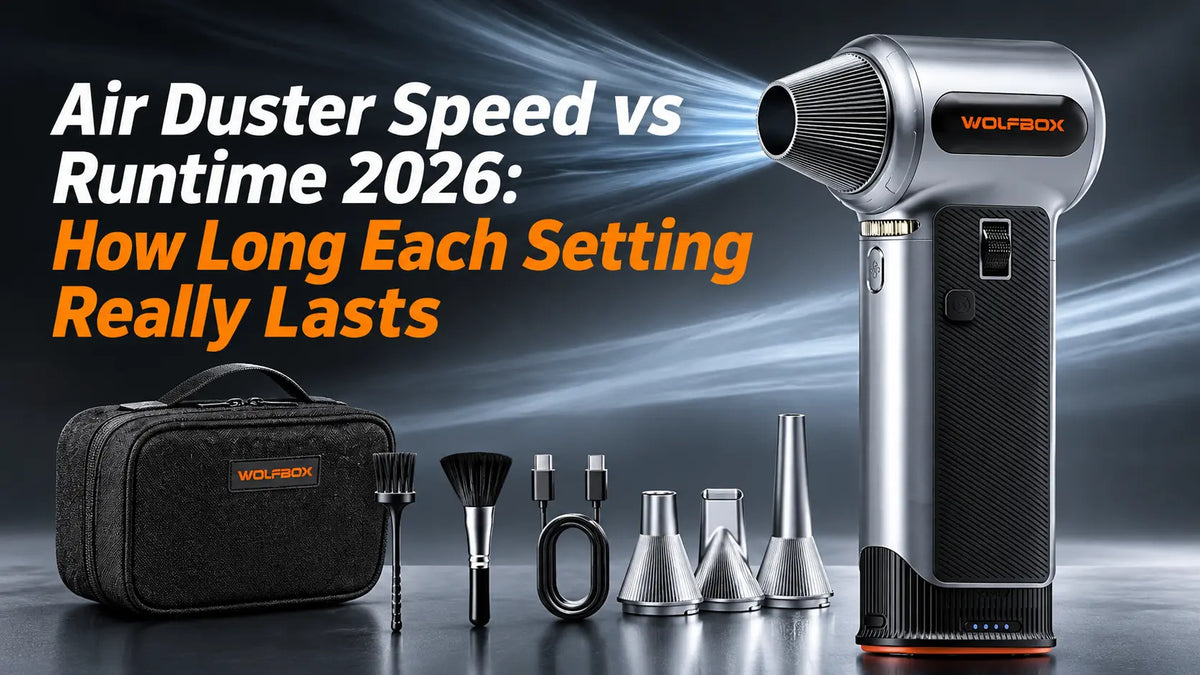
An electric air duster replaces disposable canned air with a rechargeable motor and a lithium battery — but the speed setting you choose changes almost everything about how it performs. Crank it to maximum and you get hurricane-force airflow that empties the pack in under 15 minutes. Dial it down and the same pack keeps going: 200 minutes on the MF200PRO, 100 minutes on the MF100. This guide explains how speed control works on electric air dusters, gives the runtime at each setting for the WOLFBOX MF200PRO and MF100, and matches the right setting to each cleaning job.
The Short Answer
Speed settings trade airflow for runtime, and the trade is steeper than most people expect. On the WOLFBOX MF200PRO, the scroll wheel covers 1% to 100% with a dedicated Turbo button above it: 100% speed delivers 196+ MPH for 14 minutes, while 5% speed stretches the same pack to 200 minutes. The WOLFBOX MF100 divides the range into three fixed levels — Level 3 at 150,000 RPM for 10 minutes, Level 2 for 20 minutes, Level 1 for 100 minutes. You rarely need full power. Keyboards, lenses and desk clutter all clear at a fraction of it, and every step down the dial buys back time.
How Speed Settings Work in Electric Air Dusters
An electric air duster is a handheld centrifugal fan spinning at high speed inside a plastic housing.[1] A can of compressed air holds one fixed output until it goes cold; a rechargeable duster runs the motor through an electronic speed controller, so the same device can move from a gentle breeze to a focused jet above 150 MPH.
Three speed control designs cover most of the market in 2026:
- Single speed (on/off): One button, one speed, one runtime. Simple and inflexible — you get full power for every job, whether the job needs it or not.
- Multi-speed (two to four fixed levels): Each press steps through preset speeds. The WOLFBOX MF100 works this way, with three levels that trade power for battery life in predictable increments.
- Stepless control (dial or slider): A scroll wheel or slider lets you dial in any speed from 1% to 100%. The WOLFBOX MF200PRO pairs its scroll wheel with a dedicated Turbo button for maximum output, so you have fine control across the whole range.
Stepless control is the more precise tool. Need just enough airflow to clear dust off a lens without blowing the lens cap across the table? Dial in 20%. Need to blast caked-on dirt out of a PC radiator? Scroll to 80% or punch the Turbo button. Fixed speeds handle general cleaning well but force you into preset compromises — the middle level can be too much for one job and too little for the next.
Speed vs Runtime: Real-World Numbers
Manufacturers quote maximum RPM and maximum runtime, but rarely in the same sentence. The table below put the runtime at each setting side by side, followed by the hardware behind those numbers.
|
Spec |
||
|---|---|---|
|
Air speed |
196+ MPH |
177 MPH, 70 CFM |
|
Air pressure |
270g |
0.44 lb |
|
Battery |
3,000mAh × 2, swappable cartridge |
3,000mAh × 2 |
|
Speed control |
Scroll wheel, 1–100%, plus Turbo |
Three fixed levels |
|
Charging |
USB-C, 2.5–3 h |
USB-C, 2.5 h |
|
Runtime by setting |
14 min at 100% speed · 200 min at 5% speed, longer with a spare cartridge |
10 min at Level 3 · 20 min at Level 2 · 100 min at Level 1 |
The stepless wheel is the bigger practical advantage here. Instead of being locked into three fixed levels, you find the airflow that suits the job and stay there. On the MF200PRO the battery also comes out: a charged spare cartridge goes straight in, and the first one refills on the charger while you keep working.
The MF100's three-level control is simpler to operate — press a button, get a predictable result — and its 100 minutes on Level 1 covers most single sessions. For everyday desk and electronics cleaning, the 10-minute Level 3 pass is usually enough to clear a machine.
Which Speed for Which Task: A Practical Guide
Low speed: dusting delicate surfaces
Use it for camera lenses, eyeglasses, figurines, audio gear and any surface where a hard blast could dislodge small parts or scratch a coating. At the bottom of the dial there is enough air to lift loose dust and not much more. The two dusters differ sharply down here: the MF100 holds Level 1 for 100 minutes, the MF200PRO holds 5% for 200 — long enough that weekend cleaning never runs into a dead battery.
Medium speed: everyday desk and electronics cleaning
The working setting for most people. It clears keyboards, monitors, desktop towers, laptops, printers and office equipment without sending paper across the room, and it handles car dash vents, console crevices and light workshop dust. The MF100 gives 20 minutes at Level 2, enough for two or three full desk passes. On the MF200PRO the middle of the dial is where the curve bites hardest — you are trading minutes for airflow at every notch, so set the wheel and watch the clock rather than the battery light.
High speed and Turbo: deep cleaning and heavy debris
This is the setting for PC radiators and heat sinks with dust packed into the fins, sawdust and metal shavings in the workshop, HVAC grilles, garage equipment and outdoor gear. The MF200PRO's 196+ MPH on Turbo moves debris that a low setting cannot shift, and it does so for 14 minutes flat. Plan the order of work accordingly: clear the two or three areas that genuinely need full power, then drop back for everything else.
For a side-by-side look at how the MF200PRO handles garage and workshop cleanup next to a DataVac, see WOLFBOX's garage cleanup comparison.[5]
Safety Before Speed
An air duster moves a lot of air very fast, and a few habits keep that useful instead of risky.
- Never point the nozzle at people, eyes or pets, and do not use it as a cooler or a toy.
- Do not run it in an atmosphere holding flammable gas, solvent vapour or fine combustible dust.
- Keep the intake and the exhaust clear; a blocked nozzle raises pressure and heat inside the housing.
- Switch electronics off and unplug them before blowing them out, and do not let the stream spin a fan or a pump backwards.
- Blow bare circuit boards at low speed and from a distance. Fast air through a plastic barrel builds static charge, so ground yourself or use an anti-static wrist strap when working on exposed components.
- Charge the battery away from direct sun and heat, and do not leave it charging unattended for long periods.
Camera sensors are the one surface to keep the duster away from. Sensor covers sit a fraction of a millimetre above the imaging chip, and pressurised air can drive dust further in or leave condensation on the surface; sensor cleaning calls for a bulb blower or a service centre, not a powered duster.
Frequently Asked Questions
Why does higher speed drain the battery so much faster?
Airflow falls roughly in step with the setting, but power draw does not follow the same curve. Part of what the pack delivers goes to the control electronics, the LED strip and the motor's own losses whatever speed you choose, so that floor stays roughly constant. As the fan slows, the air it moves drops away while those fixed draws remain, and the charge stretches out: 14 minutes at 100% becomes 200 minutes at 5% on the same pack.
Can I use an electric air duster while it charges?
The USB-C port on both dusters is there for charging, and a full charge takes 2.5 to 3 hours on the MF200PRO and about 2.5 hours on the MF100, so the practical answer is to charge between sessions rather than mid-job. The MF200PRO takes the question out of play altogether: its battery cartridge slides out, so a charged spare goes in and the cleaning continues without a cable attached.
How does an electric duster compare to canned air for runtime?
A can of compressed air delivers a few minutes of strong blasting before the pressure sags, and then it is finished — the whole can, not just the charge. An electric duster gives you between 10 and 200 minutes per charge depending on the setting, and the pack recharges hundreds of times. If a can runs about $6, the MF100 pays for itself after roughly 15 cans and the MF200PRO after roughly 22. Neither of them ends up as a metal cylinder of propellant and solvent in the bin.[4]
What happens when the battery runs out mid-task?
On the MF200PRO, swap in a charged cartridge and carry on immediately. On the MF100, plug in through USB-C and wait — a full charge takes about 2.5 hours. For long sessions with the MF100, start on a full charge and take the heavy jobs first, while the pack is still at its strongest.
Is stepless speed control worth the extra cost?
If you clean a wide variety of things — delicate optics one minute, grimy workshop tools the next — the wheel earns its keep. You set the airflow each job actually needs instead of accepting a preset that is either too strong or too weak. If your cleaning is mostly keyboards, desks and general electronics, three fixed levels are enough, and the MF100's lower price makes it the sensible buy.
Does nozzle choice affect runtime?
It does, indirectly. A wide nozzle spreads the same airflow over a larger area, so you need more speed to get the same force at the surface — and more speed costs minutes. A narrow nozzle concentrates the stream, which lets you clean properly at a lower setting. Match the nozzle to the job: narrow for crevices and precision work, wide for broad surface dusting.
References
[1] Centrifugal Fan, Wikipedia. https://en.wikipedia.org/wiki/Centrifugal_fan
[2] WOLFBOX MF200PRO Air Duster – Swappable Battery Cartridge. https://wolfbox.com/products/compressed-air-duster-mf200
[3] WOLFBOX MF100 Compressed Air Duster – Super Power Electric Air Duster. https://wolfbox.com/products/compressed-air-duster-mf100
[4] How Do I Recycle Common Recyclables, United States Environmental Protection Agency. https://www.epa.gov/recycle/how-do-i-recycle-common-recyclables
[5] WOLFBOX vs DataVac: Best Air Duster for Garage Cleanup. https://wolfbox.com/blogs/air-duster/wolfbox-vs-datavac-best-air-duster-for-garage-cleanup


Leave a comment
This site is protected by hCaptcha and the hCaptcha Privacy Policy and Terms of Service apply.