








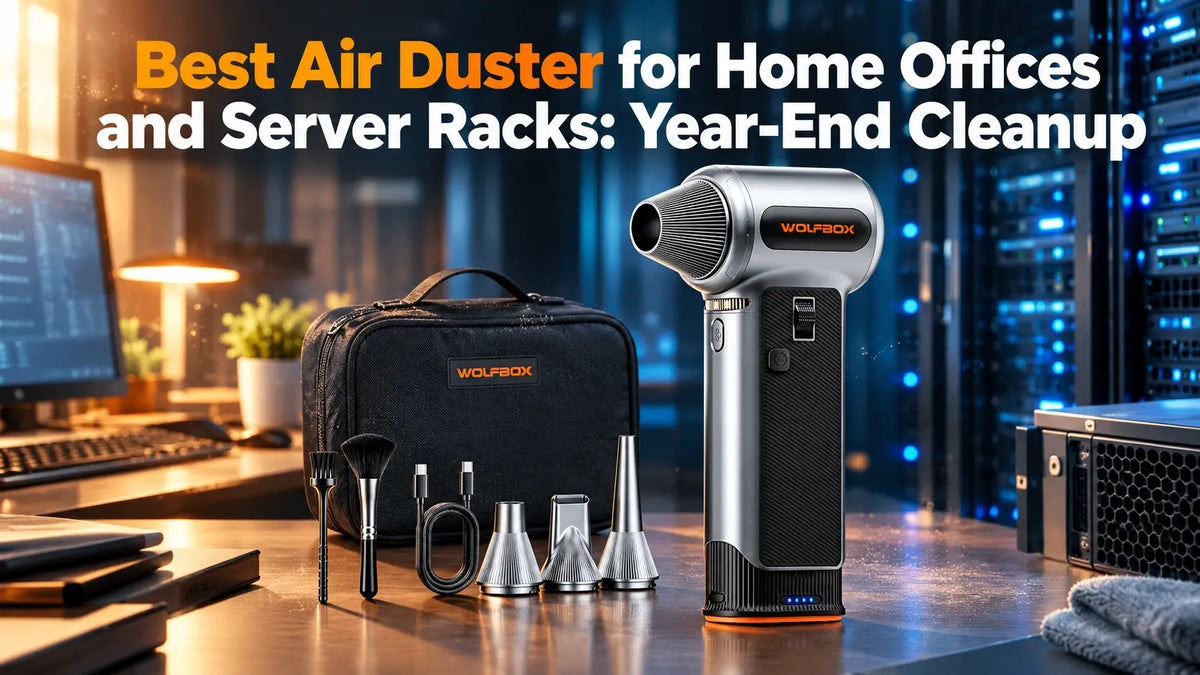
As the year comes to an end, high-performance workstations and home server racks face a silent enemy. Dust and lint are a serious problem for powerful machines as it leads to overheating and all problems that come along with it. As the temperatures drop, the daylight hours shrink, and the windows stay shut for the season, the problem cannot be solved by wiping off the surface dust.
For home office professionals or network administrators, year-end cleanup requires a tool that can reach the unreachable spots to get rid of as much dust and dirt as possible. Canned air was once what all of us used, but the drawbacks with that approach are well documented, and most of us would do anything to avoid them. [1]
The solution to that is electric air dusters, little tools that can help keep the machines clean without risking any permanent damage.
The Physics of Safe Electronic Dust Evacuation
Blasting high-velocity air through modern electronics involves more than positioning a nozzle and pulling the trigger. Server gear or a custom desktop is complex, meaning you’ll need to make sure you’re using the proper technique. [2]
Immobilize the Cooling fans to avoid back-EMF
The biggest mistake people make is letting fans spin freely when blasting them with air. Running a fan past what it’s rated for, you’re looking at two issues:
- Damaging the bearing: the fluid in the bearing can overheat and fail from friction breakdown
- Back-EMF: brushless cooling motors are basically mini generators, meaning if you spin them freely, they can send an inductive voltage spike through the header into the motherboard, which can burn out PWM chips
Air Velocity vs. Volumetric Airflow
Electric air dusters often advertise both numbers, but understanding them is an essential piece of information that can help you pick the right tool:
- Air velocity: measured in MPH, is essential for breaking the electrostatic adhesion of all the dust that’s packed in the fins and the ports
- Volumetric airflow: Measured in CFM, is essential for clearing out spacious chassis, enclosures, or cabinet floors where large volumes of dislodged dust have accumulated throughout the year
Static Mitigation and Moisture Elimination
The biggest risk with canned air is moisture condensation, especially when used for prolonged bursts.[3] Electric dusters eliminate this hazard because they use the ambient room air. With that said, fast-moving dry air can create friction, which can lead to static charges, and the good news is that there are ways to mitigate that.
The first thing you can do is avoid using static surfaces like carpets and go for anti-static ones. While you’re cleaning up, it’s essential to keep the hardware plugged into a grounded outlet, but make sure the switch is turned off. Finally, it’s best to use anti-static nozzle attachments rather than metal tips, which aren’t grounded.
Practical Checklist for Server and Workstation Preparation
Before you take out the electric air blower, there are a few things you should do to make sure the process goes smoothly without incidents:
- Perform a shutdown: Blowing in a working machine is a bad idea, regardless if it’s your home desktop or a rack. Shut the machine down and then move on to cleaning preparations
- Create a positive exhaust flow: Ideally, you’d want to have a vacuum near the exhaust side of the chassis. This is to ensure you catch all the flying dust from the chassis and prevent it from going all over the room. This is also to ensure it doesn’t find its way back into the chassis
- Go from top to bottom: In a server rack, you’ll want to start at the top and work your way down, while in a PC, you’ll want to start at the top exhaust and CPU area and continue cleaning downwards
- Clean the detachable filter separately: If you have magnetic or slide-out dust filters, take them out and clean them separately
Top 5 Air Dusters for Home Offices and Server Racks
MetroVac DataVac ED500
The MetroVac DataVac ED500 has been a long-standing benchmark in IT departments and professional repair shops. It’s an all-steel, outlet-powered workhorse built for heavy industry duty, driven by a 500-watt motor capable of delivering 70 CFM of airflow.
Considering the MetroVac DataVac ED500operates on direct power, you completely bypass all the potential issues of cordless air dusters. Despite not having a battery, it’s not the lightest option, as you’re looking at a unit that weighs around 2.7 lbs. The good news here is that it has the power and capability to clean anything for as long as you need.
XPOWER A-2 Airrow Pro
If volumetric air movement is what you’re after, then the XPOWER A-2 Airrow Pro is the one to consider. The 550-watt motor is capable of delivering 90 CFM, which is plenty to clean out dust even from corners that you can’t see.
Unlike the previous model, the XPOWER A-2 Airrow Pro is made from durable and lightweight ABS plastic, meaning you’re looking at a lighter unit of around 2.3 lbs. Included in the package, you have 9 different nozzles that have you covered for practically every situation.
IT Dusters CompuCleaner Xpert
The IT Dusters CompuCleaner Xpert is a unit designed for sensitive tolerances, aimed at technicians and enthusiasts. Powered by a 550-watt motor, it features a dual-stage power regulation system that provides a low-speed mode for delicate sections and a high-velocity one for cleaning radiator blocks and intakes.
The ergonomic and rubberized grip keeps vibration fatigue on the lower end of the spectrum even during multi-machine cleaning sessions. The best part is that it’s lighter than the two corded options here, weighing in at 950 g (about 2.1 lbs), so it’s not going to be as much of an issue if you need to clean multiple machines.
WOLFBOX MF200PRO
The WOLFBOX MF200PRO is the upgraded version of the WOLFBOX MF200, retaining its cordless design and swappable battery while adding more precise airflow control and enhanced functionality. Both models address a common limitation of cordless air dusters: interruptions caused by a depleted battery. Their swappable battery design allows users to replace the battery and continue cleaning without waiting for a recharge.
The MF200PRO introduces 1–100% stepless airflow control, a dedicated Turbo Boost mode delivering airflow speeds of up to 196+ MPH, and a built-in LED light for better visibility when cleaning hard-to-reach areas. Powered by a brushless motor, it weighs 0.98 lb and comes with four interchangeable nozzles: long, short, wide, and blade. These upgrades make the MF200PRO a versatile option for users who want finer airflow adjustment and additional functionality while retaining the portability of the original MF200. [4][5]
Fanttik B11 Apex
Bridging the gap between pocket-sized tools and full-blown workshop dusters, the Fanttik B11 Apex offers excellent precision thanks to the 350-watt motor and stepless scroll-wheel speed control. It can generate an air velocity of around 179 MPH and up to 380 grams of blowing force, it’s a capable unit that can clean up dust regardless of where it’s stuck.
The 42.12 Wh battery can handle longer runs, even when you’re working in Turbo Mode, and in addition to that, you’re looking at 18 W bidirectional charging, so it can also act as a power bank in certain scenarios. Considering its capabilities, it’s a compact, single-hand tool, and the whole kit fits in the supplied pouch, so carrying it from rack to rack isn’t a problem.
Technical Specifications Comparison
|
Specification
|
MetroVac DataVac ED500
|
XPOWER A-2 Airrow Pro
|
IT Dusters CompuCleaner Xpert
|
WOLFBOX MF200PRO
|
Fanttik B11 Apex
|
|
Power Source
|
Corded
|
Corded
|
Corded
|
Cordless (Swappable Battery)
|
Cordless (Internal Battery)
|
|
Motor / Velocity / Airflow
|
500W Induction / 70 CFM
|
550W (3/4 HP, 4.5A) / 90 CFM
|
550W Mains (0.9 HP) / Tuned Velocity
|
Brushless, 252W / 196+ MPH (Turbo)
|
350W Brushless / 80 m/s (~179 MPH)
|
|
Control Settings
|
Single Speed
|
2 Speed Presets
|
2 Speed Presets
|
Stepless 1–100% + Turbo Boost
|
Stepless 1–100 + Turbo
|
|
Bare Tool Weight (Kit Weight)
|
~2.7 lbs (~3.3 lbs with accessories)
|
~2.3 lbs (~2.8 lbs with full kit)
|
~2.1 lbs (950 g)
|
0.98 lbs
|
Not published by Fanttik
|
|
Primary Advantage
|
Indestructible steel build and continuous operation
|
High airflow for large areas.
|
Filtered air for delicate electronics.
|
Swappable battery and adjustable airflow
|
800-lumen LED and adjustable speed.
|
FAQs
Can an Electric Air Duster Produce Electrostatic Discharge?
High-velocity air dusters pull in room air and eject it through a nozzle, meaning there’s no risk of electrostatic discharge like with canned air. With that said, friction from dry ambient air over plastics can create minor static potential, which is why you need the equipment grounded and use non-conductive nozzle tips.
Is It Safe to Clean a PC or Server Rack While It’s Running?
No, it’s not safe to clean a PC or server rack while it’s running. Blasting debris while fans and power supplies are running can blow dust onto sensitive components or suck it even deeper in power supplies or heatsinks
Can Electric Air Duster Damage Components?
Even though electric air dusters are considered safe for PCs and server racks, there are still some risks you should be aware of. If you have a powerful one, you’ll need to make sure you’re blowing a bit farther away, especially if you’re cleaning near the sensitive parts.
References
[1] Electric Air Duster vs Canned Air: Which Is Better in 2026? https://wolfbox.com/blogs/air-duster/electric-air-duster-vs-canned-air
[2] How to Clean Your PC, Keyboard & Camera Lens with an Electric Air Duster https://wolfbox.com/blogs/air-duster/how-to-clean-your-pc-keyboard-camera-lens-with-an-electric-air-duster
[3] Why Canned Air Is an Environmental and Economic Mistake https://wolfbox.com/blogs/air-duster/why-canned-air-is-an-environmental-and-economic-mistake
[4] WOLFBOX MF200PRO Air Duster – Swappable Battery Cartridge https://wolfbox.com/products/compressed-air-duster-mf200
[5] WOLFBOX Air Dusters – Feature Compare https://wolfbox.com/collections/best-air-duster

Leave a comment
This site is protected by hCaptcha and the hCaptcha Privacy Policy and Terms of Service apply.