










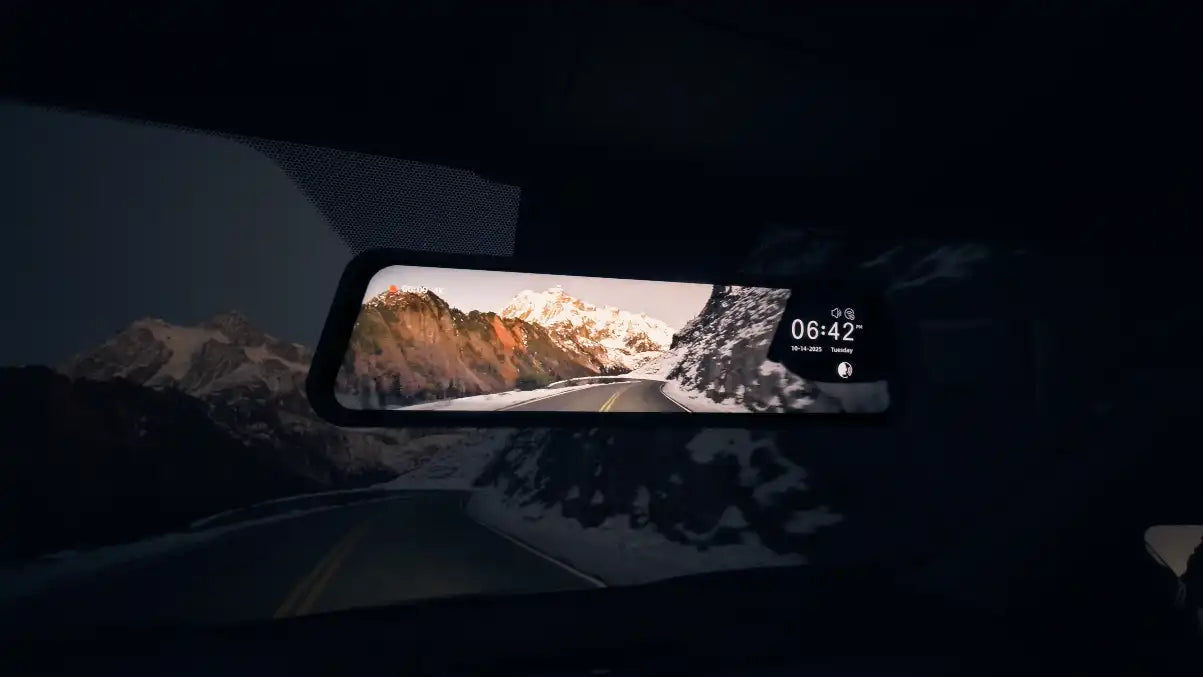
Both WOLFBOX and Garmin make dash cams with 4K sensors and onboard displays, so the choice between them isn't about who has a screen — it's about where that screen lives and what it's sized to do. WOLFBOX puts a 12-inch display where your rearview mirror already is. Garmin puts a 2.4-inch display on a small unit stuck to your windshield. That single difference in scale changes how each camera fits into a car and how you actually use it day to day.
Same Core Specs, Very Different Form Factor
Garmin's Dash Cam X310 records 4K HDR video at 140 degrees and includes a 2.4-inch touch LCD for on-device playback[1][2]. WOLFBOX's G900 Pro also records 4K front footage, using the Sony STARVIS 2 IMX678 sensor, but mounts as a 12-inch mirror display that clips over the factory rearview mirror instead of sitting as a separate unit on the glass[3][7]. Neither company undersells the other on sensor resolution — the real divergence is what happens after the footage is captured, and how a driver checks it.
What a 12-Inch Mirror Display Changes That a 2.4-Inch Screen Doesn't
A small 2.4-inch screen is built for quick confirmation — did it save the clip, is it recording — not for actually watching the road behind you while driving. WOLFBOX's mirror format is built specifically to double as a functioning rearview mirror with a live camera feed, which means the screen isn't just a settings panel, it's replacing what the factory mirror does[3][4]. That distinction matters most for drivers hauling cargo or towing, where the factory mirror view gets blocked; the larger display gives back a clear rear view instead of just recording footage you'd only check later.
Spec Comparison
Attribute |
WOLFBOX G900 Pro |
Garmin Dash Cam X310 |
Front sensor |
Sony STARVIS 2 IMX678[3] |
Not disclosed by model name; Garmin Clarity HDR optics[2] |
Front resolution |
4K[3] |
|
Onboard display |
12-inch mirror-format IPS[3] |
2.4-inch touch LCD, 480x272 resolution[5] |
Rear camera included |
Yes, 2.5K[3] |
No; single-lens model[1] |
Cloud subscription for core recording |
Not required; Vault is optional add-on for remote cloud backup[6] |
|
Current price |
Check current official product page[3] |
Check current official product page[1] |
Garmin's Vault Subscription: What It Actually Adds
Garmin's Vault plan is genuinely optional, not a requirement to use the X310 — the camera records and loop-saves footage to a microSD card with no subscription needed[2][6]. What Vault adds is off-device cloud backup and remote viewing; check Garmin's current Vault plan for pricing and account coverage[6][8]. For a driver who only wants local footage on demand, that subscription changes nothing about daily use. For someone who wants footage automatically backed up off the car in case the SD card is lost or damaged, it is a cost to consider.
Where a Compact Windshield Unit Still Makes Sense
Garmin's smaller footprint is a legitimate advantage for drivers who want the least visible hardware on their windshield, and its Auto Sync feature lets up to four compatible Garmin cameras share one connected view in the Garmin Drive app, which is useful for anyone already running multiple Garmin devices in one vehicle[9]. If minimizing what's stuck to the glass matters more than having a large in-car display, that's a real reason to lean toward a compact single-lens unit instead of a mirror-format camera.
Which Setup Actually Fits Which Driver
- Drivers who regularly have their rearview mirror blocked by cargo, passengers, or a loaded back seat get the most practical benefit from a 12-inch mirror display like the G900 Pro's
- Drivers who want the smallest possible windshield footprint and don't need a built-in rear camera may prefer a compact single-lens unit
- Anyone planning to rely on cloud backup rather than just local SD card storage needs to budget for a subscription with Garmin's Vault plan, while WOLFBOX's core recording and app-based review functions don't require one[4][6]
Frequently Asked Questions
Does the WOLFBOX G900 Pro require a subscription to use basic recording features?
No. Parking mode, loop recording, and app-based footage review work without any recurring subscription on the G900 Pro.
Is Garmin's Vault subscription required to use the X310?
No. The X310 records and saves footage to a microSD card without a subscription; Vault is an optional add-on for cloud backup and remote viewing. Check Garmin's current Vault plan for pricing and account coverage.
Does the Garmin X310 include a rear camera?
No. The X310 is a single-lens front-facing camera. Garmin's Tandem model adds a second interior-facing lens instead of a true rear-exterior camera.
What's the practical benefit of a 12-inch mirror display over a small 2.4-inch screen?
A larger mirror-format display functions as a usable rearview mirror with a live camera feed, which helps most when cargo or passengers block the view through the factory mirror.
References
[1] Dash Cam X310 — Garmin Official Product Page, https://www.garmin.com/en-US/p/1391409/
[2] Garmin Dash Cam X310 review: a feature-packed 4K dash cam — TechRadar, https://www.techradar.com/vehicle-tech/dash-cams/garmin-dash-cam-x310-review-a-feature-packed-4k-dash-cam-thats-garmins-best-yet
[3] WOLFBOX Unveils G900 Pro Dash Cam with STARVIS 2 IMX678 Sensor and Advanced Safety and Navigation Features — WOLFBOX Official Product Page, https://wolfbox.com/products/wolfbox-2024-g900-pro-wifi-touch-screen-parking-monitoring-dash-cam-smart-mirror-with-starvis-678-sensor
[4] WOLFBOX Official Site — Product Homepage, https://wolfbox.com/
[5] Garmin Dash Cam X310 4K Touchscreen Dash Cam — Best Buy Product Specifications, https://www.bestbuy.com/product/garmin-dash-cam-x310-4k-touchscreen-dash-cam-with-a-140-degree-field-of-view-and-built-in-clarity-polarizer-black/6614126
[6] Vault Subscription - Multiple Cameras, One Price — Garmin Support, https://support.garmin.com/en-US/?faq=SBYx6hIhDy4oQMOl4LGRn6
[7] Find Your Perfect Dash Cam — WOLFBOX Official Comparison Guide, https://wolfbox.com/pages/find-your-perfect-dash-cam
[8] Using the Vault Storage with a Garmin Dash Cam Device — Garmin Support, https://support.garmin.com/en-US/?faq=NSiiTiuHqO6INTTypUw2z6
[9] Differences Between Models in the Dash Cam Series — Garmin Support, https://support.garmin.com/en-US/?faq=K5Kkj7NNG59OMjVi1NwIl5

Leave a comment
All comments are moderated before being published.
This site is protected by hCaptcha and the hCaptcha Privacy Policy and Terms of Service apply.