













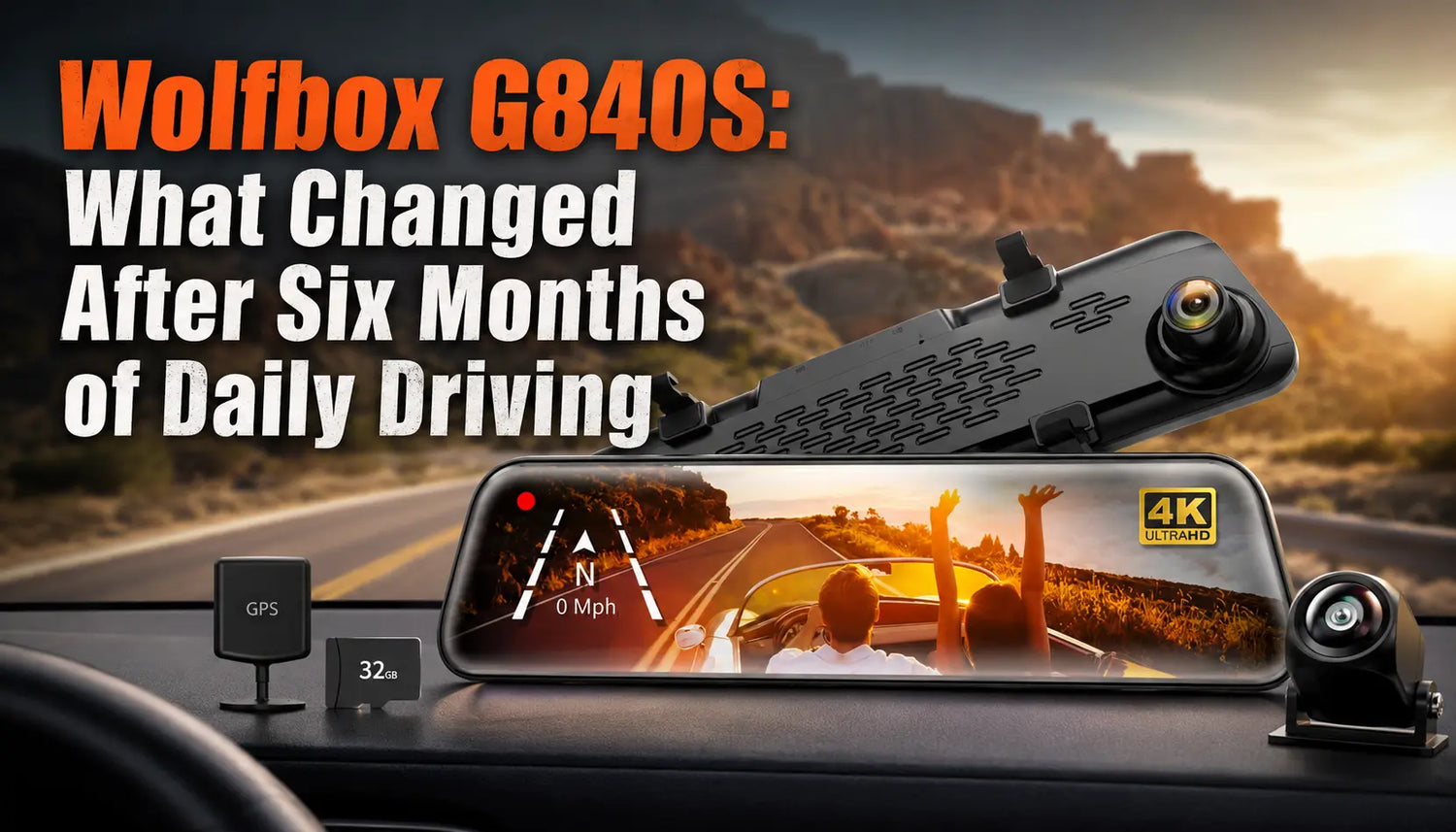
Launch reviews test a dash cam for a week, maybe two. The real test is what happens after six months of temperature swings, daily card-swapping, and the kind of ordinary wear a car interior takes on. Here's a look at the WOLFBOX G840S mirror dash cam checked against what actually holds up, based on its official specifications and independent owner feedback rather than launch-day marketing copy.
What the G840S Actually Is
The G840S is a 12-inch mirror-mount dash cam that clips over the factory rearview mirror, recording 4K (refers to exported video files with a resolution of not less than 3840 × 2160) front and 1080P rear footage with Wi-Fi connectivity to the WOLFBOX Auto app[1][2]. It ships with the rear camera, power cable, GPS cable, rubber mounting straps, electrostatic stickers, and a car wire trim tool for tucking cables along the A-pillar[3]. The unit connects to a phone over its own Wi-Fi network for footage transfer and settings sync, rather than requiring a cloud account[3].
What Holds Up Well After Six Months
The G840S's 12-inch touchscreen is a core hardware feature documented in its official manual[1]. It records up to 4K front and 1080P rear footage, but actual image results depend on installation, settings, lighting, and the condition of the unit.
Where the Wear and Friction Points Actually Show Up
Two things come up more than once in independent, unaffiliated owner feedback rather than official marketing:
- Rear camera night performance: the G840S uses a 1080P rear sensor rather than the 2.5K rear sensor found on WOLFBOX's higher-tier G900 Pro, so rear footage at night has less resolved detail than the front channel[1][5]
- The rear "streaming mirror" effect during reversing: because the G840S enlarges the rear image by roughly 1.5 times by default to assist with distance judgment, some drivers report needing a short adjustment period to recalibrate their sense of distance when reversing compared to a factory optical mirror[6]
Neither issue is a defect — both are documented, known characteristics of the unit's design rather than something that breaks down over time. WOLFBOX has also released an alternative firmware version specifically for reversing that displays a panoramic image instead of the default 1.5x zoom, for owners who prefer that view[6].
Firmware Updates Matter More Than They Sound
The G840S supports firmware updates that WOLFBOX distributes separately depending on the exact hardware version a customer owns — the company's official firmware page instructs owners to confirm their model version by comparing front and back camera photos before downloading, since multiple hardware revisions of the G840S exist[6]. This matters for six-month-plus ownership because it means a firmware issue isn't necessarily a hardware failure; checking for a version-specific update is worth doing before assuming the unit needs replacing.
Warranty Coverage for Long-Term Owners
WOLFBOX's standard warranty combines a manufacturer warranty period with a complimentary extended warranty upon registration, and separately offers a paid 1-year extended warranty add-on for non-accessory products like the G840S[7][8]. WOLFBOX documentation describes a manufacturer warranty and a registration-based extension, while exact terms and eligibility may vary by product and region[7]. Check the current warranty policy and the product-specific terms before relying on any extension or coverage decision.
Is the G840S Still the Right Call Six Months In?
For drivers who prioritize a large, always-visible display and solid front-camera clarity over top-tier rear-camera resolution, the G840S has held its core value proposition, with the clearest caveat being rear-camera night performance relative to WOLFBOX's own higher-tier G900 models. Registering the warranty promptly and confirming the correct firmware version for a specific unit are the two practical steps that make the most difference to a smooth six-month-plus ownership experience.
Frequently Asked Questions
Does the G840S rear camera perform as well at night as the front camera?
Not quite. The rear camera uses a 1080P sensor rather than WOLFBOX's higher-tier 2.5K rear sensor, so rear footage resolves less detail in low light than the front channel.
Why does the rear view look zoomed in when reversing?
The G840S enlarges the rear image by about 1.5 times by default to assist with distance judgment while reversing. WOLFBOX also offers an alternative firmware with a panoramic reversing view for owners who prefer that instead.
How do I extend my G840S warranty beyond the standard period?
Check WOLFBOX's current warranty policy and the product-specific terms after purchase. The available documentation describes a manufacturer warranty and a registration-based extension, but eligibility can vary by product and region.
What should I check before assuming my G840S has a hardware problem?
Confirm the exact hardware version by comparing your unit's front and back camera against WOLFBOX's official firmware page, since multiple G840S hardware revisions exist and each requires a matching firmware file.
References
[1] Product User Manual - Help Center — WOLFBOX Official Support, https://helpcenter.wolfbox.com/articles/754895133617098752
[2] WOLFBOX Smart Mirror Installation Guide — WOLFBOX Official, https://wolfbox.com/pages/wolfbox-smart-mirror-installation-guide
[3] WOLFBOX G840S 12-inch 4K Mirror Dash Cam — Official Product Page, https://wolfbox.com/products/wolfbox-g840s-12-4k-mirror-dash-cam-2160p-full-hd-smart-rear-view-camera-mirror-dash-cam
[4] Find Your Perfect Dash Cam — WOLFBOX Official Comparison Guide, https://wolfbox.com/pages/find-your-perfect-dash-cam
[5] WOLFBOX Unveils G900 Pro Dash Cam with STARVIS 2 IMX678 Sensor — WOLFBOX Official Product Page, https://wolfbox.com/products/wolfbox-2024-g900-pro-wifi-touch-screen-parking-monitoring-dash-cam-smart-mirror-with-starvis-678-sensor
[6] Firmware — WOLFBOX Official Support, https://wolfbox.com/pages/firmware
[7] Wolfbox Warranty Policy – Coverage & Support Info, https://wolfbox.com/pages/warranty-policy
[8] Extended 1-year Warranty — WOLFBOX Official Product Page, https://wolfbox.com/products/extended-1-year-warranty
[9] Sign Up Your Warranty — WOLFBOX Official Warranty Registration, https://wolfbox.com/pages/warranty-form

Leave a comment
All comments are moderated before being published.
This site is protected by hCaptcha and the hCaptcha Privacy Policy and Terms of Service apply.