













You backed into a parking space, watched the guidelines align, and pulled in cleanly. The backup camera did its job. Three hours later, someone reversed into your parked car and drove away.
Your factory backup camera didn't see it. It wasn't running. It never records.
That's not a criticism of the technology — it's a description of what the technology was designed to do. Understanding the difference between what a backup camera is built for and what a dash cam provides is the kind of thing most drivers learn only after they need the footage that wasn't there.
What Factory Backup Cameras Are Actually Built For
The National Highway Traffic Safety Administration required backup cameras on all new passenger vehicles sold in the United States weighing under 10,000 lbs as of May 1, 2018 [1]. By now, virtually every car sold in the last seven years has one.
The mandate was a parking safety measure. Backup cameras exist to prevent backover accidents — a driver reversing out of a parking space or driveway and striking a child, cyclist, or pedestrian not visible in mirrors. The camera solves a real and serious problem.
The federal requirement does not address the following points because that was never its purpose [1][2]:
- Continuous recording: factory backup cameras activate only when the vehicle is in reverse. When you shift into drive, the feed ends. No file is saved.
- Storage: standard OEM backup cameras have no local storage, no memory card, no loop recording, no footage to retrieve.
- On while parked: the backup camera is tied to reverse gear. When you park and walk away, it goes dark.
- Front documentation: backup cameras see behind the car. Nothing in the factory system records what happens in front of you while driving.
Most drivers intuitively know that a backup camera helps them park. Fewer realize that "helps you park" is the entirety of the function. The camera is a driver-assist tool, not a documentation system.
Three Scenarios Where OEM Backup Cameras Fail
Rear-end collision evidence. You're stopped at a light. A distracted driver rear-ends you. You have whiplash, your bumper is damaged, and the driver's insurance is disputing who was stopped and who was moving. Your backup camera recorded nothing — it was in drive.
A rear dash cam would have recorded the impact, the license plate of the vehicle behind you, and conditions at the moment of collision. GPS-stamped, timestamped footage significantly accelerates claims resolution and reduces the likelihood of a disputed claim [2].
Hit-and-run in a parking lot. You return to your car and find a crumpled rear bumper and no note. Your backup camera recorded nothing — the car was parked and off. A dash cam with parking mode — hardwired to a low-voltage power supply — would have recorded the impact or captured the triggering motion event during the time the car was unattended. Without that, you have no license plate, no timestamp, and no evidence.
Tailgating or road harassment. A driver behind you has followed dangerously close for miles. You want to document it for law enforcement. Your backup camera recorded nothing — the incident happened in drive. A rear dash cam in continuous recording mode captures precisely this scenario: ongoing, timestamped, with GPS coordinates showing the highway and your speed.

Why Mirror Dash Cams Close This Gap Uniquely Well
The backup camera you already have provides live parking assistance. A mirror dash cam adds the recording layer your OEM system never had — and does it in a way that's architecturally specific to how backup cameras work.
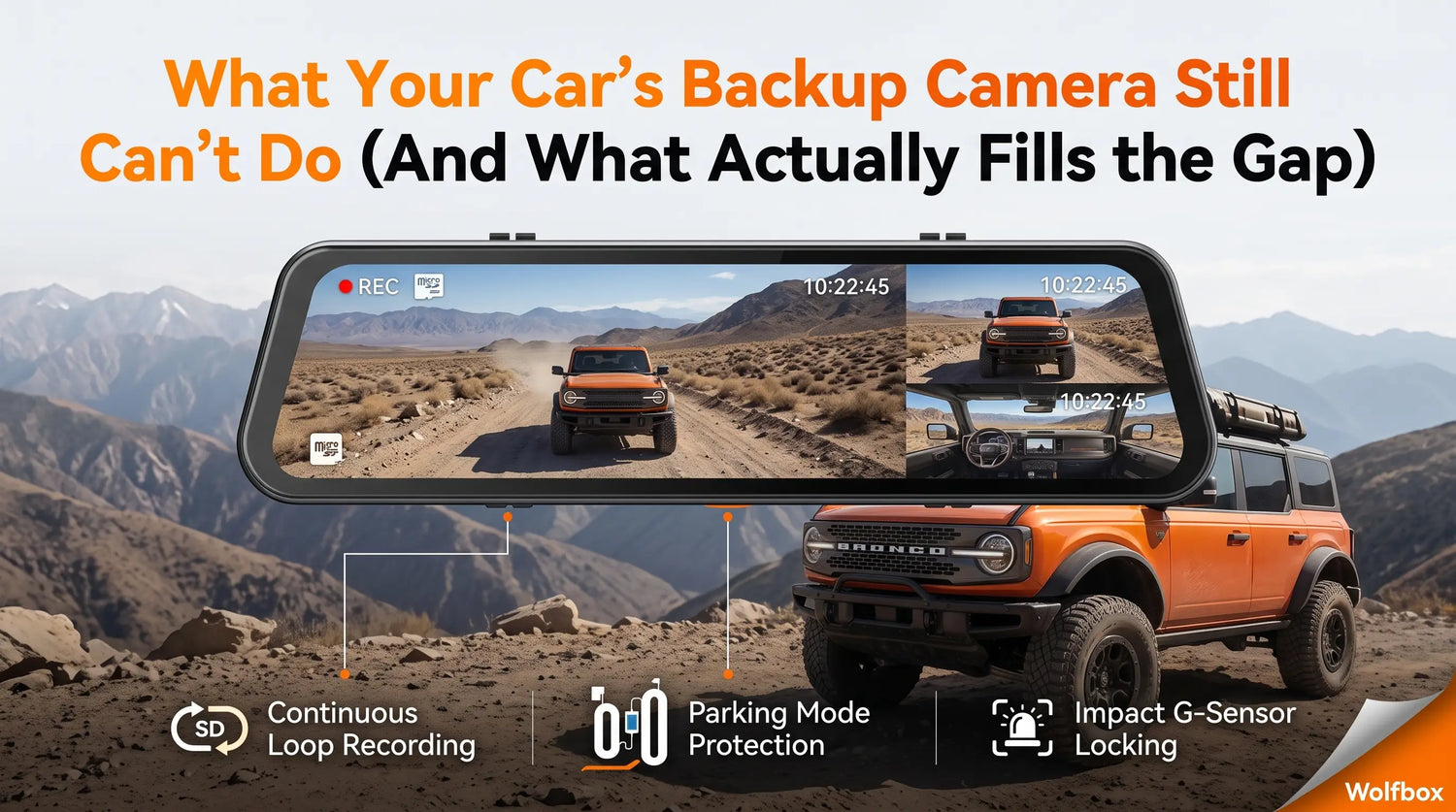
A mirror dash cam's rear camera mounts in the same general position as an aftermarket backup camera — near the license plate or rear windshield — and displays the same live rear view. The difference is that it also records continuously to a microSD card in loop format, stores G-sensor locked footage when an impact is detected, and continues recording in parking mode when the car is unattended and hardwired to battery power.
The Wolfbox G840S provides exactly this architecture: a 12-inch touchscreen mirror displaying the live rear camera feed, 4K front recording, 1080P rear recording in continuous loop, GPS stamping on every frame, G-sensor locking on impact, and compatibility with the Wolfbox Hardwire Kit for parking mode [3]. "4K" refers to exported video files with a resolution of not less than 3840 × 2160. The rear camera serves both the live backup guidance function and the recording function simultaneously.
The Wolfbox G900TriPro extends this further with a 2.5K rear camera, giving license plate legibility at greater distance than 1080P rear cameras in the same category [4][6].

The Honest Limitation: Backup Guidelines
One genuine capability OEM backup cameras have that mirror dash cam rear cameras typically lack: dynamic parking guidelines. Factory systems draw predicted trajectory lines on the screen based on steering wheel angle in real time.
Most mirror dash cam rear cameras display a static guide grid, not a dynamic line that adjusts as you turn the wheel. If you've grown dependent on the dynamic guidelines in your factory system, switching to static guidelines requires a brief recalibration in how you judge distances. Some buyers find static guidelines sufficient; others miss the dynamic lines. This is a real difference worth knowing before installing.
What Changes After You Add a Rear Dash Cam
Every parking lot dent now has a timestamped record. Every rear-end collision has documentation from the victim's perspective, not just the insurer's reconstruction. Every late-night hit-and-run on a residential street is on film if you've hardwired parking mode.
This doesn't transform your car into a surveillance system. It brings the same documentation capability your front dash cam already provides to the rear of the vehicle — which is where more parking incidents, low-speed collisions, and vandalism events happen. Your factory backup camera helps you not back into things. A rear-recording dash cam helps you prove what happened after someone backed into you. These are different functions, and both are worth having.

Frequently Asked Questions
Q: Does a mirror dash cam work as a backup camera replacement?
Yes. A mirror dash cam's rear camera provides a live rear view display and records continuously to a microSD card — unlike factory backup cameras, which provide live view only and save no footage.
Q: Will my factory backup camera still work after installing a mirror dash cam?
Yes. A mirror dash cam is an independent aftermarket system. Your factory backup camera continues to function through the infotainment display.
Q: Does the rear camera on a mirror dash cam record when the car is parked?
Only when connected to a compatible hardwire kit that maintains low-voltage power while the ignition is off. Without one, most mirror dash cams power down when the engine stops [5][6].
Q: How much storage does rear dash cam recording typically require?
Loop recording manages storage automatically. On a 64GB card at 1080P rear resolution, loop storage holds 8–12 hours before the oldest files are overwritten. High-endurance cards such as SanDisk High Endurance are recommended for continuous recording [7].
Q: Is dash cam footage accepted by insurance companies?
Most major insurers accept dash cam footage as supporting documentation. GPS-stamped footage with timestamp overlay is generally considered more credible. Confirm your insurer's specific evidence policies directly.
References
[1] Federal Register — FMVSS No. 111 Rear Visibility Rule: https://www.federalregister.gov/documents/2014/04/07/2014-07469/federal-motor-vehicle-safety-standards-rear-visibility
[2] eCFR — 49 CFR § 571.111 Rear Visibility: https://www.ecfr.gov/current/title-49/subtitle-B/chapter-V/part-571/subpart-B/section-571.111
[3] Wolfbox G840S Official Product Page — 12-inch mirror, 4K front, 1080P rear, GPS, G-sensor and hardwire compatibility: https://wolfbox.com/products/wolfbox-g840s-12-4k-mirror-dash-cam-2160p-full-hd-smart-rear-view-camera-mirror-dash-cam
[4] Wolfbox G900TriPro Bumper Version Product Page — 2.5K rear camera and three-channel mirror dash cam setup: https://wolfbox.com/products/wolfbox-g900-tripro-bumper-version-3-channel-rearview-mirror-camera
[5] Wolfbox G900 Pro Official Product Page — 12-inch smart mirror, GPS and parking monitoring details: https://wolfbox.com/products/wolfbox-2024-g900-pro-wifi-touch-screen-parking-monitoring-dash-cam-smart-mirror-with-starvis-678-sensor
[6] Wolfbox G840S vs G900 Pro vs G900TriPro Comparison Guide: https://wolfbox.com/blogs/dash-cams/wolfbox-g840s-vs-g900-pro-vs-g900-tripro-which-mirror-dash-cam-is-right-for-you
[7] SanDisk High Endurance microSD Card Product Page — continuous recording use case: https://www.sandisk.com/products/memory-cards/microsd-cards/sandisk-high-endurance-uhs-i-microsd

Leave a comment
All comments are moderated before being published.
This site is protected by hCaptcha and the hCaptcha Privacy Policy and Terms of Service apply.