













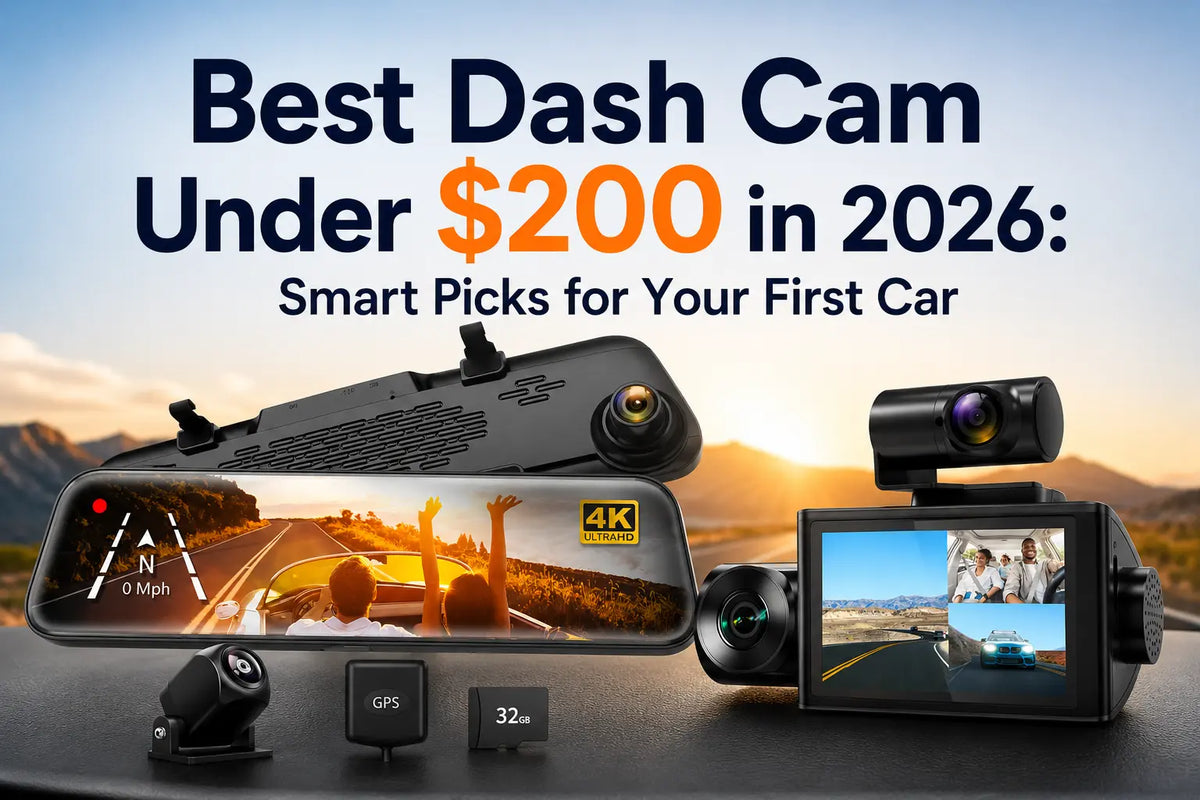
Your first car already comes with enough new expenses: insurance, gas, and even the first oil change bill. When you start looking at dash cams, the sticker shock on some models can feel like one cost too many. The good news is you don't need to spend big to get real protection.
The best dash cam under $200 can cover your front and rear views, log your speed and route, and hand you real footage the moment you need it. The best part is every feature remains available without eating into the rest of your car budget.
This guide walks through what matters at price points by explaining two WOLFBOX options, the G840S mirror cam and the i07 three-channel cam. Both stay comfortably under the $200 mark, and both come from a brand that sells gear directly, making it easy to choose.
What Makes a Dash Cam Worth It Under $200?
A good budget dash cam needs three things: footage clear enough to read a plate, a wide enough view actually to catch what happened, and a simple way to pull that footage when you need it.
Past that, extras like voice control or a bigger screen are nice, but they're not what makes or breaks a claim after a fender-bender.
Core Features Worth Paying For
- A wide-angle front lens that captures merging traffic. [1]
- Real night vision performance, since many accidents and near-misses happen after dark.
- A G-sensor that locks footage automatically the moment it detects a hard stop or impact.
- GPS logging, which timestamps your speed and location alongside the video.
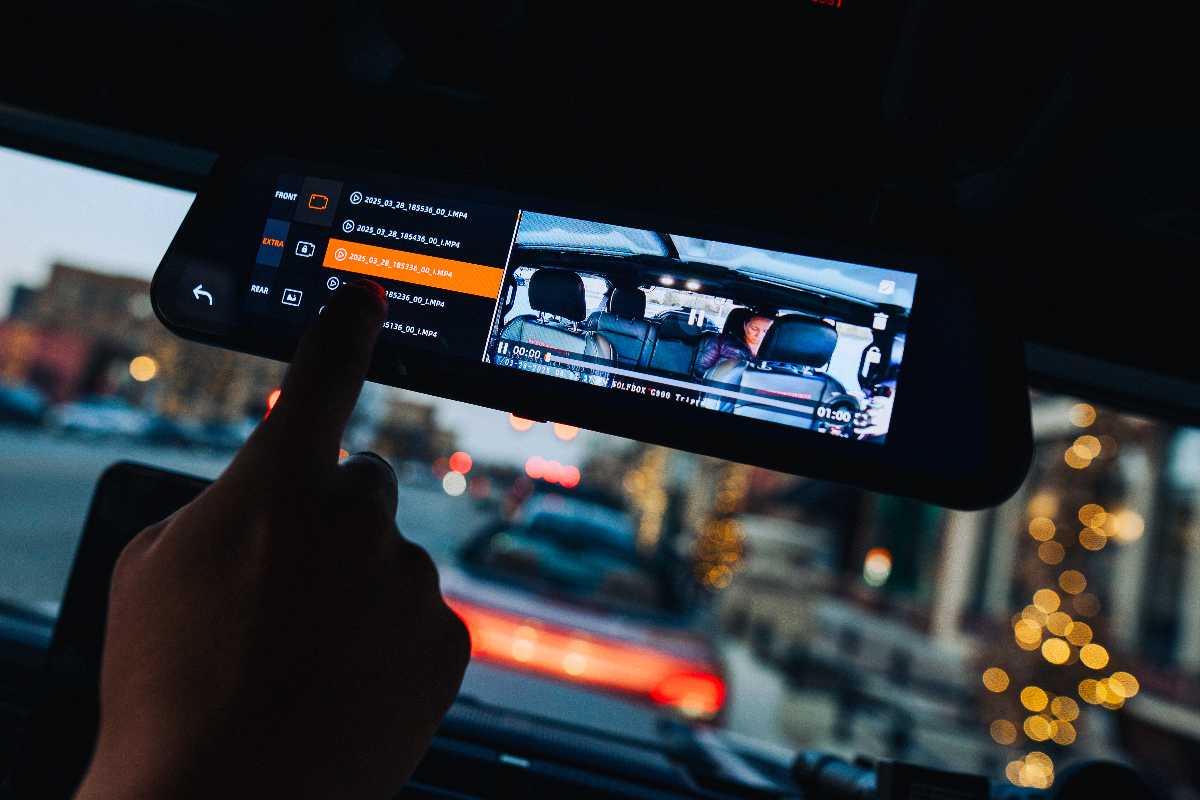
- An app or WiFi connection that lets you pull clips without hunting for a card reader.
Features You Can Skip at This Budget
- Built-in radar detectors, which add cost without improving core recording quality.
- Extremely high frame rates (30fps) that mostly matter for smoother playback, not clearer detail. [2]
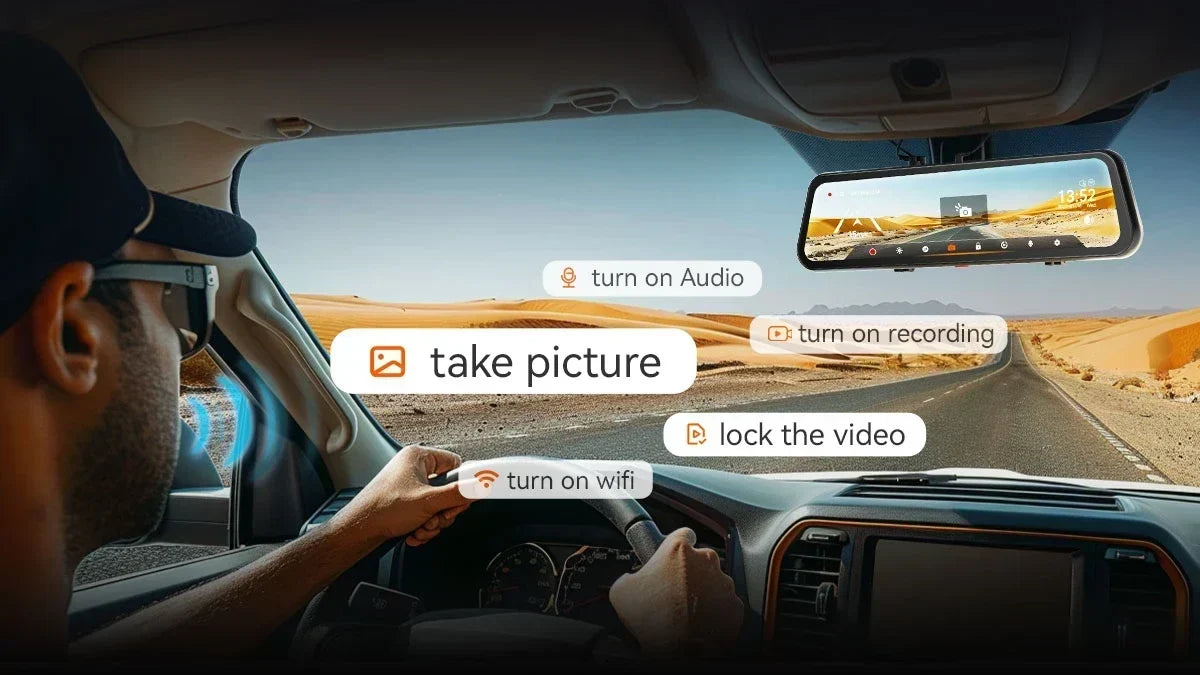
- Voice-command systems, which are convenient but not essential for a first dash cam.
Best Dash Cam Under $200: WOLFBOX G840S
The WOLFBOX G840S is a 12-inch mirror dash cam in the $150-$200 range. It features a wide-angle front camera and a 124-degree rear camera, plus GPS and WiFi. [3] [4]
G840S is the simpler pick between the two models. It suits drivers who mainly want strong front-and-rear coverage and a clean backup camera without extra windshield clutter.

What You Get
The G840S replaces your factory mirror without clipping a small screen. That single-screen approach keeps installation simple. [5]
- A 12-inch 2.5D curved IPS touchscreen that mounts directly over the existing rearview mirror with rubber straps.
- Front camera video exported at up to 3840×2160 resolution, paired with a 1080p rear camera.
- Super Night Vision processing helps keep footage usable after sunset.
- An adjustable reversing line you can slide to fit your vehicle, suited to different parking situations.
- Parking monitoring with a hardwire kit, including automatic voltage-cutoff protection for your car battery.
- The G840S also includes a G-sensor that locks the current recording segment (1 to 3 minutes) around a detected impact and/or collision.
Best For
- Drivers who want a clean, single-screen setup instead of multiple small cameras around the cabin.
- Anyone who’ll use the rear camera as an actual backup camera, not just a second recording angle.
- Car owners who primarily care about documenting the road, not what’s happening inside the car.
Best 3-Channel Pick Under $200: WOLFBOX i07
The WOLFBOX i07 is a compact three-channel dash cam that sits in the $175-$200 range. It records from the front, cabin, and rear simultaneously at 2.5K, 1080p, and 1080p, respectively. [6] [7]
Instead of one big mirror screen, it uses a small 3-inch display and separate mini cameras. So the i07 is the stronger choice for documenting what's happening inside the car, not just outside.

What You Get
The i07's three-camera layout enables full-coverage documentation, not a single wide dashboard view. Each camera connects back to a central 3-inch display. So you still have one place to check footage, even though it comes from three separate lenses.
- Three simultaneous recording channels: a 150-degree front cam, a 160-degree cabin cam, and a 155-degree rear cam.
- Infrared night vision on the cabin camera provides usable low-light interior footage.
- Built-in GPS and Wi-Fi for pulling clips to the WOLFBOX app without removing the memory card.
- Two parking monitoring modes: collision-triggered recording and 24-hour time-lapse recording.
- A G-sensor that locks footage automatically once it detects a collision, protecting the clip from being overwritten.
The cabin camera runs its own infrared night vision. [8] It lets the camera capture usable footage inside the car even with the interior lights off. It's especially important if you need to document what happened between you and the passengers inside the vehicle.
Best For
- Drivers who carpool, drive for a rideshare app, or regularly have passengers and want documented cabin footage.
- Anyone who wants a compact, low-profile setup instead of a full mirror replacement.
- Buyers who value full 360-degree-style coverage over a single large display.
G840S vs i07: Which Fits Your First Car?
Choose the G840S as a straightforward mirror replacement with strong front-and-rear coverage. Get the i07 if cabin visibility matters to you. It could be for rideshare documentation, keeping an eye on passengers, or simply wanting a complete record of everything happening in and around the car.
Neither option is the "better" camera; they're built for different first-car situations. Therefore, your ultimate pick depends entirely on what you'd actually use the extra camera for.
Quick Comparison
- Price: G840S under $175 vs. i07 over $175, both comfortably under $200.
- Channels: G840S records two views (front and rear); the i07 records three (front, cabin, and rear).
- Display: G840S uses a 12-inch mirror-replacement screen; the i07 uses a compact 3-inch display with separate mini cameras.
- Installation: The G840S is a single-mirror clip-on; the i07 involves routing three separate camera cables.
Why a Budget Dash Cam Still Pays Off on a First Car
A dash cam is a small line item next to the rest of what a first car actually costs. It can matter far more than its price tag suggests. The average transaction price for a new vehicle sits near $47,976.
That's where a $170 to $185 camera represents a tiny fraction of what you've already spent. Furthermore, a good-quality dash cam remains one of the few purchases that can directly protect your investment. [12]
The Cost Math
Putting the price of a dash cam next to the price of a car makes the value clearer. None of the numbers are meant to pressure you into a purchase. Instead, they're useful context for deciding how much of your first-car budget a dash cam deserves.
- A $170 to $185 dash cam is well under half a percent of the average new car’s transaction price. [12]
- Even on a used car budget, a dash cam typically costs less than a single month of car insurance for a new driver.
- Compared to the cost of a contested insurance claim or a he-said-she-said dispute, the cam pays quickly.
That's the real math behind a budget dash cam. It's not about the camera's price, but the cost of not having footage when you need it.
What Happens After an Incident
- Most major insurers, like Progressive, accept dash cam footage as part of their standard claims process. They use the video to help determine how an accident happened. [13]
- Footage can speed up a disputed claim by giving an adjuster something more concrete than two conflicting accounts.
- Always keep the original file secured and untouched if you need to share it. Insurers may want to review the source recording rather than an edited clip.
Keeping Your Footage Actually Usable
Loop recording means your memory card is always being overwritten. You need to lock or save the footage before the card cycles back to it. A little routine maintenance goes a long way toward keeping the camera ready when something actually happens.
Memory Card Basics
- Use a high-endurance microSD card rated for continuous video recording, not a standard card meant for photos.
- Reformat the card every few months through the camera’s menu to keep the file system healthy. [14]
- Check available storage occasionally. It’s especially important if you’ve been saving locked clips manually.
A Quick Monthly Habit
A five-minute monthly check catches most problems before they matter.
- Glance at the screen to confirm the camera is recording with the correct date and time.
- Pull a random clip to confirm video and audio are both working as expected.
- Wipe the lens if you notice any haze or road grime affecting picture clarity.
Setting Up Your First Dash Cam
Plan on 30 to 60 minutes to mount either camera properly. Also, route the cables neatly and test every channel before you need the footage. Rushing the install is the most common reason a first-time dash cam owner ends up with blanks.
Installation Checklist
A few basics apply whether you're installing the mirror-style G840S or the three-camera i07. None require special tools. But skipping one is usually what turns a five-minute fix into an afternoon project. [15]
- Confirm the mount is secure, whether that’s rubber straps on a mirror cam or adhesive pads for individual mini cameras.
- Route camera cables along the roof liner and A-pillar for a clean, factory-look finish instead of leaving them loose.
- Test every channel, front, rear, and cabin if applicable, before your first real drive rather than assuming everything works out of the box.
- Connect the reverse-light wire on models with backup camera guidelines, so they activate automatically in reverse.
- Install a hardwire kit if you want 24-hour parking monitoring, and set the low-voltage cutoff to protect your battery.
Common First-Time Mistakes to Avoid
- Not testing the parking mode before relying on it, only to find the hardwire kit wasn’t connected correctly.
- Forgetting to check that the memory card is formatted and has enough free space before your first real drive.
- Mounting the camera at an angle or not checking after installation that it captures the dashboard instead of the road.
Conclusion
You don't need to spend well over $200 to get a dash cam that does the job. The WOLFBOX G840S covers front-and-rear essentials with a clean mirror-replacement design slightly under $175. But the WOLFBOX i07 adds full cabin coverage in a compact three-camera layout slightly over $175.
Either one gives your first car real documentation, GPS logging, and night vision for less than a single car payment. Whichever one ends up on your windshield or mirror, take a few extra minutes to install it properly. Then, you'll have one less thing to worry about every time you turn the key.
Frequently Asked Questions (FAQs)
What is the best dash cam under $200 for a first car?
The WOLFBOX G840S at under $175 covers the essentials for a straightforward front-and-rear setup. Add the WOLFBOX i07 for over $175 to add a third camera for full interior and exterior coverage.
Do budget dash cams actually record in 4K?
Budget cameras export front-camera footage at up to 3840×2160, the standard file resolution for 4K UHD. Real-world clarity also depends on lighting, lens quality, and bitrate, not the resolution number.
Is a 2-channel or 3-channel dash cam better for a first car?
It depends on what you're documenting. A 2-channel cam like the G840S covers the road ahead and behind. A 3-channel cam like the i07 adds cabin footage, which seems beneficial if you carpool, drive for rideshare, or want a complete interior record.
Will a dash cam lower my car insurance costs?
A dash cam doesn't guarantee a lower premium. However, footage can support your account of an accident. Most major insurers accept dash cam video as part of their standard claims process. [13]
How long does dash cam footage stay on the memory card?
Most dash cams use loop recording and automatically overwrite older footage once the card fills up. A G-sensor locks and protects specific clips, like impacts, from being overwritten.
References
[2] TechRadar: "Is Frame Rate Important for Dash Cam Footage" – https://www.techradar.com/vehicle-tech/dash-cams/is-frame-rate-important-for-dash-cam-footage-i-compared-30fps-and-60fps-clips-from-a-4k-camera-to-find-out
[3] WOLFBOX: "Wolfbox G840S 4K Mirror Dash Cam" - https://wolfbox.com/products/wolfbox-g840s-12-4k-mirror-dash-cam-2160p-full-hd-smart-rear-view-camera-mirror-dash-cam
[4] WOLFBOX: “Wolfbox G840S Review” – https://wolfbox.com/blogs/dash-cams/wolfbox-g840s-review-2026-road-and-tracks-prime-day-pick-one-month-in
[5] Medium: “Wolfbox G840S Review” – https://cargadgetguy.medium.com/wolfbox-g840s-review-capture-journeys-in-4k-555943570dcb
[6] WOLFBOX: "i07 3-Channel 2.5K Dashboard Recorder" - https://wolfbox.com/products/i07-3-channel-2-5k-1080p-1080p-dashboard-recorder-built-in-gps-wifi
[7] WOLFBOX: “The Ultimate Mini Dash Cam? Wolfbox i07” - https://wolfbox.com/blogs/news/the-ultimate-mini-dash-cam-wolfbox-i07
[8] Medium: “Wolfbox i07 Review” - https://cargadgetguy.medium.com/wolfbox-i07-review-all-round-360-degree-night-day-protection-007d29deb0d5
[9] WOLFBOX: "4K vs 1080p Dash Cam: Which One Should You Choose" - https://wolfbox.com/blogs/dash-cams/4k-vs-1080p-dash-cam
[10] TechRadar: "The Best Budget Dash Cam Buying Guide" - https://www.techradar.com/best/best-dash-cam
[11] WOLFBOX: "What is WDR on Dash Cam" – https://wolfbox.com/blogs/news/what-is-wdr-on-dash-cam
[12] Edmunds: "New and Used Avg. Transaction Prices (ATPs)" – https://www.edmunds.com/avg-transaction-price-atp/
[13] Progressive: "Insurance Benefits of Installing a Dashcam" - https://www.progressive.com/answers/insurance-benefits-of-a-dashcam/
[14] WOLFBOX: "How to Choose Best SD Card for Dash Cam" - https://wolfbox.com/blogs/dash-cams/best-sd-card-for-dash-cam
[15] WOLFBOX: "Dash Cam Installation Guide" – https://wolfbox.com/blogs/news/dash-cam-installation-guide-in-depth-instructions-for-a-seamless-setup

Leave a comment
All comments are moderated before being published.
This site is protected by hCaptcha and the hCaptcha Privacy Policy and Terms of Service apply.