













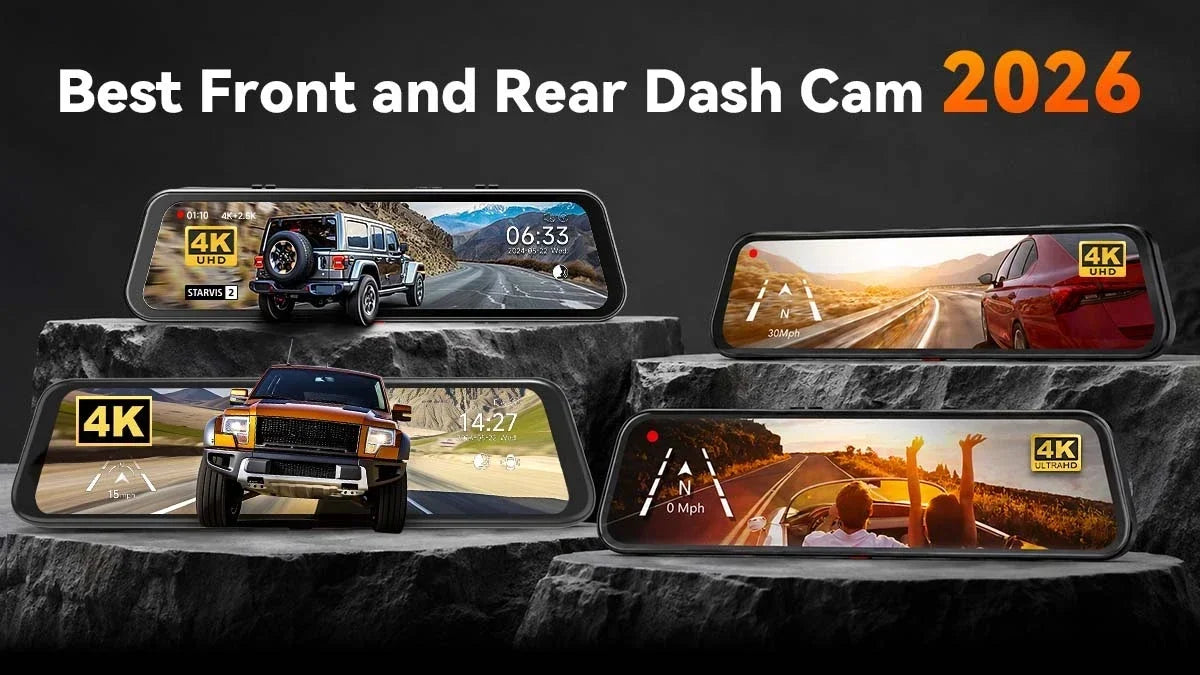
Finding the best front-and-rear dash cam in 2026 is about more than the highest recording resolution. You must choose a system that protects you, your car, your insurance claim, and your peace of mind on every drive.
It's no surprise that you may be worried about rear-end fender benders and parking lot hit-and-runs. Some drivers simply want a clearer view out the back window.
In any case, a front-and-rear dash cam covers both sides of the story. This guide compares leading dual-channel dash cam brands to Wolfbox, showing you how to install and maintain the overall setup.
What Is the Best Front and Rear Dash Cam in 2026?
Drivers prefer the best front and rear dash cam 2026 with a sharp front lens in 4K or 2.5K. And they also demand an equally capable rear camera, real-time GPS logging, and a parking mode.
In reality, that means two synchronized video feeds. One should face the traffic ahead, whereas the other covers the view behind or inside the cabin. The goal is simple: capture footage from both directions so you aren't left with half the story after an incident.
Modern front- and rear-facing dash cam models close this recording gap by streaming both camera feeds to a single screen or app. Thus, it gives you a complete record of the drive rather than just half of it.
Why Dual-Channel (Front + Rear) Coverage Is Essential in 2026
Rear-facing coverage is roughly as important, since many collisions and hit-and-runs occur behind or beside your vehicle. Those are the areas your mirrors and a front-only cam can't fully cover.
Adding a rear channel means you're covered entirely. Your stoppage at a light, backing out of a parking spot, or cruising down the highway – everything gets on record. Even so, rear-end crashes stay common on US roads.
NHTSA's overview counted an estimated 6.14 million police-reported traffic crashes in 2023. Even its companion research note found that roughly 13% of all reported crashes were attributed to distraction. [1] [2]
A rear camera can't stop someone from tailgating you. However, it captures the moments before and after impact, footage that often becomes one of the ultimate deciding factors in an insurance claim.
Streaming mirror dash cams also eliminate interior blind spots caused by tall headrests, rear passengers, or a trunk full of cargo. A traditional glass mirror fails at such spots, which isn't a small inconvenience.
NHTSA estimates back-over crashes cause roughly 210 fatalities and 15,000 injuries every year. AAA tested rear-view cam systems in 17 vehicles and found they improved visibility of the rear blind zone. [3]
Rear and parking-mode coverage matters equally once you've stopped driving. AAA Foundation for Traffic Safety found that 15% of all police-reported crashes in 2023 involved a driver who fled the scene.
Pedestrians and cyclists bear a disproportionate share of the resulting deaths. [4] A dash cam with a reliable parking mode keeps recording while your car sits, so you get footage instead of a guess.
What Features Make the Best Dash Cam Front and Rear in 2026?
The best 2026 front-and-rear dash cam models balance video quality with smart safety features. Resolution, sensor quality, low-light performance, GPS, Wi-Fi, parking mode, and loop recording – all work together.
4K vs 2.5K vs Full HD
A 4K (3840×2160) front camera captures roughly four times the detail of a 1080p Full HD camera. It becomes crucial when you need to zoom in on a license plate or road sign after an incident. [5]
2.5K (2560×1440) sits in the middle with noticeably sharper footage than Full HD without the larger file sizes of 4K. Many drivers find 2.5K or even 1080p perfectly usable for the rear channel.
It's because most drivers use rear footage to confirm the following distance or capture a hit-and-run plate. Such intentions have rarely to do anything with analyzing front-facing, finer details.
Front and Rear Sensor Quality
Resolution numbers only tell part of the story. It's the image sensor behind the lens that determines how much real detail a camera can capture, especially in shadows or bright glare.
Larger sensors, like the widely used Sony STARVIS series, gather more light per pixel. Thus, it translates to cleaner nighttime footage with incredibly less motion blur at highway speeds. [6]
Low-Light Performance (Sensor Size + 2DNR/3DNR)
Most incidents relevant to evidence occur at dawn, dusk, or after dark. That's why low-light performance is arguably more important than daytime sharpness alone.
Larger sensor sizes, measured in inches such as 1/2.8" or 1/1.8", capture more light. In comparison, 2D and 3D noise reduction (2DNR/3DNR) processing cleans up grain without smearing detail.
Look for a front and rear dash cam that lists its sensor size and noise-reduction method. Any dual-channel cam with nothing but an advertised resolution number marks a red flag.
GPS Logging and Playback
Built-in GPS quietly timestamps your route, speed, and location on every clip. It proactively strengthens your case with insurers or police after an accident.
Good GPS playback software overlays data directly on the video. Any adjuster can confirm exactly where and how fast you were traveling at the time of impact.
Wi-Fi and App Control
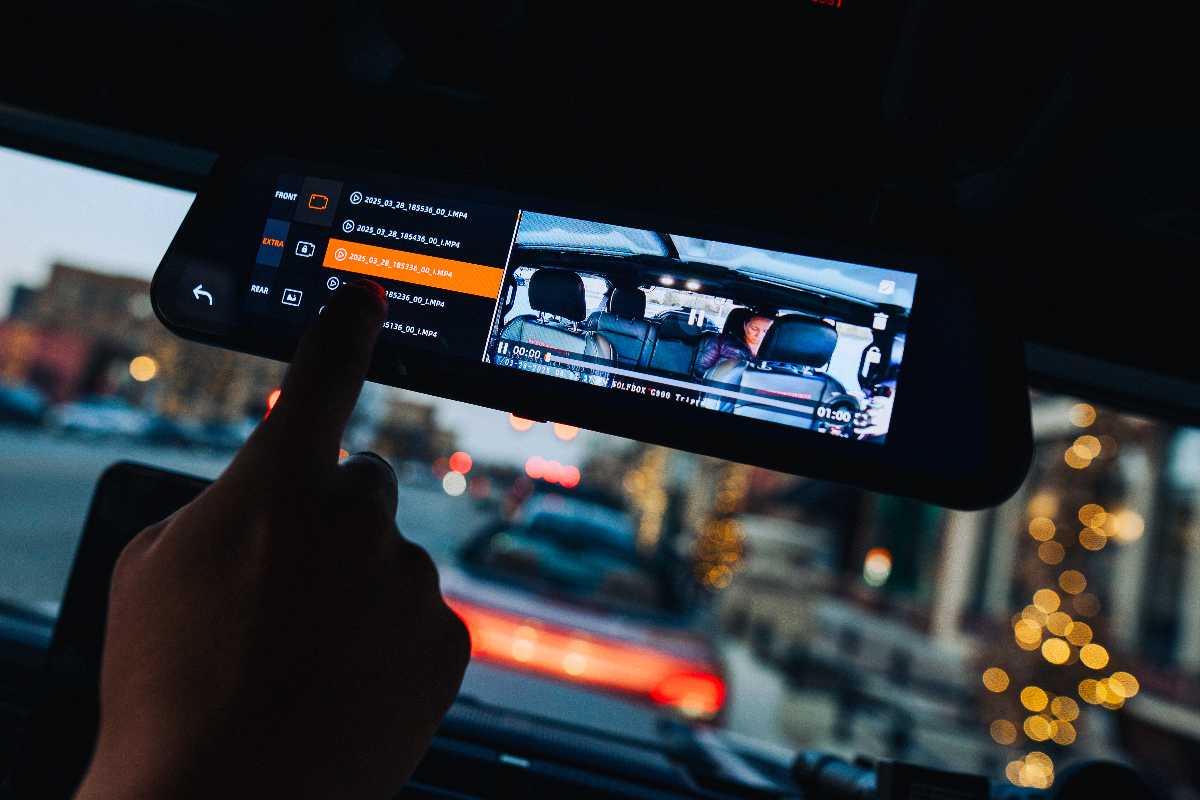
Wi-Fi lets you pull footage straight to your phone without removing the memory card. It's quite the time- and life-saving feature in the following minutes after a collision.
Newer 5.8GHz Wi-Fi connections transfer clips faster than older 2.4GHz systems. It reduces download times from several minutes down to under a minute for a usual clip.
Parking Mode
Parking mode keeps your dash cam recording, or ready to start recording instantly, after you've turned off the engine and walked away. [7] Motion-triggered and/or impact-triggered versions can save battery and storage by only recording when something actually happens nearby.
Meanwhile, buffered parking modes save a few seconds of footage from before the trigger. You'll still get the moment on record that becomes the most crucial during an event.
Loop Recording and G-Sensor
Loop recording automatically overwrites your oldest footage once the memory card fills up. So, you never have to manually delete files or worry about running out of space.
The G-sensor detects sudden braking or impact forces and automatically locks the specific clip. And loop recording can't erase it, a small feature that can be enormously beneficial.
Distracted driving contributed to 3,208 deaths in 2024, according to NHTSA. That's why a locked record of the seconds around a crash is a practical safety measure to introduce. [8]
Top Front and Rear Dash Cam Brands Compared for 2026
Six brands, including WOLFBOX, stand out in the front- and rear-facing dash cam market in 2026: Viofo, Garmin, Nextbase, Redtiger, 70mai, and WOLFBOX. Each brand takes a different approach. Therefore, your ultimate pick depends on your vehicle, budget, and how you want the footage displayed.
|
Brand |
Positioning |
Form Factor |
Key Differentiator |
|---|---|---|---|
|
Viofo |
Performance-focused image quality |
Compact windshield mount, dual/triple channel |
Strong image quality and advanced recording features |
|
Garmin |
Connected ecosystem, minimal footprint |
Small windshield mount, single/dual channel |
Compact hardware and connected ecosystem |
|
Nextbase |
Premium build, AI-assisted features |
Compact windshield mount, modular system |
Smart features and premium build |
|
Redtiger |
Feature-rich, value-oriented dash cams |
Compact windshield mount with touchscreen |
High-resolution recording and feature-rich configurations |
|
70mai |
Value-oriented, app-driven controls |
Compact windshield mount, add-on rear camera |
App-based control and broad model selection |
|
WOLFBOX |
Streaming mirror display, wide model range |
Rearview mirror replacement, large touchscreen |
Large-screen mirror displays and wide multi-camera coverage |
Windshield-mounted dual-lens cameras from Viofo, Garmin, Nextbase, Redtiger, and 70mai are compact and unobtrusive. They seem quite appealing to drivers who want a low-profile setup.
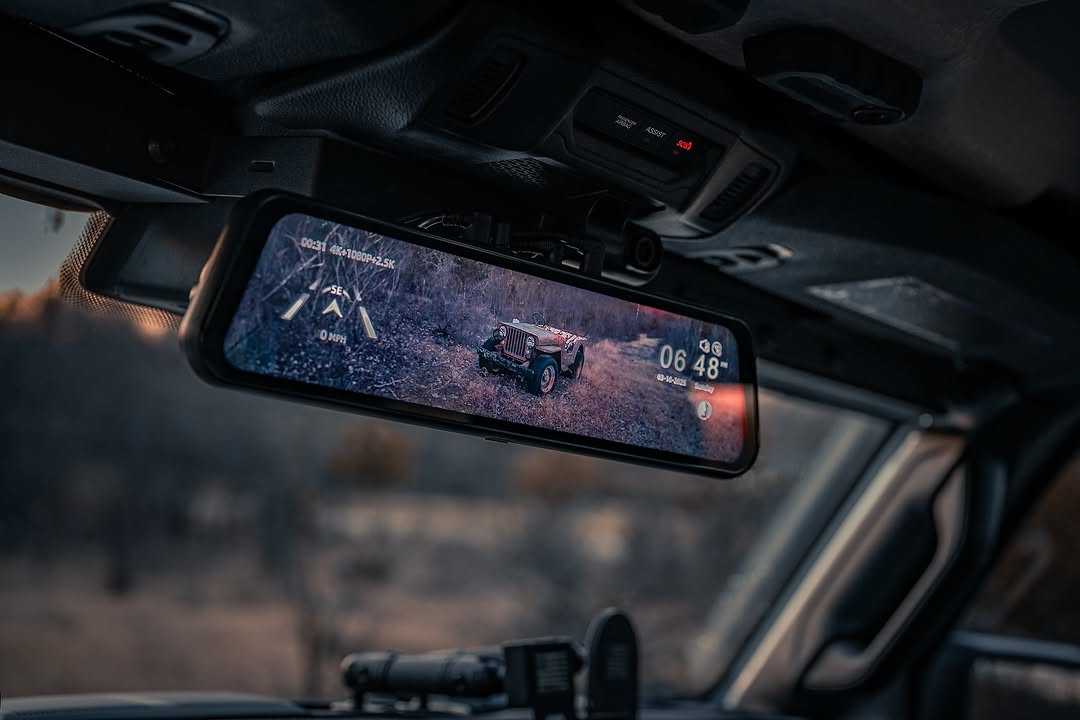
Mirror-style dash cams, like WOLFBOX's lineup, replace or clip over your factory mirror with a large touchscreen that streams both feeds live. [9]
Neither approach is objectively better. It eventually comes down to whether you want a discreet windshield unit or a display that actively replaces your mirror while you drive.
WOLFBOX Best Front and Rear Dash Cams
WOLFBOX's mirror dash cam lineup swaps your factory rearview mirror for a touchscreen that streams live feeds from front- and rear-facing cameras. It also pairs a wide field of view with 4K-capable sensors, fast Wi-Fi transfer, and 24-hour parking monitoring across most models.
When we say "4K", we mean exported video files with a resolution of no less than 3840×2160 pixels. It's the same benchmark used throughout this insightful guide.
The WOLFBOX G900Pro anchors the lineup with a 12-inch touchscreen. [10] It has a 4K front camera built on a Sony STARVIS 2 IMX678 sensor and a 2.5K rear camera. You’ll also get 5.8GHz Wi-Fi for faster clip transfers and voice control for hands-free adjustments while driving.
Step down slightly, and you have the WOLFBOX G850 Pro with a 4K front camera + a 1080p rear camera. [11] It even comes with ADAS-style alerts (lane departure, forward collision, and blind-spot warnings) along with the standard mirror display and parking monitoring.
The WOLFBOX G840S features the same 12-inch mirror format with 4K front recording. [12] It’s beneficial for drivers who want the mirror-display experience without paying for the touchscreen extras of the Pro models.
The WOLFBOX G930 offers a more compact 10-inch display while still recording 4K up front, making it ideal for smaller vehicles or tighter mirror mounts. [13] It’s a rather space-conscious choice for a front-and-rear dash cam.
As with any dash cam purchase, you should compare the fundamental specifications. Always consider sensor type, rear resolution, Wi-Fi speed, and whether parking mode requires a separate hardwire kit.


How to Install a Front and Rear Dash Cam: Commercial Installation Guide
Installing a front and rear dash cam can take 30 to 90 minutes. It follows a similar basic order regardless of brand, including Wolfbox.
- Choose a legal mounting spot to keep your view clear. It’s either behind the rearview mirror or within your state’s permitted windshield zone.
- Clean the windshield or mirror mount area with glass cleaner. Let it dry fully before attaching the adhesive or mirror clamp.
- Route the power cable along the headliner and A-pillar trim. Then, tuck it behind the plastic panels so nothing dangles near the airbag.
- Connect to a 12V accessory outlet for basic use. Or install a hardwired kit in the fuse box for true 24-hour parking mode.
- Run the rear camera cable along the door sills and headliner to the back window or trunk. Then, secure it with adhesive clips every foot or so.
- Mount the rear camera at the top-center of the rear windshield. Always avoid any defroster lines that could distort the picture.
- Power on both cameras, and confirm the front and rear feeds display correctly on the screen. Also, adjust the viewing angle before locking everything in place.
- Format the memory card to set your date, time, and loop-recording length. Take a short test drive to confirm both channels are recording cleanly.
Maintenance and Care: Protecting Your Commercial Dash Cam Investment
Lens Cleaning: Wipe front and rear lenses weekly with a microfiber cloth. Road grime and rain spots are the most common cause of blurry footage, not a camera defect.
Rear Camera Inspection: Check the rear unit’s mount and cable connection monthly. Otherwise, exterior-mounted rear cameras remain exposed to weather, car washes, and road debris.
SD Card Checks: Reformat your memory card every 1 to 2 months to prevent file system errors. Replace it in one to two years since constant loop recording wears out flash memory faster.
Firmware Updates: It often fix bugs affecting Wi-Fi transfer speeds, GPS accuracy, or parking-mode battery drain. But if your dash cam is functioning properly, we do not recommend that you update the firmware.
Cable and Mount Checks: Give power and camera cables a quick tug-test during regular car washes or detailing. It should catch loose connections before they cause dropped recordings.
Conclusion
Finding the best front-and-rear dash cam for 2026 doesn't have to be difficult. You need to match the available features to how you actually drive. Commuters mostly worry about rear-end fender benders, so they prioritize a sharp rear camera with a reliable G-sensor.
Meanwhile, anyone parking on the street overnight should lean toward strong parking mode and 24-hour monitoring. Resolution is important, but sensor quality, low-light performance, and dependable parking coverage matter almost equally to get usable footage.
You should line up the dash cam front and rear, based on what they offer, for 2026. And we guarantee you'll find WOLFBOX's mirror-style lineup standing atop. It's a brand with great dual-channel dash cam options that has your back on the road.
Frequently Asked Questions (FAQs)
Does parking mode drain the battery?
Parking mode can draw down a standard 12V car battery if it runs for many hours without a hardwire kit. That's why most dash cams include a low-voltage cutoff that stops recording before your battery drops too low.
How much storage do I need?
A 128GB memory card holds roughly 10 to 15 hours of dual-channel 4K-plus-rear footage before loop recording starts overwriting. Drivers logging a lot of daily mileage or leaning heavily on parking mode prefer a 256GB card.
Which WOLFBOX dash cam should I buy?
The WOLFBOX G900Pro is the ultimate pick with a complete feature set (4K front, 2.5K rear, voice control, and large touchscreen). For ADAS-style collision alerts on the mirror display, consider the G850 Pro. Meanwhile, the G930's smaller 10-inch screen suits compact vehicles.
Are front and rear dash cams legal?
Yes. Recording video from inside your own vehicle is legal throughout the US. However, individual states set their own rules about windshield mounting and consent on audio recording. Mounting your dash cam behind the rearview mirror or on the dashboard is accepted virtually everywhere. Check your state's specific vehicle code or DMV guidance before enabling audio recording.
References
[1] National Highway Traffic Safety Administration (NHTSA): "Research Note: Overview of Motor Vehicle Traffic Crashes in 2023" – https://crashstats.nhtsa.dot.gov/Api/Public/Publication/813705
[2] National Highway Traffic Safety Administration (NHTSA): "Research Note: Distracted Driving in 2023" – https://crashstats.nhtsa.dot.gov/Api/Public/ViewPublication/813703
[3] AAA Exchange: "Rear-View Cameras" – https://exchange.aaa.com/automotive/automotive-testing/rear-view-cameras
[4] AAA Newsroom: "Fatal Hit-and-Run Crashes Reach Record High, AAA Foundation Study Finds" – https://newsroom.aaa.com/2026/03/fatal-hit-and-run-crashes-reach-record-high-aaa-foundation-study-finds
[5] Wolfbox: "4K Dash Cam in 2026" – https://wolfbox.com/blogs/dash-cams/4k-dash-cam-in-2026-what-it-actually-means-for-night-vision-license-plates-and-your-sd-card
[6] Wolfbox: "Front and Rear Dash Cam Buyer's Guide" – https://wolfbox.com/blogs/dash-cams/front-and-rear-dash-cam-buyers-guide-4k-sensor-size-spec-sheet
[7] Wolfbox: "What is Parking Mode" – https://wolfbox.com/blogs/dash-cams/what-is-parking-mode
[8] National Highway Traffic Safety Administration (NHTSA): "Distracted Driving Dangers and Statistics" – https://nhtsa.gov/risky-driving/distracted-driving
[9] Wolfbox: "Mirror Dash Cam vs Regular Dash Cam" – https://wolfbox.com/blogs/dash-cams/mirror-dash-cam-vs-regular-dash-cam-which
[10] Wolfbox: “Wolfbox 2024 G900Pro Dash Cam” – https://wolfbox.com/products/wolfbox-2024-g900-pro-wifi-touch-screen-parking-monitoring-dash-cam-smart-mirror-with-starvis-678-sensor
[11] Wolfbox: “Wolfbox G850Pro Dash Cam” – https://wolfbox.com/products/wolfbox-g850pro-dash-cam-4k-wifi-car-dash-camera-front-and-rear-mirror-dashcam
[12] Wolfbox: "Wolfbox G840s 4K Mirror Dash Cam" – https://wolfbox.com/products/wolfbox-g840s-12-4k-mirror-dash-cam-2160p-full-hd-smart-rear-view-camera-mirror-dash-cam
[13] Wolfbox: "Wolfbox G930 Rear View Mirror Camera" – https://wolfbox.com/products/wolfbox-g930-rear-view-mirror-camera

Leave a comment
All comments are moderated before being published.
This site is protected by hCaptcha and the hCaptcha Privacy Policy and Terms of Service apply.