













A personal car owner who buys a dash cam is protecting property. A rideshare driver who buys one is protecting their income.
That distinction reshapes every decision — which camera angle, which storage format, how quickly footage can be retrieved, and whether the system can actually hold up as evidence. Most dash cam manufacturers optimize for the commuter use case. The result is hardware that looks adequate on paper but fails commercial operators in the moments that matter.
The Risk That Isn't on the Road
For a rideshare driver, the most consequential incidents rarely involve traffic. They happen in the cabin.
A passenger complaint — allegations of harassment, verbal aggression, unsafe driving — can trigger a deactivation review by Uber or Lyft within hours of being filed. The driver doesn't need to have done anything wrong. The platform's review process starts with the complaint, and the driver carries the practical burden of producing evidence to counter it. A front-and-rear dash cam records the road. An interior cabin camera records the interaction.
These are not redundant. A driver with only front-and-rear coverage has footage that proves nothing about what was said or how the driver behaved toward a passenger. A driver with an interior cabin camera has footage that either corroborates the complaint or refutes it — and in most cases where the complaint is false, refutes it clearly.
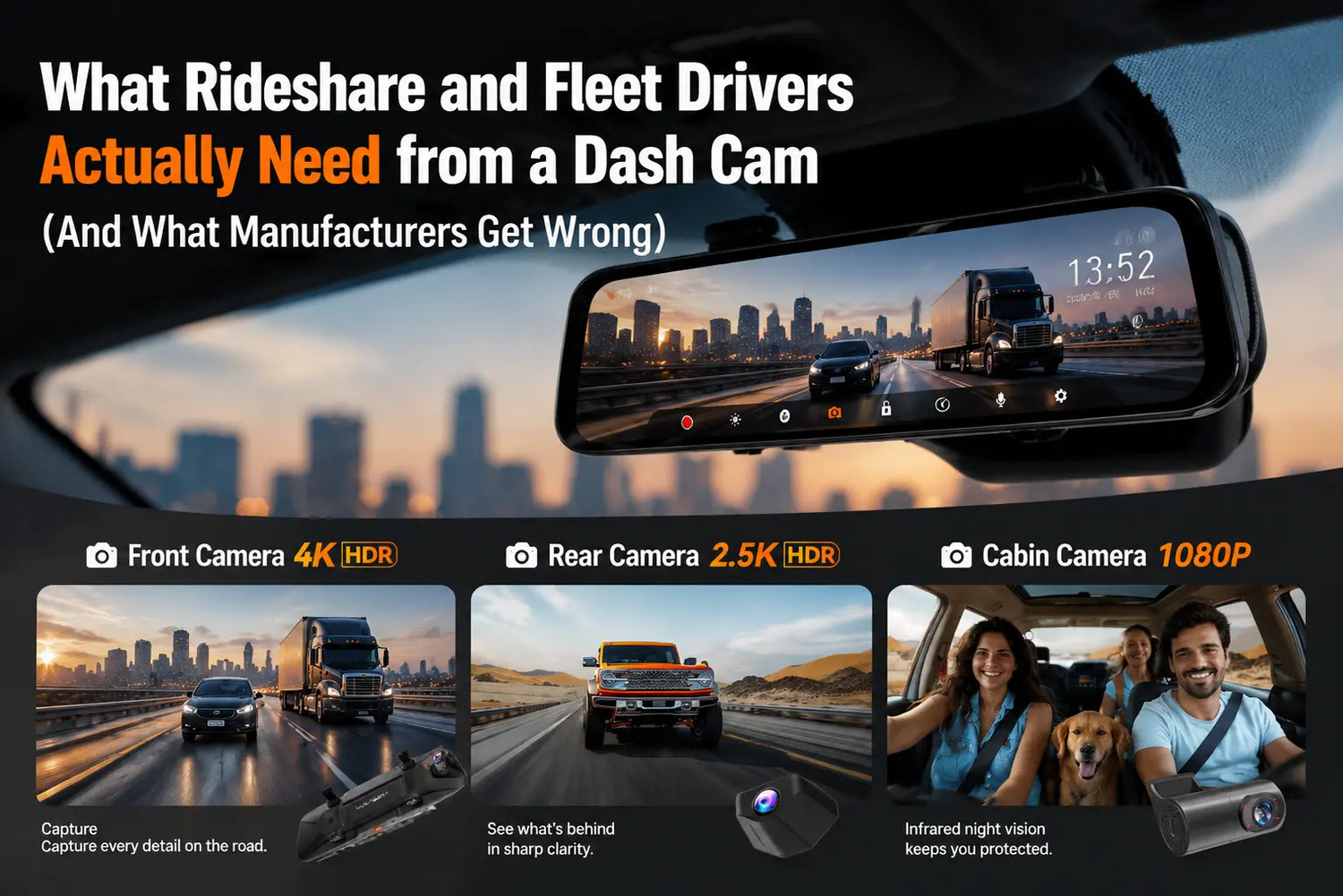
The Wolfbox G900TriPro Cabin provides three-channel recording: 4K front (Sony STARVIS 2 IMX678 sensor, 170° field of view), 2.5K rear (150° field of view), and 1080P infrared cabin camera — all on a 12-inch IPS mirror display [1]. The infrared cabin camera records in complete darkness without requiring interior lighting. A cabin camera that only works when the dome light is on is not a nighttime rideshare camera.
Where to Mount the Cabin Camera
The mounting position determines whether cabin footage is actually useful — and this is the detail most installation guides skip.
The cabin camera should face the rear passenger seating area from the front headliner position, capturing passenger faces and the space between driver and passenger. The G900TriPro Cabin mounts this camera within the mirror unit itself, positioned at the top of the windshield [1]. This produces footage useful in the specific scenario most rideshare drivers face: a passenger complaint about something that happened in the back seat.
A camera pointed at the front footwell, the ceiling, or primarily at the driver's own face provides much weaker evidence in a rear-seat incident.
On the question of whether a visible camera deters passengers or creates friction: the evidence from rideshare driver communities consistently points the other way. Passengers who see a camera typically modify their behavior, not escalate it. The more practical concern is legal — specifically, audio recording disclosure [2][4].

Recording Consent by State
State recording laws govern whether you can lawfully record audio inside your vehicle with passengers present.
One-party consent states — the majority of US states — permit audio recording when one party to the conversation (the driver) consents. All-party consent states require all parties to consent before audio is recorded. California, Florida, Illinois, and Maryland are among the all-party consent states.
The standard compliance practice in rideshare vehicles is a visible notice sticker placed near the door handle — stating that video and audio recording are in use — providing notice to passengers before they enter [2]. This is not legal advice; consult your state's recording statute and your platform's current policies before enabling audio recording.
Getting Footage Out Quickly
When a passenger complaint is filed, you typically have 24–72 hours before the platform's initial investigation window closes. The footage needs to be accessible and timestamped.
The G900TriPro Cabin supports 5.8GHz Wi-Fi for wireless clip transfer to the WOLFBOX App on iOS and Android [1]. GPS coordinates and timestamps are embedded in every recording. You can pull the relevant clip directly to your phone without removing the SD card [3].
Loop recording overwrites older footage as the card fills. Clips locked by the G-sensor on impact are protected automatically. For non-impact incidents — a verbal dispute, an uncomfortable passenger comment — manually lock the clip: press the recording lock button on the camera face immediately after the incident ends.
The camera ships with a 256GB microSD card [1], sufficient to record a full 10-hour rideshare shift without loop overwrite affecting the day's footage.

Reliability Over a Full Shift
A camera that records 95% of the time is not a reliable liability tool. The failure modes that matter:
- Heat: interior temperatures in a parked vehicle in the American South can reach 140–160°F in summer. The G900TriPro's supercapacitor design is rated to 158°F (70°C) [1]. Lithium battery cameras often have operating limits around 140°F (60°C) and can shut down in prolonged high-heat parking.
- Power gaps: a cigarette-lighter-powered camera turns off when the engine is off. A hardwired camera with a low-voltage cutoff module maintains recording through parking intervals between trips.
- Storage lifespan: standard consumer microSD cards can fail within 3–6 months of daily dash cam use. The included card should be replaced with a Samsung PRO Endurance or SanDisk High Endurance card when read errors begin.
What Fleet Managers Hit Differently
The G900TriPro Cabin is designed for individual professional operators, not enterprise fleet management software [5]. There is no remote footage pull capability — extraction requires physical access to the vehicle and the Wi-Fi app. Fleet deployments at scale that require centralized video access will need a different infrastructure layer beyond the camera hardware [6][7].
Frequently Asked Questions
Q: Does the G900TriPro Cabin record the rear passenger seat in the dark?
Yes. The cabin camera uses infrared illumination and records in complete darkness without interior lighting. This is functional for nighttime rideshare driving.
Q: Do I need to tell passengers I have a camera?
In one-party consent states, no legal notice is required. In all-party consent states (including California and Florida), you must notify all parties before recording audio. A visible sticker near the door before passengers enter is the standard disclosure method.
Q: How do I pull footage quickly after a passenger incident?
Connect your phone to the camera's 5.8GHz Wi-Fi hotspot and use the WOLFBOX App to locate and download the clip. GPS timestamp and coordinates are embedded. No SD card removal required.
Q: How much recording time does the 256GB card hold?
In three-channel mode (4K front + 2.5K rear + 1080P cabin), a 256GB card holds approximately 10–12 hours of continuous footage before loop overwrite begins.
Q: What happens if there's no impact but I need to save the clip?
Press the recording lock button on the camera face immediately after the incident. This protects the current clip from being overwritten by loop recording before you transfer it.
References
[1] Wolfbox G900TriPro Cabin Version official product page — 4K+2.5K+1080P infrared, 5.8GHz Wi-Fi, 256GB, GPS, 12-inch IPS, supercapacitor, 158°F rated: https://wolfbox.com/products/wolfbox-g900tripro-cabin-version-3-channel-dash-camera
[2] Reporters Committee for Freedom of the Press — Reporter's Recording Guide, state-by-state consent overview: https://www.rcfp.org/reporters-recording-guide/
[3] Wolfbox — Best Dash Cam for Road Trips, Truckers & Uber Drivers in 2026: https://wolfbox.com/blogs/dash-cams/best-dash-cam-for-road-trips-truckers-amp-uber-drivers-in-2026
[4] Wolfbox — Best Dash Cam for Rideshare Drivers: https://wolfbox.com/blogs/dash-cams/dash-cam-for-rideshare
[5] Car and Driver — Best Dash Cams for 2026: https://www.caranddriver.com/car-accessories/g46063800/best-dash-cams-tested/
[6] Wolfbox User Manual Help Center — installation and feature-support documentation: https://wolfbox.com/pages/user-manual
[7] Wolfbox official dash cam collection: https://wolfbox.com/collections/dash-cam

Leave a comment
All comments are moderated before being published.
This site is protected by hCaptcha and the hCaptcha Privacy Policy and Terms of Service apply.