














A clear 4K clip does not automatically make footage usable evidence. In a legal dispute, relevance, authentication, and preservation of the original file can all affect how video is evaluated[1][2]. Resolution helps a judge or adjuster see what happened, while metadata and chain-of-custody records can help establish what the file is and how it has been handled. This is general information, not legal advice; evidence rules and procedure vary by jurisdiction.
The Legal Bar for Video Evidence
Requirement |
What it means |
How dash cam footage typically meets it |
Relevant |
The footage has to be material to the dispute at hand |
Captures the incident itself, not just unrelated surrounding footage |
Authentic |
Someone or something has to establish it's really from the claimed time and place |
GPS timestamps and file metadata support authentication under FRE 901[1][2] |
Unaltered |
The file can't be edited, cropped, or selectively trimmed |
Courts prefer the original file straight off the SD card over an exported clip[3] |
How Courts Actually Authenticate Video
Federal Rule of Evidence 901(a) sets a fairly low bar: the party offering the footage just needs to produce evidence sufficient to support a finding that the recording is what it's claimed to be[1]. For automated recordings like dash cam footage, courts often rely on Rule 901(b)(9), which allows authentication by describing the recording system and showing that it produces accurate results, rather than requiring a witness who was physically present at the scene[2][4]. This is sometimes called the silent witness approach, and it's the same method used to authenticate security camera and body camera footage[4].
In practice, that means a party may need to explain how the dash cam's recording process works and demonstrate that the specific device has a track record of producing accurate timestamps and unaltered files — vague assurances that the footage is genuine aren't enough on their own[2][4].
Why GPS Timestamps Matter More Than a Camera's Internal Clock
A camera's onboard clock can drift over time or reset after a power interruption, creating small but challengeable discrepancies in a recorded timestamp[5]. GPS timestamps are considered more reliable because GPS time is synchronized externally rather than tracked by the device itself, which removes one common point of dispute during authentication[5][2].
What Metadata Actually Gets Checked
- Capture metadata: recording start and stop times, GPS coordinates, and device or firmware identifiers[6]
- File metadata: format, encoding details, file size, and creation or modification timestamps[6]
- Chain-of-custody metadata: when and how the file was transferred, copied, or stored after the recording was made[6][2]
Common Mistakes That Weaken Otherwise Good Footage
- Exporting a compressed or cropped clip instead of preserving the original file straight from the SD card
- Formatting or reusing the SD card before a claim or case is resolved, which destroys the original file and its metadata
- Presenting only a still frame instead of the surrounding footage, which weakens the sequence-of-events context
- Leaving a timestamp discrepancy unexplained instead of documenting the likely cause, such as a firmware update or battery disconnect
What This Means for Choosing a Dash Cam
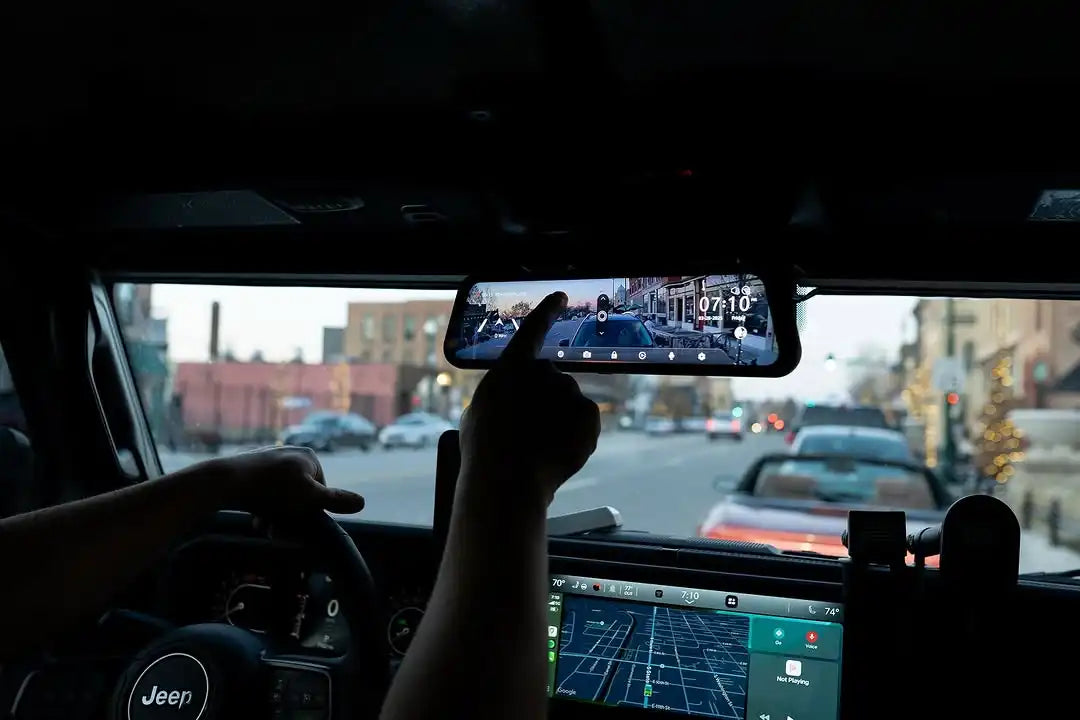
A dash cam meant to actually hold up as evidence, not just record footage for personal review, benefits from consistent GPS logging and file metadata that doesn't need manual correction after every power cycle. WOLFBOX's G900 Pro and G900TriPro both include GPS modules that log location and timestamp data with recorded footage, and impact-triggered clips are automatically locked so they aren't overwritten by ongoing loop recording[7][8]. That locking matters in a practical sense: footage that's already been overwritten by the time you realize you need it is unavailable no matter how sharp the original recording was.
Preserving Footage Correctly After an Incident
- Do not format or reuse the SD card until the matter is fully resolved
- Back up the original, unedited file to a separate storage device as soon as possible
- Cross-check the GPS timestamp against the police report or insurance claim for consistency
- If using cloud backup, confirm the file transferred without re-encoding, since re-encoding alters the file's metadata
Frequently Asked Questions
Does higher resolution dash cam footage automatically make it more legally credible?
No. Resolution affects how clearly an incident is visible, but admissibility depends primarily on authentication, timestamp accuracy, and an unaltered original file.
Why is GPS timestamping considered more reliable than a dash cam's internal clock?
GPS time is synchronized externally, while a camera's internal clock can drift or reset, creating discrepancies that can be challenged during authentication.
What's the biggest mistake people make with dash cam footage after an incident?
Formatting the SD card or exporting a compressed, trimmed clip instead of preserving the original unaltered file are the most common issues that weaken footage later.
Do WOLFBOX dash cams automatically protect footage from an incident?
Yes. Impact-triggered clips are automatically locked on models like the G900 Pro and G900TriPro so they aren't overwritten by continuous loop recording.
References
[1] Rule 901. Authenticating or Identifying Evidence — Cornell Law School Legal Information Institute, https://www.law.cornell.edu/rules/fre/rule_901
[2] Federal Rule 901: Authenticating and Identifying Evidence — Expert Institute, https://www.expertinstitute.com/resources/insights/federal-rule-901-authentication/
[3] Using Dash Cam Footage in Small Claims Court — Nexar, https://www.getnexar.com/blog/dash-cam-footage-small-claims-court
[4] FRE 901: Authenticating Digital Evidence Under Federal Rules — TrueScreen, https://truescreen.io/articles/fre-901-authentication-digital-evidence-guide/
[5] Video Evidence With Altered Timestamps: Admissible? — TrueScreen, https://truescreen.io/articles/video-evidence-altered-timestamp-admissibility/
[6] Minimum Requirements for Quality Assurance in the Processing of Digital and Multimedia Evidence — SWGDE, https://www.swgde.org/10-q-001/
[7] WOLFBOX G900Pro 12MP WiFi Touch Screen Rear View Mirror Dash Cam — WOLFBOX Official Product Page, https://wolfbox.com/products/wolfbox-2024-g900-pro-wifi-touch-screen-parking-monitoring-dash-cam-smart-mirror-with-starvis-678-sensor
[8] WOLFBOX Unveils New G900 TriPro Dash Cams — WOLFBOX Official Product Page, https://wolfbox.com/products/wolfbox-g900tripro-bumper-version-4k-sony-starvis-2-mirror-dash-cam

Leave a comment
All comments are moderated before being published.
This site is protected by hCaptcha and the hCaptcha Privacy Policy and Terms of Service apply.