













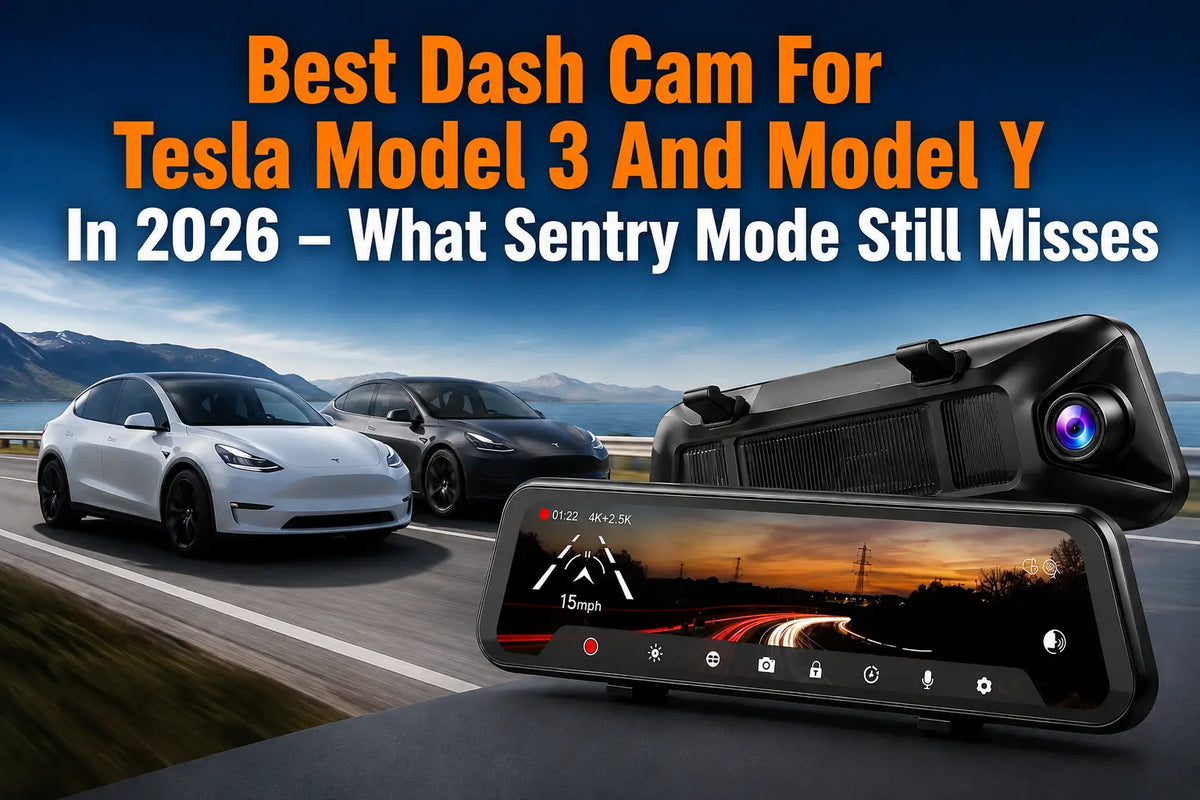
Tesla Model 3 and Model Y already have built-in Sentry Mode, but is it enough for every driving and parking situation? This guide compares Tesla Sentry Mode with Wolfbox G900Pro and G900 TriPro Cabin, focusing on video resolution, coverage, low-light performance, cabin recording, and storage. Find out which dash cam setup makes the most sense for your Tesla in 2026.
What is Sentry Mode? (And What It Misses)
Tesla Sentry Mode is a built-in security camera system that helps monitor the area around your parked vehicle. But there is a strong argument to be made that it's a convenient distraction - and that you're better off with a standalone dash cam like Wolfbox G900Pro.
While convenient to have and requires no installation of its own, Tesla Sentry Mode can do little when it comes to providing the visual evidence needed to get a thief off the street.
Pros:
- Works with the Tesla app
- Doesn't require any installation
- Turns on automatically when the car is locked
Cons:
- Provides low-resolution video, making it hard to make out license plates
- Only focuses on the exterior of the car
- Can drain the car battery
- Leaves blind spots
Having high-resolution cameras matters when the police need to see something clearly in order to act, and Wolfbox G900Pro has a larger 1/1.8" sensor to capture more photons for each pixel and provide better night vision [2]. It's critical to have that extra visual information not captured by the factory camera on your Tesla Model 3 or Model Y.
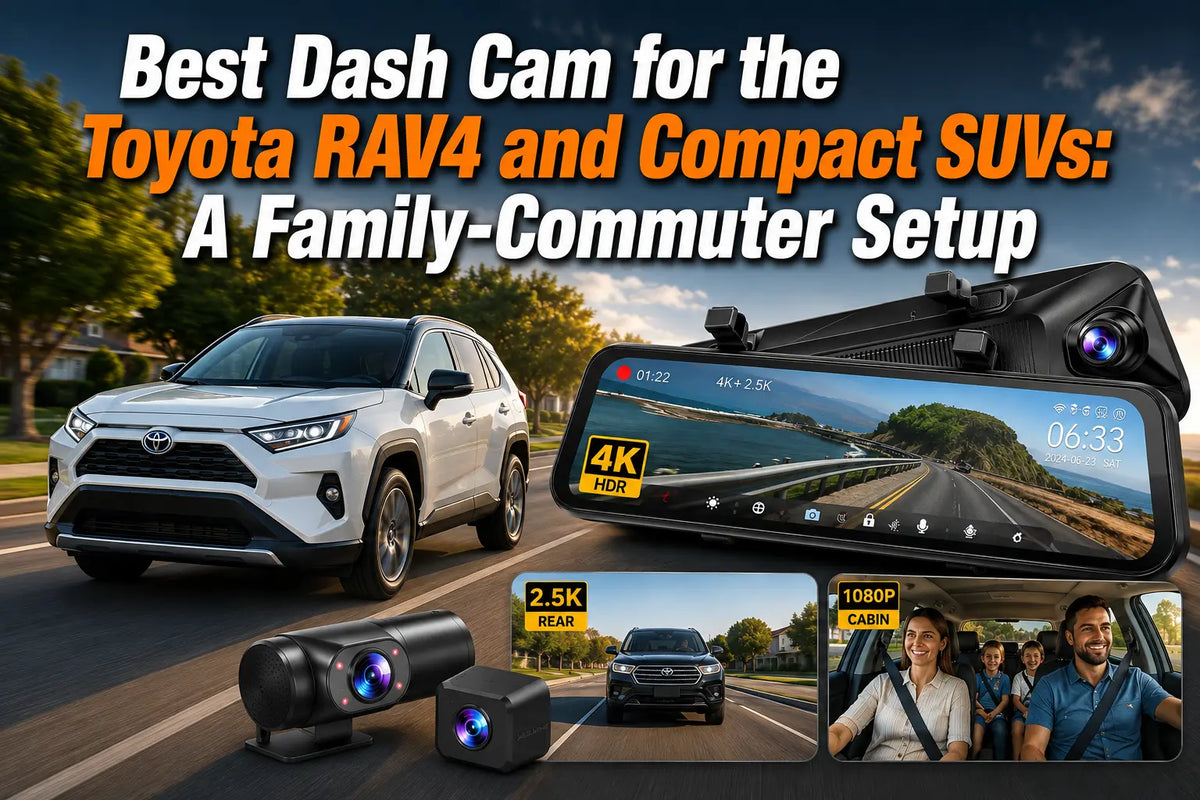
On the other hand, Wolfbox G900TriPro Cabin takes advantage of 3 channels to record video from both inside and outside the vehicle. While the factory cameras only look outward, the Wolfbox G900TriPro Cabin adds an inward-facing 1080P IR camera that monitors everyone inside the vehicle. So you can see everything from the front seat to the back seat of a Tesla Model 3 and Model Y. Wolfbox G900TriPro Cabin is perfect for those considering a safety shield for both the ride-share driver as well as the whole family [3].
|
Feature |
Wolfbox G900Pro (Dual) |
Wolfbox G900 TriPro Cabin (Triple) |
Tesla Sentry (Factory) |
|---|---|---|---|
|
Front Resolution |
4K (3840×2160) |
4K (3840×2160) |
Low Res (Blurred Plates) |
|
Image Sensor |
SONY STARVIS 2 |
SONY STARVIS 2 |
Standard CMOS |
|
Cabin Recording |
N/A |
Yes – 1080P FHD+IR Night Vision |
N/A (Exterior Focus) |
|
Field of View |
130° Front / 150° Rear |
130° Front / 150° Rear + 124.4° Cabin |
Limited / Blind spots |
|
Storage Included |
128 GB MicroSD |
256 GB High-Endurance MicroSD |
Storage needs USB/SSD |

Superior Visual Evidence Beyond Factory Cameras
SONY STARVIS 2 sensors are among the best in the industry in terms of low-light image capture. Wolfbox G900Pro's front camera makes use of a SONY STARVIS 2 IMX678 sensor. STARVIS 2 uses a back-illuminated structure to absorb more near-infrared light. STARVIS 2 capitalizes on enhanced two-way conversion to make night-vision easy. The video from the 1/1.8" SONY STARVIS 2 IMX678 sensor has more contrast to see the world at night [4].
Wolfbox G900TriPro Cabin captures 4K (3840×2160) video at 30fps (frames per second) for the front camera. The higher the fps the more images your dash cam captures and the more fluid the video will look. WDR captures dynamic range to ensure video isn't overexposed, especially on the license plate of the Wolfbox G900TriPro Cabin when transitioning from shadow to sun [5].
Wolfbox G900Pro has a 130-degree angle front camera with a wide field of view (FOV) [6]. FOV is the amount of view visible from the edge of a camera. It's larger than the standard factory camera for Tesla Model 3 and Model Y. Having a larger FOV is necessary to capture two lanes of traffic and the sidewalk. You need Wolfbox G900Pro to see two cars at the intersection hit at once.
Wolfbox G900TriPro Cabin has an IP67 waterproof rear outside camera for both inside or outside mounting. In short, IP67 tells you how much protection the camera has from water and dust. Wolfbox G900TriPro Cabin's rear outside camera captures 2.5K (2560×1440) resolution for the rear outside view. Wolfbox G900TriPro Cabin's rear outside camera can avoid the annoyance of the Tesla Model Y rear heating lines on the windshield.
A Comparison of Dual and Triple Channel
Whether you want a dual channel or triple channel dash cam depends highly on what you want to see. Wolfbox G900Pro is right for those who want to be able to review the exterior of their vehicle when they aren't using the Tesla's camera. Wolfbox G900Pro is a dual channel dash cam, meaning it has two video streams [7]. Another way to think about dual channels is that it's a dual camera dash cam. Wolfbox G900Pro is good for those who want to keep their interior view private while in their Tesla Model 3 or Model Y. Choosing Wolfbox G900Pro means a neater cable setup.
Wolfbox G900TriPro Cabin comes with a cabin bundle that includes an interior 1080P FHD (Full High Definition) camera. It covers 124.4 degrees of the interior for a full view of all occupants. You need this to see what happened inside the vehicle before the next fight breaks out [8].

Technical Superiority in Low Light Situations
Wolfbox G900TriPro Cabin comes with 4 Infrared (IR) LEDs on the interior camera for low-light viewing. IR light is light outside the visible spectrum for humans but is visible to many animals. Wolfbox G900TriPro Cabin's IR light allows the interior camera to see clearly in the dark and is vital to those who drive at night or are ride-share drivers [9].
FAQs
Can I read license plates with the Wolfbox G900Pro?
Yes, the 4K UHD (3840×2160) resolution plus the Sony STARVIS 2 IMX678 sensor gives enough detail to see license plates clearly, day or night.
Does the rear camera need to be installed outside the vehicle?
No, the IP67 waterproof rear outside camera can be installed inside or outside the vehicle as needed.
What is the difference between G900Pro and G900TriPro Cabin?
The G900Pro is a dual system, whereas the G900TriPro Cabin is a triple system. The latter includes an interior cabin camera with IR night vision.
Do these cameras work with Tesla Sentry Mode?
Yes, these dash cams work independently from Tesla Sentry Mode and can even work in tandem with it.
How much storage do I need?
Both the G900Pro and G900 TriPro support up to 512GB of storage. For longer recording times and more footage, choosing a higher-capacity Micro SD card can reduce the need to frequently delete or overwrite files.
References
[1] Wolfbox. "Best Mirror Dash Cam with Backup Camera 2026: When Rear Vision Becomes a Safety System." https://wolfbox.com/blogs/dash-cams/best-mirror-dash-cam-with-backup-camera-2026-when-rear-vision-becomes-a-safety-system
[2] Wolfbox. "G900Pro 12MP WiFi Touch Screen Rear View Mirror." https://sa.wolfbox.com/products/wolfbox-2024-g900-pro-wifi-touch-screen-parking-monitoring-dash-cam-smart-mirror-with-starvis-678-sensor
[3] Wolfbox. "G900TriPro Cabin Version 3 Channel Dash Camera." https://wolfbox.com/products/wolfbox-g900tripro-cabin-version-3-channel-dash-camera
[4] Vadzo Imaging. "Sony STARVIS vs STARVIS 2 Low-Light Imaging." https://www.vadzoimaging.com/press-release/sony-starvis-vs-starvis-2-low-light-camera-sensors
[5] Wolfbox. "Best Mirror Dash Cam with Backup Camera 2026." https://wolfbox.com/blogs/dash-cams/best-mirror-dash-cam-with-backup-camera-2026-when-rear-vision-becomes-a-safety-system
[6] Best Buy. "WOLFBOX Rear View Mirror Dash Cam Front 4K + Rear 2.5K." https://www.bestbuy.com/product/wolfbox-rear-view-mirror-dash-cam-front-4k-rear-2-5k-touch-screen-128gb-card-5-8ghz-wifi-g-sensor-gps-starvis-imx678-black/CZTHRZYVFH
[7] Amazon. "WOLFBOX G900 Tripro 3 Channel 4K Rear View Mirror Camera." https://www.amazon.com/WOLFBOX-G900-Tripro-Version-Channel/dp/B0DTH9X8QR

Leave a comment
All comments are moderated before being published.
This site is protected by hCaptcha and the hCaptcha Privacy Policy and Terms of Service apply.