













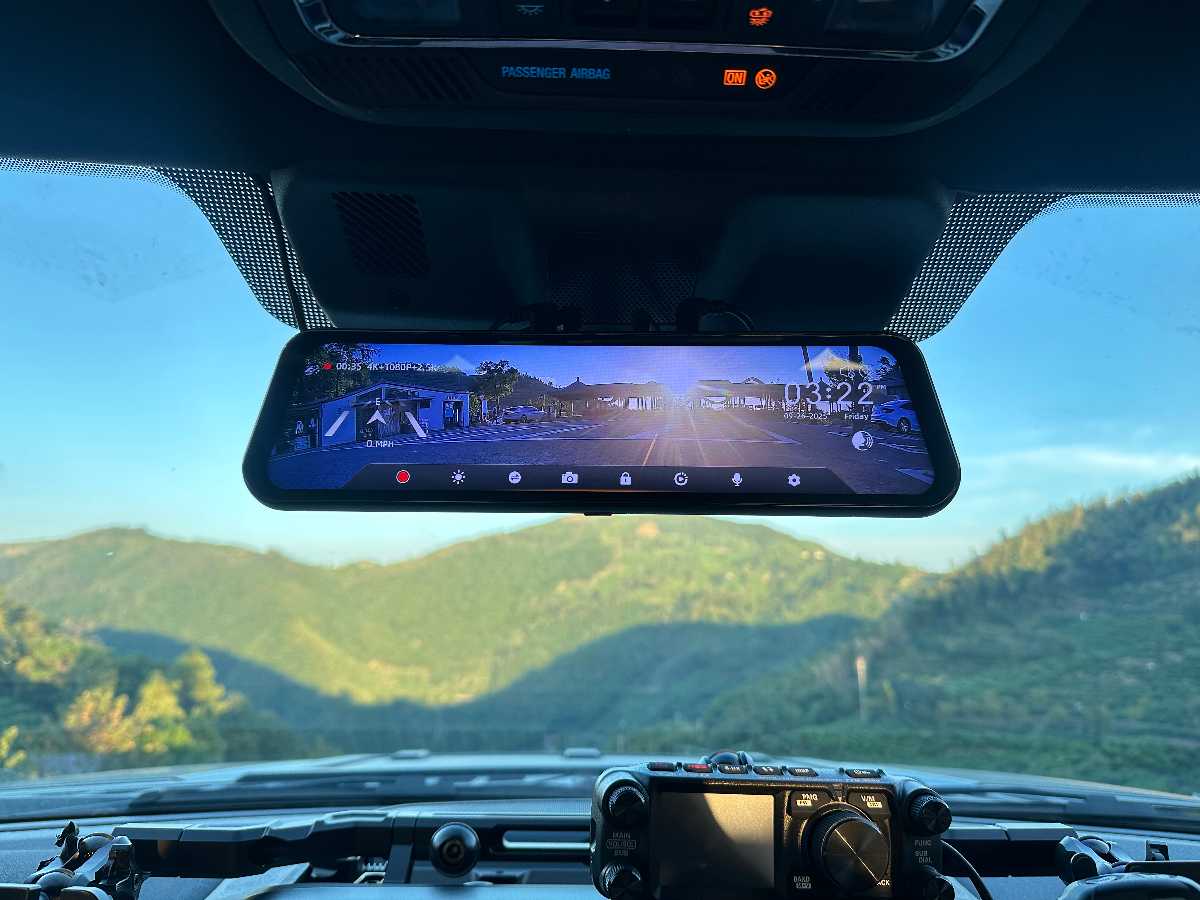
Mirror-format dash cams cost more than basic windshield-mounted models because they add a larger integrated display and a rear-camera system. The exact amount varies by model, bundle, and current promotion, so compare the current product pages before deciding whether those extra capabilities matter for your vehicle[1][2][3].
What Changes When the Camera Replaces the Mirror
A windshield dash cam is a separate object stuck to the glass — sometimes with its own small screen, often with none at all. WOLFBOX mirror dash cams instead clip over the factory rearview mirror and build a 12-inch IPS display directly into the surface a driver already looks at constantly[2][3]. When the unit is powered off, that same surface functions as a normal reflective mirror rather than sitting there as a dead screen[4]. The G900 Pro pairs that display with a 4K Sony STARVIS 2 IMX678 front sensor, a notably larger and more light-sensitive chip than what typically ships in sub-$100 windshield units[3][5].
|
Attribute |
Basic Windshield Dash Cam |
WOLFBOX G840S |
WOLFBOX G900 Pro |
|---|---|---|---|
|
Typical price |
Varies by model and retailer |
Check current official price[2] |
Check current official price[3] |
|
Display |
None or 2-3 inch |
12-inch IPS[2] |
12-inch IPS touchscreen[3] |
|
Front sensor |
Varies widely by price tier |
3840 × 2160 pixels[2] |
4K Sony STARVIS 2 IMX678[3] |
|
Rear view when powered off |
N/A, separate device |
Functions as standard mirror[4] |
Functions as standard mirror[4] |
|
Install complexity |
Suction mount, single cable |
Mirror clip-over plus rear camera cable run[6] |
Mirror clip-over plus rear camera cable run[6] |
|
Parking mode support |
Model-dependent |
Yes, with hardwire kit[2] |
Yes, with hardwire kit[3] |

Where the Extra Cost Is Doing Real Work
The 12-inch display sitting at mirror height is genuinely easier to check at a glance than a small screen bolted low on the windshield, and it removes a second object from the driver's field of view rather than adding one[2][3][4]. That matters more in specific vehicles than others: trucks with limited rear glass, vans, or any car with an obstructed rear window get real functional value from a live rear-camera feed shown through the mirror, not just a recording for later. For a sedan with a clear, unobstructed rear window, that particular benefit matters less.
Where a Basic Windshield Unit Still Makes More Sense
- Budget is the deciding factor — a $40-$60 windshield unit covers the core job of recording a rear-end collision at a fraction of the mirror format's cost.
- The vehicle already has an aftermarket auto-dimming or compass mirror the driver doesn't want to clip over or replace.
- Installation time matters more than display size — a windshield unit mounts with a suction cup in minutes with no rear-camera cable run required.
- The factory rearview mirror already provides clear visibility, so a live-feed rear camera adds less practical benefit beyond simple recording.
The Installation Trade-Off Nobody Skips Around
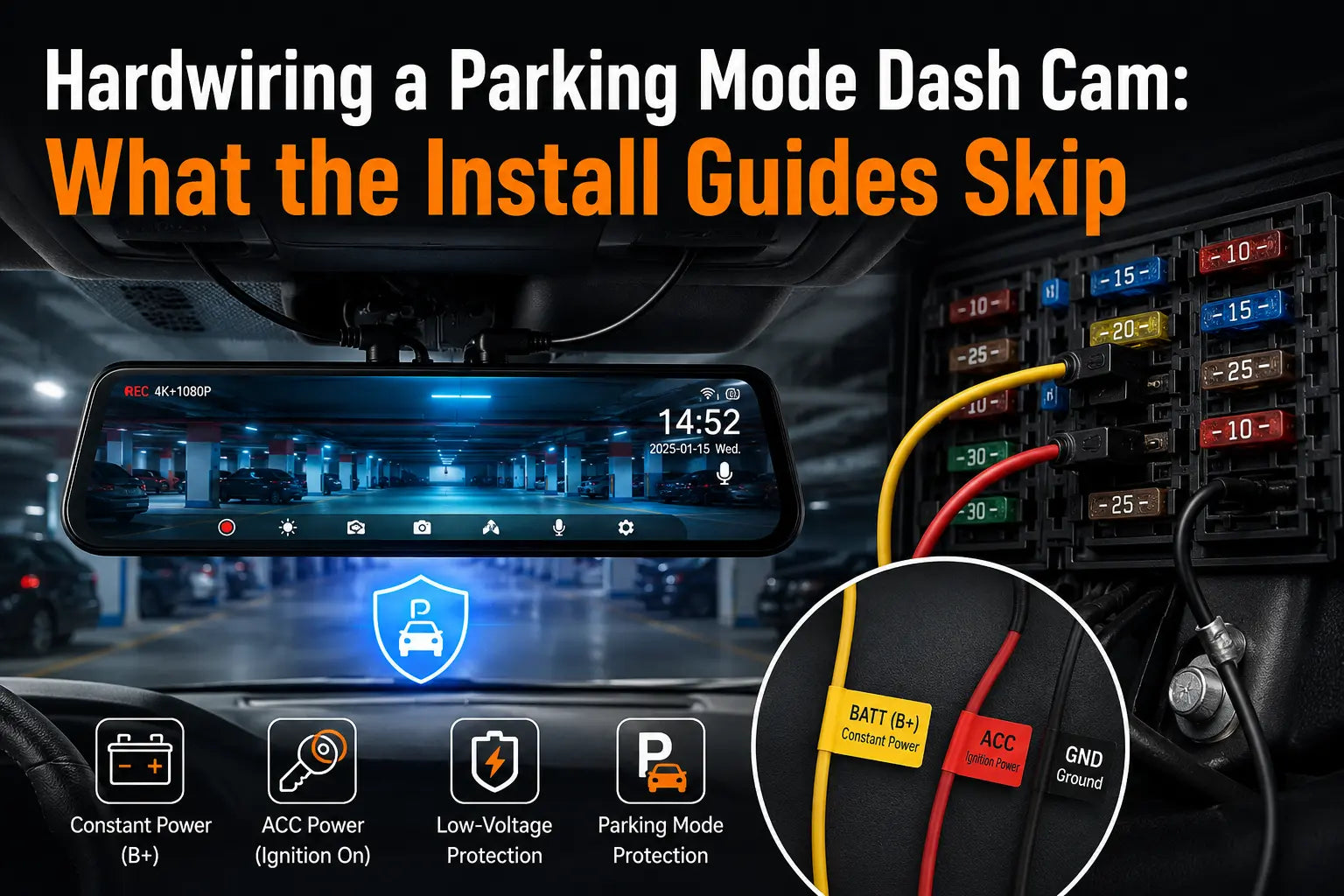
Mirror dash cams require routing a rear-camera cable from the mirror to the back of the vehicle, usually along the headliner and door trim — a process that takes real time even though it typically doesn't require drilling[6]. Owners who've documented their own installs of the G840S and G900 Pro generally describe this taking 30-60 minutes for a first attempt, compared to a few minutes for a suction-mount windshield camera[6][7]. That time cost is real and shouldn't be waved away as trivial.

So, Is It Worth It?
For a driver who wants one integrated display that replaces both the mirror and a separate dash cam screen, and who values a larger front sensor with better low-light performance, the mirror format's price reflects genuine hardware and integration differences, not just a styling premium[2][3][5]. For someone who mainly wants basic accident documentation at the lowest reasonable cost, a windshield unit does that specific job without the extra install time or price. Whether the premium is worth paying comes down to how much a driver actually values the display and rear-visibility integration — not which format is universally better.
Frequently Asked Questions
Is a mirror dash cam harder to install than a windshield dash cam?
Yes. It requires routing a rear camera cable through the vehicle's interior, which typically takes 30-60 minutes versus a few minutes for a windshield-only unit[6][7].
Does a mirror dash cam still work as a normal mirror when it's turned off?
Yes. The WOLFBOX mirror dash cam surface functions as a standard reflective mirror when powered off[4].
Is the price difference between mirror and windshield dash cams justified?
It reflects real differences in display size, sensor quality, and rear-visibility integration, though the value depends on whether a driver actually needs those features[2][3][5].
Who should choose a basic windshield dash cam instead of a mirror model?
Budget-focused buyers, or anyone with an aftermarket mirror they don't want to replace, are usually better served by a windshield unit[1].
References
[1] WOLFBOX Dash Cam collection (pricing across models) — https://wolfbox.com/collections/dash-cam
[2] WOLFBOX G840S 12-inch 4K Mirror Dash Cam product page and pricing — https://wolfbox.com/products/wolfbox-g840s-12-4k-mirror-dash-cam-2160p-full-hd-smart-rear-view-camera-mirror-dash-cam
[3] WOLFBOX G900Pro product page (12-inch display, IMX678 sensor, pricing) — https://wolfbox.com/products/wolfbox-2024-g900-pro-wifi-touch-screen-parking-monitoring-dash-cam-smart-mirror-with-starvis-678-sensor
[4] WOLFBOX official homepage (mirror function when powered off, warranty) — https://wolfbox.com/
[5] Reddit r/Dashcam: Wolfbox G900 Pro vs...? (front sensor comparison, pricing discussion) — https://www.reddit.com/r/Dashcam/comments/1jgsnvg/wolfbox_g900_pro_vs/
[6] WOLFBOX Dash Cam Installation Guide: In-Depth Instructions for a Seamless Setup — https://wolfbox.com/blogs/news/dash-cam-installation-guide-in-depth-instructions-for-a-seamless-setup
[7] Bronco Sport Forum: Wolfbox G900Pro Review (Installation, Testing, and Long-Term Impressions) — https://www.broncosportforum.com/forum/threads/wolfbox-g900pro-review-installation-testing-and-long-term-impressions.14708/

Leave a comment
All comments are moderated before being published.
This site is protected by hCaptcha and the hCaptcha Privacy Policy and Terms of Service apply.