






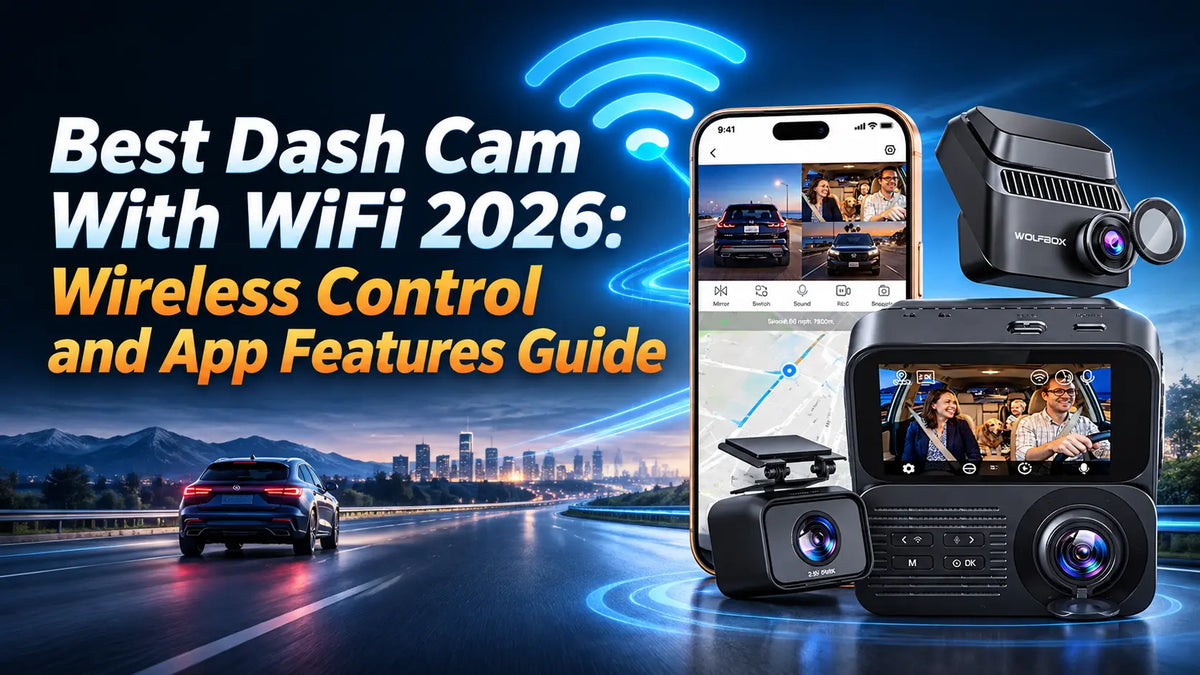
A dash cam without WiFi is a black box that records to an SD card — to view footage, you pull the card, find a computer, and transfer files. A dash cam with WiFi connects directly to your phone through a companion app, letting you preview the camera view, download clips, adjust settings, and share footage within seconds of an incident.[1] This guide compares three of WOLFBOX's dash cams with WiFi and app control — the G900Pro mirror cam, the G900TriPro Bumper off-road system, and the K9 Pro with Wi-Fi 6 — to help you choose the right wireless dash cam for your vehicle and needs.[4][5][6]
The Short Answer
WiFi in a dash cam serves three practical purposes: live view and camera alignment through your phone screen, wireless video download without removing the SD card, and firmware updates over the air. The WOLFBOX K9 Pro is the best WiFi dash cam for most buyers in 2026 — its Wi-Fi 6 radio moves footage to your phone at up to 60 MB/s, roughly 2.5 to 4 times the throughput of the 5.8GHz radios in the mirror models, which run at roughly 15–25 MB/s in everyday use.[2][6] The WOLFBOX G900Pro pairs 5.8GHz WiFi with app control and a 12-inch mirror, making it the best all-round WiFi mirror dash cam around $300.[4] The WOLFBOX G900TriPro Bumper adds a front bumper camera for off-road use while keeping full WiFi and app functionality — the best choice for truck and trail drivers who need wireless control plus the extra viewing angle.[5]
Why WiFi Matters in a Dash Cam
A dash cam's primary job is to record — but the moment you need the footage, WiFi becomes the feature you care about most. Without WiFi, retrieving a clip means removing the microSD card from the camera, finding a card reader or computer, navigating a file system, and copying files. In the aftermath of a collision or traffic stop, that errand eats time you would rather spend on the roadside conversation. With WiFi, you connect your phone to the dash cam's wireless network, open the app, and download the relevant clip in seconds.[1]
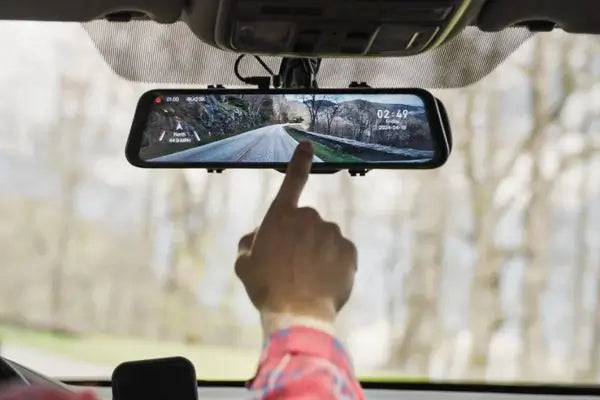
WiFi also enables two additional practical benefits. First, live view: when mounting the dash cam, you can see exactly what the camera sees on your phone screen, making it easy to align the field of view without crouching in the driver's seat and squinting at a small display. Second, over-the-air firmware updates: instead of downloading firmware to an SD card from a computer and manually flashing the camera, the app can check for updates and apply them wirelessly.[1][4][5][6]
The underlying radio matters. The WiFi in most mirror-style dash cams runs on the 5.8GHz band,[3] with 2.4GHz available as an alternative when you need a little more reach and are willing to trade transfer speed for it. A 5.8GHz link is fine for browsing clips and adjusting settings, but downloading a large 4K file at 15–25 MB/s quickly becomes a waiting game. Wi-Fi 6 (802.11ax) handles both 2.4GHz and 5GHz bands with higher data rates, lower latency, and better behaviour when several devices share the same network.[2] The practical difference for a dash cam user: a three-minute 4K clip runs to roughly 1 GB, which takes about 40–70 seconds over a 5.8GHz link and well under 20 seconds over a Wi-Fi 6 radio running at 60 MB/s.[1][2]
Top WiFi Dash Cams in 2026
WOLFBOX's current range includes several dash cams with WiFi and app control: the G900TriPro Bumper and G900TriPro Cabin, the G900Pro, the G850 Pro with ADAS, the G900 Core, the K9 Pro, the X5, and the i17. This guide focuses on three that between them cover the main form factors and price bands — a conventional three-channel windshield unit, a dual-channel mirror, and an off-road mirror with a bumper camera.[4][5][6]
1. WOLFBOX K9 Pro — Best WiFi Performance (Wi-Fi 6)
The K9 Pro is WOLFBOX's most technologically advanced dash cam, and it tops the range's transfer ratings at up to 60 MB/s through the WOLFBOX app — fast enough to pull a full-resolution 4K clip off the card in seconds rather than minutes.[2][6]
Beyond WiFi, the K9 Pro records through three channels: 4K front with a Sony STARVIS 2 IMX678 sensor, 2.5K cabin with ColorAlive full-color night vision and an F1.5 aperture, and 2.5K rear with an IP69K waterproof rating. Built-in GPS logs speed and route data viewable through the WOLFBOX GPS Player desktop app. Hands-free voice control lets you lock clips or adjust settings without touching the screen, and the NoiseShield dual-microphone system uses AI to boost voice clarity while filtering road and wind noise.[6]
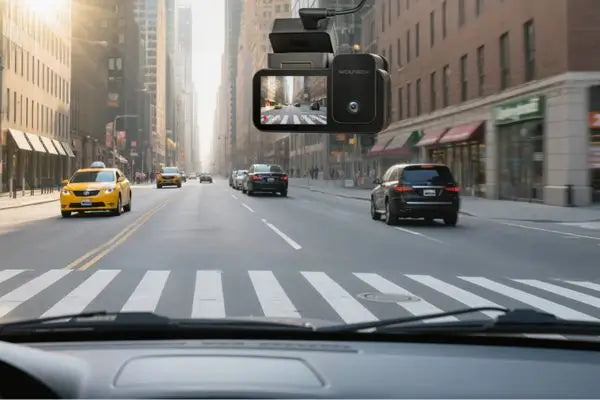
This is a traditional dash cam — it mounts to the windshield, not over the rearview mirror. The form factor makes it compatible with any vehicle, and the included CPL filter cuts daytime dashboard glare. Storage supports up to 2TB microSD, and 24-hour parking mode with motion detection is available through a hardwire kit.[6]

2. WOLFBOX G900Pro — Best Mirror WiFi Dash Cam
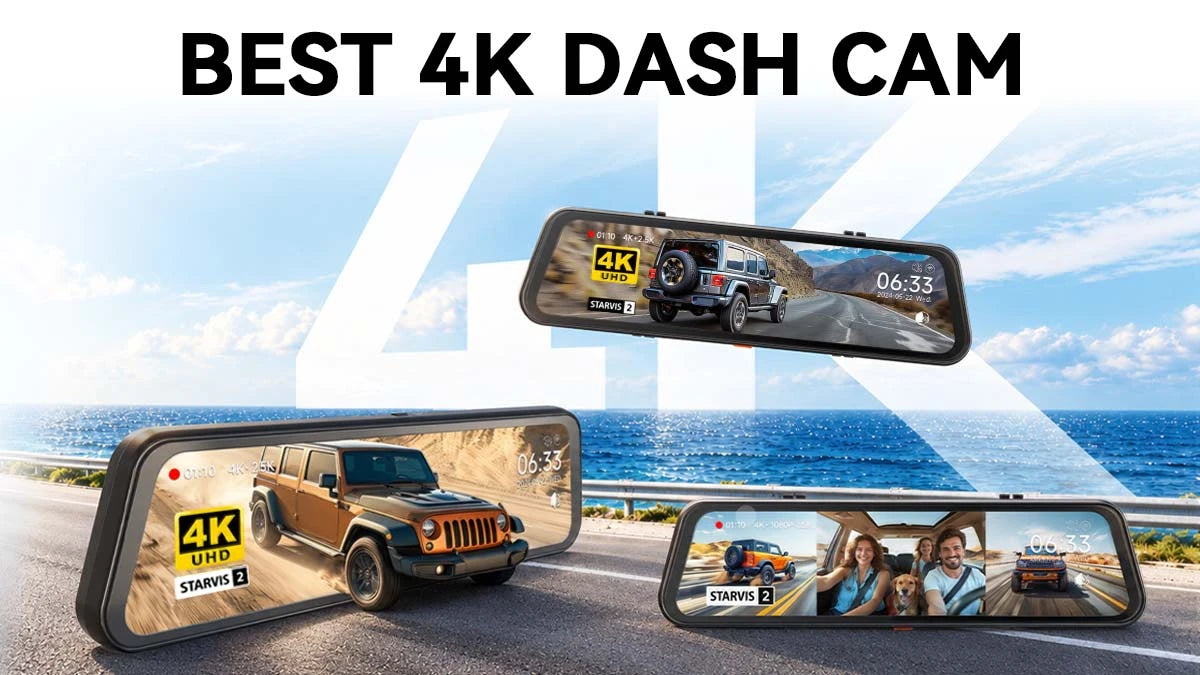
The G900 Pro combines a 12-inch touchscreen mirror with 5.8GHz WiFi and app control, allowing drivers to view live footage directly on the large display or use the WOLFBOX app to watch footage and quickly download recorded videos to their phones. This gives drivers convenient access to both real-time viewing and video playback, whether they're using the mirror screen or their mobile device.[4]
Recording quality is the G900Pro's strength. The Sony STARVIS 2 IMX678 front sensor captures 4K video with enhanced low-light sensitivity at a 1/1.8-inch sensor size — among the largest sensor areas in any consumer dash cam, which translates to cleaner footage in low light. The rear camera records at 2.5K. Voice control, GPS, and G-sensor event locking are all included, and the GPS module plugs into the camera body through its 3.5mm port.[1][4]
The mirror replaces the factory rearview mirror and mounts with a long strap or an OEM bracket — no drilling or permanent modification. For parking mode, a hardwire kit provides continuous power with low-voltage battery protection.[4]

3. WOLFBOX G900TriPro Bumper — Best WiFi Dash Cam for Trucks and Off-Road
The G900TriPro Bumper is the world's first mirror dash cam with a dedicated front bumper camera — a third channel that looks down at the terrain directly ahead of the vehicle. For truck and off-road drivers, this camera reveals obstacles, approach angles, and clearance that neither the driver's line of sight nor the main front camera can see. All three channels feed into the 5.8GHz WiFi connection for wireless preview and download through the app.[5]
The main front camera uses the same Sony STARVIS 2 IMX678 sensor found in the G900Pro, recording at 4K. The rear camera uses an OmniVision PureCel Plus OS04J10 sensor with a 1/1.8-inch imaging area for its 2.5K feed, a combination that holds colour and detail well after dark. The front bumper camera provides a ground-level perspective that is unique among consumer dash cams — useful for rock crawling, navigating deep ruts, parking against curbs, and spotting trail obstacles below the hood line.[5]
GPS tracking logs routes, speed, and location through an external module that connects to a 3.5mm port, and hands-free voice control covers the main recording commands. Collision detection locks footage on impact, and parking monitoring protects the vehicle when parked. The mirror replaces the factory rearview mirror and mounts through an OEM bracket, a long strap, or a center console base bracket, and 5.8GHz WiFi with the WOLFBOX app provides the same wireless control as the G900Pro.[1][5]

WiFi Dash Cam Specs at a Glance
|
|
K9 Pro[6] |
G900Pro[4] |
G900TriPro Bumper[5] |
|---|---|---|---|
|
WiFi |
Wi-Fi 6 (802.11ax) |
5.8GHz, 2.4GHz selectable |
5.8GHz, 2.4GHz selectable |
|
Transfer speed |
Up to 60 MB/s |
Around 15–25 MB/s in real-world use |
Around 15–25 MB/s in real-world use |
|
Form factor |
Traditional (windshield) |
Mirror (12" touch) |
Mirror (12" touch) |
|
Channels |
3 (Front + Cabin + Rear) |
2 (Front + Rear) |
3 (Front + Bumper + Rear) |
|
Front resolution |
4K IMX678 |
4K IMX678 |
4K IMX678 |
|
Other cameras |
2.5K cabin + 2.5K rear |
2.5K rear |
2.5K rear (OS04J10) + 1080P bumper |
|
GPS |
Built-in |
External GPS module |
External GPS module |
|
Voice control |
Yes |
Yes |
Yes |
|
Max storage |
2TB microSD |
512GB microSD |
512GB microSD |
|
Special features |
ColorAlive cabin night vision, NoiseShield AI audio, CPL filter |
12" touch mirror, enhanced low-light, strap or OEM-bracket mounting |
World-first bumper camera, off-road focus |
How to Choose a WiFi Dash Cam
Choose by Form Factor First
The most consequential decision is form factor. A mirror dash cam (G900Pro or G900TriPro) replaces your factory rearview mirror with a larger display that doubles as a live rearview feed — useful for vehicles with blocked rear visibility from cargo, passengers, or factory design. A traditional dash cam (K9 Pro) mounts to the windshield and stays out of your line of sight. If rear visibility is a priority, go mirror. If you want the latest WiFi technology in a discreet package, the K9 Pro is the better fit.[4][5][6]
WiFi Speed: When Wi-Fi 6 Matters
If you regularly download and share dash cam clips — after incidents, for insurance claims, or for social media — the K9 Pro's Wi-Fi 6 transfer speed is a meaningful upgrade. A three-minute 4K file at high bitrate can exceed 1 GB. At 60 MB/s that transfers in about 17 seconds; over a 5.8GHz link running at 15–25 MB/s the same file takes 40 to 70 seconds. For occasional clip retrieval, the difference is negligible. For frequent use, it adds up.[1][2][6]
App Experience
All three models use the WOLFBOX app for live view, clip download, settings adjustment, and firmware updates. The app experience is consistent across models — WiFi speed and camera configuration are the differentiators, not the app itself. For a detailed walkthrough of app installation, permissions, and feature setup across iOS and Android, see WOLFBOX's complete dash cam app setup guide.[1]
Frequently Asked Questions
Do I need WiFi on a dash cam, or can I just use the SD card?
You do not need WiFi for basic recording — every dash cam records to a microSD card regardless of WiFi. WiFi adds convenience for three specific tasks: viewing and aligning the camera during installation, downloading clips to your phone at the scene of an incident, and updating firmware without a computer. If you are comfortable pulling the SD card and using a card reader whenever you need footage, a non-WiFi dash cam works fine and costs less. If you want immediate access to clips on your phone, WiFi is worth the premium.[4][5][6]
Does dash cam WiFi work without a cellular connection?
Yes. Dash cam WiFi creates a direct wireless connection between your phone and the camera — it does not use your cellular data plan or require an internet connection. Your phone connects to the dash cam's WiFi network the same way it would connect to any WiFi hotspot. The tradeoff is that, while connected to the dash cam's network, your phone generally has no route to the internet, so cloud uploads wait until you reconnect to a normal network. Some phones try to switch back to cellular when the WiFi network has no internet access, so it helps to turn off Wi-Fi Assist on iOS or Switch to mobile data on Android while you are transferring files.[1]
How fast is dash cam WiFi compared to pulling the SD card?
Transferring footage through Wi-Fi is more convenient because you can access recordings without removing the SD card. However, using a USB card reader is generally faster for transferring large amounts of footage, as the transfer speed depends on the memory card, reader, and USB connection rather than the dash cam's wireless hardware. Wi-Fi 6 can significantly improve wireless transfer speeds over older Wi-Fi standards, but actual performance varies by camera model, smartphone, and connection conditions. For downloading a single clip, Wi-Fi is often more convenient; for backing up an entire trip or multiple recordings, a card reader is usually the more efficient option.[1][2][4][5][6]
Can I use the app to view the dash cam feed remotely?
No. The WOLFBOX app connects locally over WiFi, and the dash cam's signal is built for a short-range link — in practice you want to stay within 10–15 feet (3–5 meters) of the vehicle for a stable connection, and closer still if there is metal or bodywork in between. There is no cloud streaming or remote live view feature. This is true of nearly all consumer dash cams: WiFi is a local connection for file transfer and settings, not an internet-connected remote access system.[1][4][5][6]
Does using WiFi drain the dash cam's power faster?
WiFi adds a small power draw while it is actively transferring files, but it is a minor factor next to the camera sensors and the processor. When you are not transferring, the radio sits idle and draws negligible current, which is what makes hardwired parking mode practical in the first place. The practical impact on vehicle battery life when hardwired is minimal, and the hardwire kit cuts power if the vehicle battery drops below a set voltage.[1][4][5][6]
Can I update firmware over WiFi?
Yes, on models that support app-based updates. The WOLFBOX app checks for firmware updates and can download and apply them wirelessly, replacing the manual process of downloading firmware to a computer, copying it to an SD card, inserting the card into the dash cam, and triggering the update from the camera's menu. WOLFBOX recommends updating only when an update is necessary or when support specifically advises it, and to confirm the firmware matches your exact model before starting. Keep the dash cam powered and the connection intact until the update finishes.[1][6]
References
[1] WOLFBOX Dash Cam App Guide 2026: iOS/Android Download, Setup, and Features, WOLFBOX Official Blog (dash-cams). https://wolfbox.com/blogs/dash-cams/wolfbox-dash-cam-app-guide-2026-ios-android-download-setup-and-features
[2] Wi-Fi (MAC/PHY) — Wi-Fi 6, Wi-Fi Alliance. https://www.wi-fi.org/wi-fi-macphy
[3] List of WLAN Channels, Wikipedia. https://en.wikipedia.org/wiki/List_of_WLAN_channels
[4] WOLFBOX G900Pro 12MP WiFi Touch Screen Smart Rear View Mirror Dash Cam, WOLFBOX Official Product Page. https://wolfbox.com/products/wolfbox-2024-g900-pro-wifi-touch-screen-parking-monitoring-dash-cam-smart-mirror-with-starvis-678-sensor
[5] WOLFBOX G900TriPro Bumper Version 4K Sony STARVIS 2 Mirror Dash Cam, WOLFBOX Official Product Page. https://wolfbox.com/products/wolfbox-g900tripro-bumper-version-4k-sony-starvis-2-mirror-dash-cam
[6] WOLFBOX K9 Pro 3 Channel 4K+2.5K+2.5K STARVIS 2 Dash Cam, WOLFBOX Official Product Page. https://wolfbox.com/products/k9-pro-3-channel-4k-2-5k-2-5k-dash-cam
[7] Warranty Policy, WOLFBOX. https://wolfbox.com/pages/warranty-policy

Leave a comment
All comments are moderated before being published.
This site is protected by hCaptcha and the hCaptcha Privacy Policy and Terms of Service apply.