





If you've ever mounted a dash cam straight out of the box and called it done, you've probably run into one of these problems: footage with a strange glare across the windshield, a memory card that fills up right before something actually happens, or a camera that goes dark the moment you turn off the engine. None of that means the camera is bad. It usually means the accessories around it were an afterthought.
A dash cam is only as good as the parts supporting it. The mount determines how stable your footage is, the filter determines how clean it looks, the SD card determines whether the clip is there when you need it, and the hardwire kit determines whether your camera is still watching your car at 2 a.m. in a parking lot. Skip any one of these and you're leaving performance on the table, often at the exact moment it matters most.
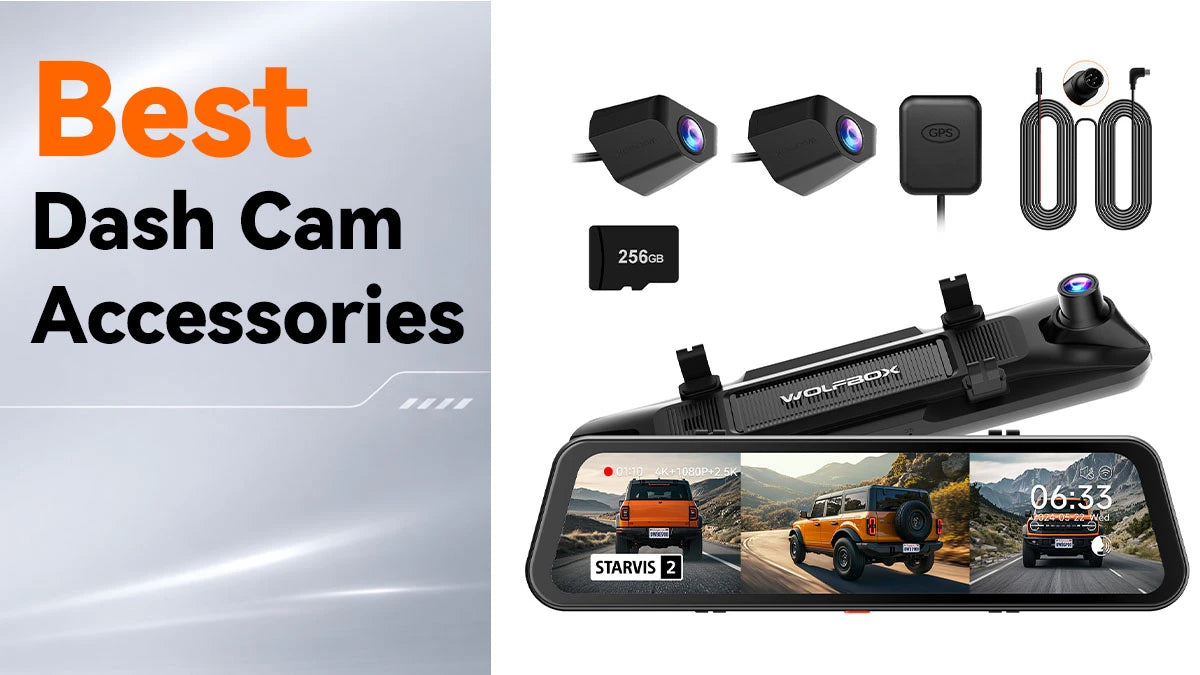
This guide covers the accessories that actually matter and how to pick the right ones, with specific options from Wolfbox along the way, since our lineup covers most of what a typical driver needs.
Why Dash Cam Accessories Matter More Than People Think
A lot of buyers spend weeks comparing sensor sizes and resolution numbers, then grab whatever mount and SD card happen to be sitting in the box. That's backwards. Here's why the supporting gear deserves just as much attention:
- Mounts affect video stability. A loose or poorly placed mount means shaky footage, wrong angles, or a camera that falls off mid-drive.
- Filters control light and glare. Windshields reflect a surprising amount of light, especially at night, and without correction footage can look washed out or streaked.
- SD cards determine reliability. Dash cams write and overwrite footage constantly, and a card not built for that workload will corrupt files or drop frames without warning.
- Hardwire kits extend protection. Battery-powered dash cams only run while driving; a hardwire kit keeps parking mode active, which is when a lot of dings and hit-and-runs happen.
Together, these are the difference between a dash cam that "sort of works" and one that reliably delivers usable footage when you need it.
Dash Cam Mounts: Getting the Angle and Stability Right
The mount is the least glamorous part of any dash cam setup, and also one of the easiest to get wrong. There are three common types worth knowing:
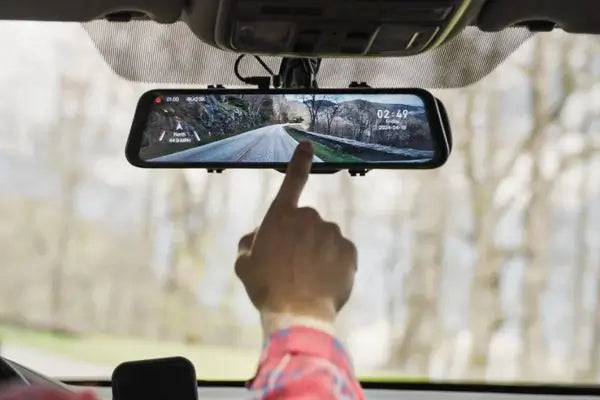
Suction mounts attach directly to the windshield with a bracket and lever, quick to install and remove, though the cups can loosen over time in hot climates as the glass expands and contracts. Adhesive mounts use a 3M-style pad that sticks permanently to the glass, more stable long-term but not meant to come off easily once applied. Mirror mounts clip over the rearview mirror, which is how Wolfbox's mirror-style dash cams are designed to work, keeping the camera out of the driver's line of sight while giving a naturally centered view of the road.
Positioning matters as much as the hardware. The camera should sit high enough to keep the dashboard out of frame, centered on the windshield, with the horizon falling roughly in the middle third of the shot. Aimed too high, you get a lot of sky; aimed too low, you lose the wider view that matters in a collision claim.
If your current mount is worn out or won't hold its angle anymore, that's one of the simplest fixes available. We lists mount replacements and model-specific hardware in our dash cam accessories collection, organized by camera model so you're not guessing at compatibility.
CPL Filters: The Accessory Most Drivers Skip
A circular polarizing filter, or CPL filter, is a small lens attachment that fits over the dash cam's camera and cuts down on glare and reflections bouncing off the windshield. If you've noticed a hazy band or a mirrored reflection of your dashboard in your footage, especially at night or under bright sun, that's exactly what it's built to fix. Light bounces off glass at certain angles and becomes polarized; a CPL filter blocks much of that polarized light while letting the rest through, the same principle used in polarized sunglasses. The result is simple: less glare, more contrast, and license plates and road signs that are actually readable in your clips.
Not every dash cam needs one. A camera sitting low and close to the glass with minimal dashboard reflection may show little difference. But with a light-colored dashboard, frequent sun-facing parking, or a lot of night driving with interior lights reflecting off the windshield, a CPL filter is a cheap upgrade that noticeably improves clarity. Check whether your specific Wolfbox model lists a compatible filter, since not every camera housing accepts one.

SD Cards: The Accessory That Decides Whether Your Footage Survives
This is the accessory people underestimate the most. Dash cams don't save a file once and stop; they record continuously, looping old footage to make room for new footage thousands of times over a card's life. A card meant for occasional photo storage isn't built for that kind of constant rewriting, and it fails faster than most people expect.
What actually matters when picking a card:
|
Factor |
Why it matters |
|---|---|
|
Endurance rating |
Cards labeled "high endurance" or "dash cam rated" handle continuous read/write cycles that standard consumer cards can't |
|
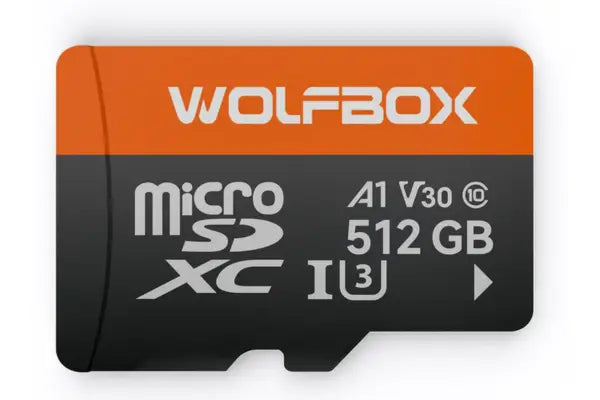
Speed class (U3 / V30 or higher) |
Higher resolution footage, especially 4K, needs faster write speeds to avoid dropped frames |
|
Capacity |
Larger capacity means longer loop cycles before old footage gets overwritten |
|
Brand reliability |
Off-brand cards are among the most common causes of corrupted dash cam footage reported by users |
The SD Association sets the technical standards behind those speed class ratings, worth a look if you want to understand the numbers on the card instead of trusting the packaging alone.
For most single or dual-channel Wolfbox cameras, a 128GB to 256GB high-endurance card is a reasonable middle ground. For a 3-channel setup like the G900TriPro, recording front, cabin, and rear at once, a larger card or more frequent swaps keeps you from running out of storage.

Hardwire Kits: Keeping Your Dash Cam Awake When You're Not Driving
A hardwire kit connects your dash cam directly to your vehicle's fuse box instead of relying on the 12V outlet, which only supplies power when the car is running. That lets your camera run in parking mode, standing by to record even after you've locked the car and walked away, and removes the clutter of a cord running to the cigarette lighter socket.
Parking mode matters more than people assume. A large share of minor vehicle damage, door dings, parking lot scrapes, and break-in attempts happens while the car is parked, not while it's being driven, and a battery-powered or 12V-only camera is blind during exactly that window.
Most hardwire kits include a low-voltage cutoff, the part that actually protects your car. It monitors battery voltage and shuts the camera off before it can drain the battery low enough to leave you stranded. Without that cutoff, running parking mode every night is a real way to end up with a dead battery.
Installation typically means tapping an accessory or ignition-switched fuse, opening the fuse box panel, and routing the cable along the trim with an included fuse tap. It's a manageable DIY job, though a professional install removes the guesswork of picking the right fuse slot.
Other Useful Wolfbox Accessories
A few smaller add-ons round out a setup: extension and OBD cables for cleaner routing, waterproof rear camera cables for 3-channel setups with an exterior rear unit, Anti-Glare Film for reducing reflections and improving screen visibility, and a Center Console Base Bracket for a more flexible mounting setup. None are essential, but each solves a specific, common annoyance.
Which Accessories Are Actually Worth Buying?
A proper SD card rated for dash cam use is non-negotiable no matter your situation; without reliable storage, a camera is an expensive paperweight during the one moment you need it. A hardwire kit is next if you park in public or unattended areas often, since parking mode protection pays for itself the first time it catches something. A CPL filter is more situational, worth it if your footage looks washed out or glare-heavy, but skippable otherwise. A replacement mount only matters if your current one is loose, cracked, or the wrong type; the stock mount that came with your camera is usually fine as-is.
It's worth seeing how these pieces work together rather than in isolation. A stable mount keeps the frame consistent, so impact-triggered clip saving works as intended instead of misfiring on every bump. A CPL filter cleans up the image the sensor is already capturing, so even a good camera looks sharper with no change to the hardware inside it. A high-endurance card makes sure that clean feed gets written and saved without corruption, and a hardwire kit extends all of that protection into the hours your car is parked and most vulnerable. None of these improve the sensor itself; they make sure its output survives, looks clear, and covers the hours that actually matter.
Best Accessories for Different Types of Drivers
|
Driver type |
Priority accessories |
|---|---|
|
Daily commuter, street parking |
Hardwire kit, high-endurance SD card |
|
Rideshare or delivery driver |
3-channel setup, larger capacity SD card, sturdy mount |
|
Road trip / long-distance driver |
Larger SD card |
|
New or teen driver's car |
Hardwire kit for parking mode, basic mount, standard SD card |
|
Off-road or overland driver |
Weatherproof rear cable, sturdy mount, high-capacity SD card |
Wolfbox Accessories Recommendation
Here's a practical starting point using what's currently available from Wolfbox:
- Wolfbox Dash Cam that matches your channel needs, a 2-channel for basic front and rear coverage, or a 3-channel like the G900TriPro cabin version if you also want cabin monitoring.
- Add a high-endurance SD card sized for your resolution: 128GB is a fair baseline for single-channel recording, more for 3-channel or 4K setups.
- Pick up a model-matched hardwire kit if you park anywhere unattended, which describes most people more often than they realize.
- Check whether a CPL filter is listed for your model if you've noticed glare in your clips.
Matching accessories to your exact model avoids the compatibility headaches that come with generic third-party parts.
Frequently Asked Questions
Do I really need a hardwire kit, or is the stock power cable enough?
The stock cable is fine if you only care about recording while driving. For parking mode protection, meaning your camera keeps watching after you park, a hardwire kit is required since the 12V outlet loses power when the car is off.
Can I use any SD card in my dash cam, or does it have to be a specific brand?
You can use most cards that meet the capacity and speed requirements, but cards not rated for continuous read and write cycles fail faster and are a leading cause of corrupted footage.
Will a CPL filter work with any dash cam model?
Not always. Filters are typically designed to fit a specific lens housing, so check which models a filter is compatible with before buying rather than assuming a universal fit.
How often should I replace my dash cam's SD card?
Most high-endurance cards are rated for a year or more of continuous use, but performance can degrade before outright failure. Check card health every six months and replace it if you notice recording gaps or corrupted files.
Is it hard to install a hardwire kit myself?
It's a moderate DIY job involving your fuse box, a fuse tap for a switched circuit, and routing a cable along the trim. Many drivers manage it in under an hour, though a professional installer is a fine option if you'd rather skip the fuse panel.
Final Thoughts
The dash cam gets all the attention, but the accessories around it determine whether it does its job when it matters. A solid mount, a filter suited to your windshield, a card built for the workload, and a hardwire kit for parking protection turn a decent camera into a genuinely reliable one. Explore the full lineup of Wolfbox dash cam accessories and match them to your camera model.


Leave a comment
All comments are moderated before being published.
This site is protected by hCaptcha and the hCaptcha Privacy Policy and Terms of Service apply.