






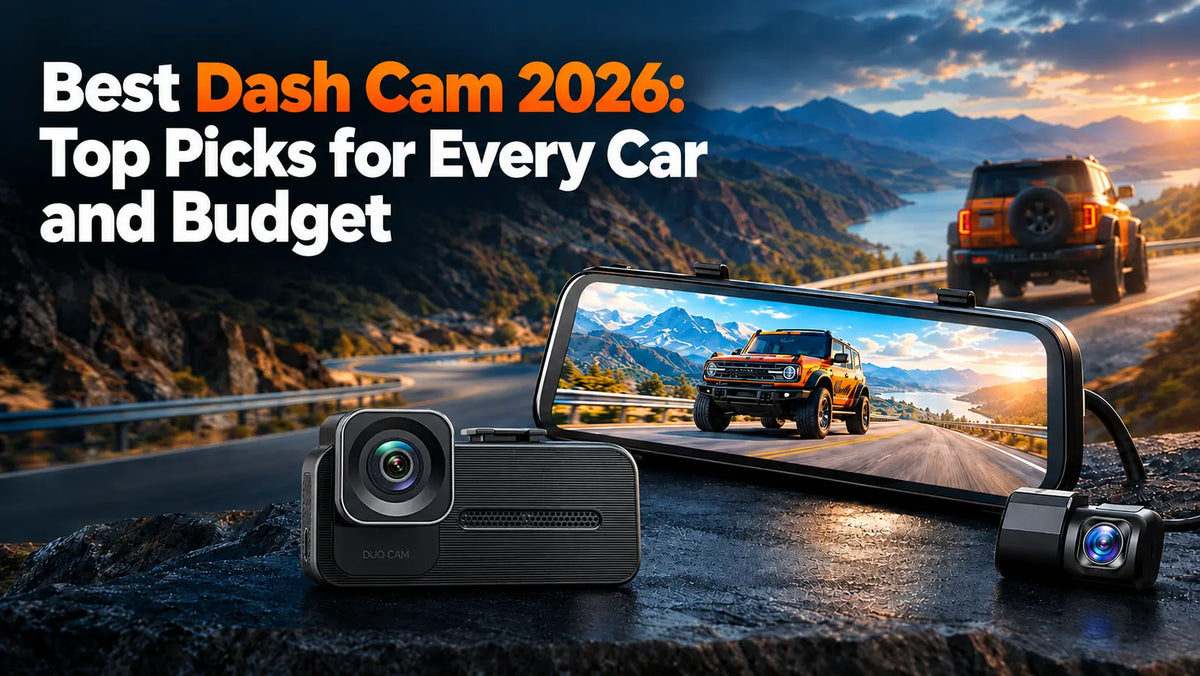
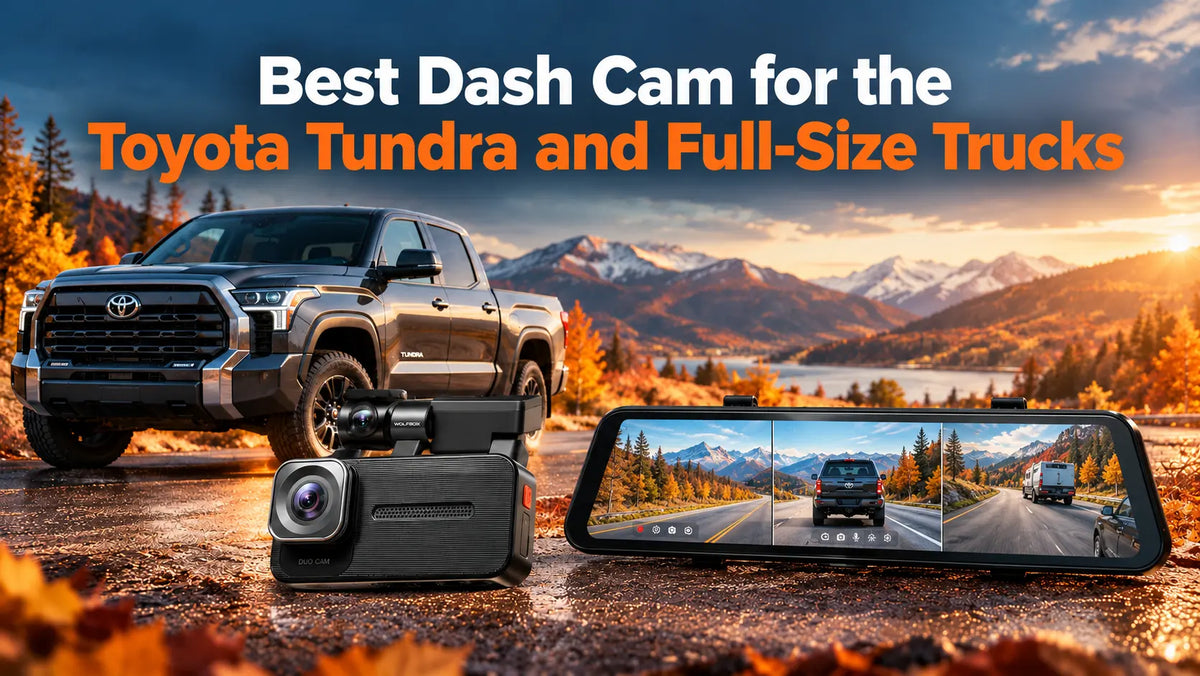
The dash cam market in 2026 has reached a turning point. Sony's STARVIS 2 sensor technology — once reserved for $400+ flagship models — is now available across the mid-range, and dual-channel 4K + 2.5K recording has replaced 4K + 1080p as the practical baseline. This guide evaluates the three WOLFBOX models that cover the main form factors and budgets: a full-featured mirror dash cam, a three-channel variant with interior monitoring, and a compact wedge unit for discreet installation.
The Short Answer
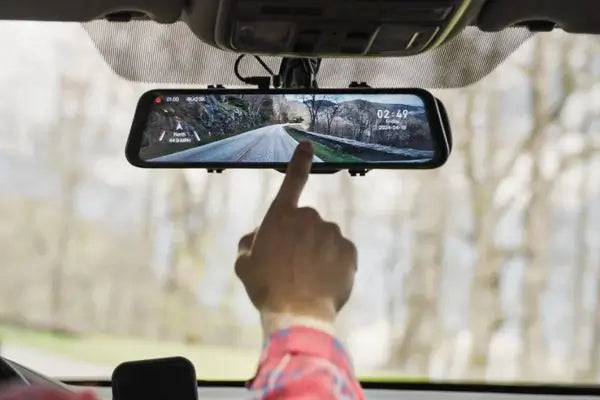
The best dash cam for most drivers in 2026 is the WOLFBOX G900 Pro — a 4K + 2.5K dual-channel mirror dash cam built around the Sony STARVIS 2 IMX678 sensor, with a 12-inch IPS touch screen, GPS included (external module), and support for microSD cards up to 512 GB. It straps over the factory rearview mirror and solves two problems at once: 4K front-and-rear recording plus a live digital rearview that bypasses cargo, passengers, and tinted glass.
If you need interior monitoring — for rideshare, teen drivers, or fleet use — the WOLFBOX G900 TriPro Cabin adds an infrared third camera to the same mirror platform.[2] If you prefer a discreet compact installation without a mirror display, the WOLFBOX X5 Duo delivers the same STARVIS 2 sensor quality in a wedge form factor at a lower price.[3]
What Is a Dash Cam (and What Should You Look for in 2026)?
A dash cam is a compact camera that mounts to your windshield (or straps over the rearview mirror) and records video continuously while you drive. In 2026, three specifications determine whether it will deliver usable footage when it counts: the image sensor, the number of channels, and how the camera manages power.
The Image Sensor — Not the Resolution Number — Determines Video Quality
4K (3840 × 2160) front recording is now common across price tiers. The practical advantage is license plate legibility at distance: a quality 4K sensor resolves plates at 30 to 40 feet in daylight, while a 1080p sensor typically manages 15 to 20 feet in the same conditions.
What separates capable 4K cameras from disappointing ones is the sensor. Sony's STARVIS 2 series — specifically the IMX678, an 8.4-megapixel 1/1.8-inch backside-illuminated CMOS sensor — delivers meaningfully cleaner low-light footage than older STARVIS 1 sensors or budget CMOS alternatives, thanks to larger 2.0 μm pixels that capture more light per pixel. If a dash cam advertises "4K" without naming the sensor model, treat the resolution claim with skepticism. For a deeper dive into how sensors and resolution interact, see WOLFBOX's guide on how to read a dash cam spec sheet.
Single, Dual, or Triple Channel
- Single-channel (front only): Covers what happens ahead of the vehicle. Adequate for basic liability protection but leaves the rear unmonitored — and according to NHTSA crash data, rear-end collisions are the single most common crash type, accounting for approximately 29% of all police-reported crashes in the United States.[8]
- Dual-channel (front + rear): The minimum worth buying in 2026. A rear camera captures rear-end collisions, tailgating, and events behind the vehicle.
- Triple-channel (front + rear + cabin or bumper): Adds a third camera facing the interior or the bumper area. Valuable for rideshare drivers documenting passenger interactions, parents monitoring teen drivers, or off-roaders who want a bumper-level view of trail obstacles.
Parking Mode, GPS, and Power
- Parking mode keeps the camera in low-power standby and triggers recording on motion or impact — essential for street-parked vehicles. Requires a hardwire kit (sold separately) with a low-voltage cutoff to prevent battery drain.
- GPS embeds speed and location metadata into recordings, useful for insurance claims and fleet documentation.
- Supercapacitor vs. lithium battery: Supercapacitors handle extreme heat better than lithium-ion batteries, which can swell or fail in a hot parked car. All three WOLFBOX models in this guide use supercapacitors.
Why 2026 Is the Year to Upgrade Your Dash Cam
Three shifts make 2026 a practical upgrade window, even if you already own a dash cam:
- STARVIS 2 sensors are now the standard — not a premium feature. Sony's STARVIS 2 IMX678, introduced in 2023, has matured through three years of firmware optimization and is now available in mid-range dash cams, not just flagships. The jump in low-light clarity from STARVIS 1 (or uncategorized CMOS sensors) is substantial — STARVIS 2 delivers approximately 1.7× the near-infrared sensitivity of the previous generation, making a visible difference in night recording and tunnel transitions.
- 4K front + 2.5K rear is the 2026 baseline for dual-channel systems. Two years ago, 4K + 1080p was the standard. Today, models like the G900 Pro[1] and X5 Duo[3] pair a 4K front sensor with a 2.5K (1440p) rear sensor, which captures roughly 78% more detail than 1080p — enough to resolve a rear license plate at a meaningful distance.
- Pricing has compressed. A 4K dual-channel dash cam with a STARVIS 2 sensor now starts under $220 USD, down from $350+ in 2024. The technology is mature, the supply chain is stable, and the value proposition has never been stronger.
Top Dash Cams in 2026
1. WOLFBOX G900 Pro — Best Overall Mirror Dash Cam
The G900 Pro is the best all-around mirror dash cam for 2026. It pairs a 4K Sony STARVIS 2 IMX678 front sensor with a 2.5K rear sensor inside a 12-inch IPS touch screen mirror that straps over the factory rearview mirror.[1] The externally mounted rear camera provides both a recording feed and a live digital rearview — unaffected by rear window tint, defroster lines, or cargo blocking the window. Pocket-lint's independent review rated the G900 Pro 4 out of 5 stars, calling it "a compelling blend of advanced technology and user-friendly features."[4]
Key specifications:[1]
- Front: 4K @ 30 fps (Sony STARVIS 2 IMX678, 130° lens)
- Rear: 2.5K @ 30 fps (150° lens, waterproof, external mount)
- Display: 12-inch IPS touch screen with split-screen and picture-in-picture modes
- Storage: MicroSD up to 512 GB (U3/V30 high-endurance card recommended)
- GPS: with speed overlay and route logging
- Parking mode: Buffered, motion/impact triggered (hardwire kit required, sold separately)
- Voice control: 12 voice commands
- Warranty: 18 months (12-month base + 6-month extended warranty when purchased from the official site)
The mirror form factor solves a visibility problem that a standard dash cam cannot: for pickup trucks, full-size SUVs, vans, and any vehicle where cargo or passengers block the rear window, the live rear camera feed replaces the obstructed mirror reflection with a 150° wide-angle digital view. SlashGear included WOLFBOX mirror dash cams in its best dashboard camera ranking, noting the form factor's advantage for larger vehicles.[7]
Limitations to know: Mirror dash cams are larger than compact wedge units and will not fit every vehicle — low-profile sports cars or vehicles with unusually shaped factory mirrors may not accommodate the 12-inch mirror body. The display requires a brief adjustment period, since it functions as both a reflective mirror and a digital screen.
2. WOLFBOX G900 TriPro Cabin — Best 3-Channel Dash Cam
If you need interior documentation in addition to front-and-rear coverage, the G900 TriPro Cabin adds an infrared cabin camera to the same 12-inch mirror platform, creating a three-channel system that records inside the vehicle as well as around it.[2] The-Gadgeteer's independent review found "video quality of all three cameras is outstanding" and specifically praised the infrared cabin camera's night performance.[5]
Key specifications:[2]
- Front: 4K @ 30 fps (Sony STARVIS 2 IMX678)
- Rear: 2.5K @ 30 fps (OmniVision OS04J10, external mount)
- Cabin: 1080p with infrared for low-light/no-light interior visibility
- All three channels: Synchronized recording with unified timestamps and GPS metadata
- Display, GPS, parking mode, voice control: Same as G900 Pro
- Also available: Bumper Version — replaces cabin camera with a front bumper-mounted camera for off-road trail visibility
The cabin channel serves distinct use cases: rideshare drivers can document passenger interactions, parents can review who was in the car during a teen's drive, and fleet managers can monitor vehicle use from all three angles. AutoGuide tested the Bumper variant on a Toyota Tacoma and found the bumper camera especially useful for navigating tight off-road obstacles and departure angles.[6]
3. WOLFBOX X5 Duo — Best Compact Dash Cam
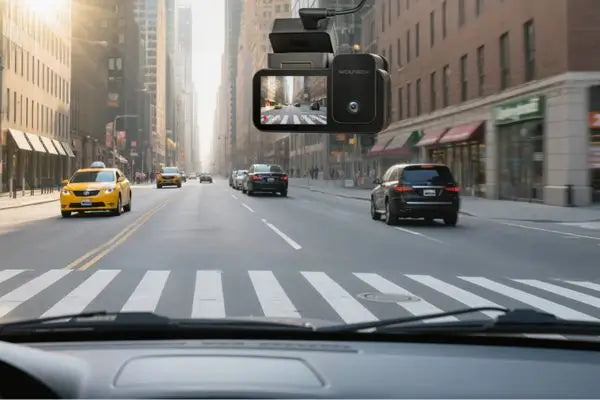
For drivers who want 4K front and 2.5K rear recording without a mirror display, the X5 Duo delivers STARVIS 2 sensor quality in a wedge form factor that mounts behind the rearview mirror and stays almost entirely out of the driver's sightline.[3] At roughly $210, it is the most affordable path to a dual STARVIS 2 dual-channel system.
Key specifications:[3]
- Front: 4K @ 30 fps (Sony STARVIS 2 IMX678)
- Rear: 2.5K @ 30 fps (Sony STARVIS 2 sensor)
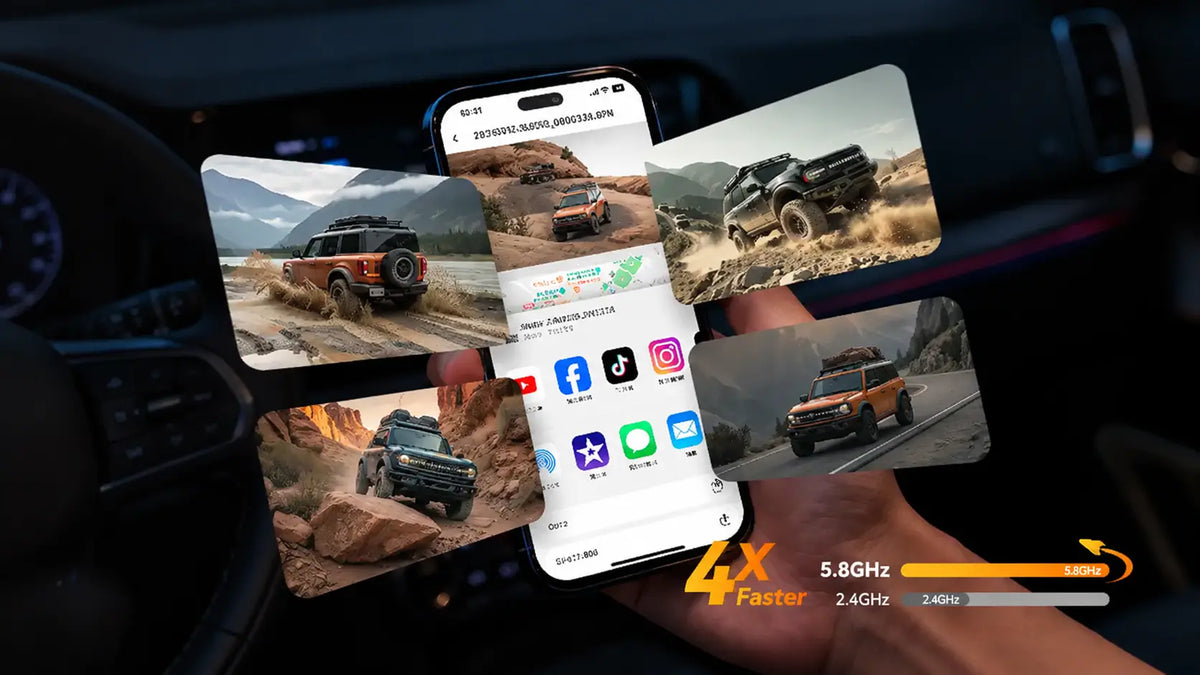
- WiFi: 5.8 GHz built-in for footage transfer via smartphone app
- Stabilization: 6-axis gyro with electronic image stabilization
- Installation: Wedge mount behind rearview mirror; no mirror body
Trade-offs vs. the mirror models: The X5 Duo focuses on core dual-channel recording — it lacks the mirror display, cabin camera, and some parking mode refinements of the G900 series. For drivers who already have a functional rearview mirror and prioritize a discreet, out-of-sight installation, the X5 Duo is the simplest path to 4K front-and-rear STARVIS 2 recording.
G900 Pro vs G900 TriPro vs X5 Duo: Specs at a Glance
|
Specification |
G900 Pro |
G900 TriPro Cabin |
X5 Duo |
|---|---|---|---|
|
Form factor |
Mirror (12" touch screen) |
Mirror (12" touch screen) |
Compact wedge |
|
Channels |
2 (front + rear) |
3 (front + rear + cabin) |
2 (front + rear) |
|
Front sensor |
Sony STARVIS 2 IMX678 |
Sony STARVIS 2 IMX678 |
Sony STARVIS 2 IMX678 |
|
Front resolution |
4K @ 30 fps |
4K @ 30 fps |
4K @ 30 fps |
|
Rear sensor |
OmniVision Purecel Plus OS04J10 (external) |
OmniVision OS04J10 |
Sony STARVIS 2 sensor |
|
Rear resolution |
2.5K @ 30 fps |
2.5K @ 30 fps |
2.5K @ 30 fps |
|
Third camera |
— |
1080p infrared (cabin) |
— |
|
Display |
12" IPS touch screen |
12" IPS touch screen |
Via phone app |
|
GPS |
Yes |
Yes |
Yes |
|
Max storage |
512 GB |
512 GB |
256GB |
|
Parking mode |
Hardwire req. |
Hardwire req. |
Hardwire req. |
|
Voice control |
12 commands |
12 commands |
Yes |
|
Price |
Roughly $260-350 |
Roughly $400 |
Roughly $210 |
|
Warranty |
18 months |
18 months |
18 months |
Mirror Dash Cam vs Compact Dash Cam
The choice between a mirror dash cam and a compact dash cam comes down to one question: do you want the camera to also serve as a rearview upgrade? If your rear window is frequently blocked by cargo, passengers, or vehicle design, a mirror dash cam solves two problems at once. If your factory rearview mirror works fine, a compact dash cam is simpler, cheaper, and more discreet.
Mirror Dash Cams
A mirror dash cam straps over the factory rearview mirror and uses a 10-to-12-inch built-in display to show a live feed from the rear camera. The same display serves as the interface for reviewing footage and adjusting settings.
Advantages:
- Wider, unobstructed rear view independent of window obstructions
- Combines mirror, display, and front camera into one unit — less windshield clutter
- Larger touch screen is more convenient than a phone app for reviewing footage
- Rear camera feed eliminates blind spots from passengers, cargo, or small rear windows
Disadvantages:
- Larger physical size may not fit vehicles with compact or unusually shaped factory mirrors
- More visible from outside the vehicle than a hidden wedge unit
- Slightly more complex installation due to mirror mounting
Traditional Compact Dash Cams
A compact dash cam mounts to the windshield behind the rearview mirror, hidden from both the driver and outside observers. Footage is accessed via WiFi through a phone app or by removing the microSD card.
Advantages:
- Smaller, more discreet — harder to spot from outside the vehicle
- Easier to install and remove — useful for leased vehicles
- Lower price — the X5 Duo costs roughly 40% less than the G900 Pro[3]
Disadvantages:
- No rearview mirror upgrade — factory mirror limitations remain
- Phone app required for footage review and settings
- Smaller or absent screen makes alignment checks less convenient
How to Choose the Right Dash Cam for Your Vehicle
Resolution
4K front + 2.5K rear is the 2026 benchmark for dual-channel systems.[1][3] 4K provides the pixel density to resolve license plates at 30+ feet; 2.5K (2560 × 1440) rear resolution captures roughly 78% more detail than 1080p. If you are choosing between models, prioritize sensor quality over the resolution number — a STARVIS 2 sensor at 2.5K will produce cleaner night footage than an unbranded sensor at a claimed 4K.
Sensor Quality
The sensor model — Sony STARVIS 2 IMX678, in all three products above — determines low-light clarity more than any other single specification. Look for a named sensor from Sony STARVIS, OmniVision, or ON Semiconductor. Avoid products that advertise "4K" without disclosing the sensor make and model.
Number of Channels
- Dual-channel (G900 Pro,[1] X5 Duo[3]): The practical minimum — front and rear coverage handles the two angles where collisions most often occur.
- Triple-channel (G900 TriPro Cabin[2]): Worth the roughly $50 premium over the G900 Pro if you are a rideshare driver, routinely transport passengers you don't know well, or monitor a teen driver.
Installation and Parking Mode
If you park on the street or in public lots, parking mode is non-negotiable — and parking mode requires a hardwire kit (sold separately, professional installation recommended). The hardwire kit connects to the vehicle's fuse box and includes a low-voltage cutoff to prevent battery drain. A plug-in 12V socket installation is simpler but disables the camera when the ignition is off.
Budget
- ~$210: X5 Duo[3] — 4K + 2.5K dual STARVIS 2, compact, discreet
- ~$260–$350: G900 Pro[1] — same STARVIS 2 quality plus mirror display and rearview upgrade
- ~$400: G900 TriPro Cabin[2] — adds infrared cabin camera for interior documentation
Installation and Ongoing Costs
Installation complexity depends on whether you need parking mode. A plug-in setup takes minutes; hardwiring adds professional labor but enables 24/7 monitoring.
Plug-in installation: The dash cam powers through the vehicle's 12V accessory socket. The cable tucks along the headliner and door seals in roughly 10–15 minutes. This method works for all three models above but does not support parking mode — the camera loses power when the ignition is off.
Hardwire installation (for parking mode): A hardwire kit connects the dash cam to the vehicle's fuse box, providing constant power with a programmable low-voltage cutoff. Professional installation routes a cable from the fuse box along the door seals and headliner to the mounting location, and typically costs $50–$100 at a car audio or electronics shop.
Ongoing costs to budget for:
- MicroSD card: A high-endurance card (SanDisk High Endurance, Samsung PRO Endurance, or equivalent) is required for continuous loop recording. Standard cards wear out quickly under dash cam workloads. High-endurance cards rated for up to 40,000 hours of recording at 1080p will wear faster at 4K — plan to replace a 256 GB card roughly every 18–24 months of regular use.
- Hardwire kit: Sold separately ($15–$25). Required for parking mode on all three models.
- Professional installation: Optional for plug-in setups; recommended for hardwired installations.
Frequently Asked Questions
Is a dash cam worth it if my car already has a backup camera?
Yes — a backup camera and a dash cam serve different purposes. A backup camera activates only in reverse and faces downward at low speed. A dash cam records continuously while driving and, with parking mode, while parked. A backup camera helps you park; a dash cam provides evidence after an incident.
Do dash cams record when the car is off?
Only if the dash cam supports parking mode and is hardwired to the vehicle's fuse box (or connected to an external battery pack). WOLFBOX G900 Pro, G900 TriPro, and X5 Duo support buffered parking mode with a hardwire kit.[1][2][3] A dash cam plugged into a 12V socket that loses power with the ignition will not record while parked.
How much storage do I need for a 4K dash cam?
A 128 GB high-endurance card stores roughly 6–8 hours of 4K dual-channel footage before the oldest files are overwritten.[1] A 256 GB card doubles that. The G900 Pro and G900 TriPro Cabin support up to 512 GB.[1][2] For most daily drivers, 128 GB is sufficient — the camera loops over old footage automatically, and critical events can be locked to prevent overwriting.
Can a mirror dash cam replace my factory rearview mirror?
A mirror dash cam straps over the factory mirror — the original mirror stays in place underneath. The dash cam's display can show a live rear camera feed, effectively replacing the reflected rear view with a wide-angle digital feed that is unaffected by passengers, cargo, or window tint. In screen-off mode, the mirror body functions as a standard reflective mirror.
What is the difference between the G900 Pro and G900 TriPro?
Both share the same Sony STARVIS 2 IMX678 4K front sensor and 12-inch touch screen mirror platform.[1][2] The G900 TriPro Cabin adds a third 1080p infrared cabin camera and uses an OmniVision OS04J10 sensor for the rear channel.[2] If you do not need interior monitoring, the G900 Pro provides equivalent front-and-rear performance at a lower price.
Which dash cam is best for a truck or SUV?
A mirror dash cam — specifically the G900 Pro[1] — is the strongest choice for trucks and large SUVs. The live rear camera feed bypasses cargo, passengers, and the vehicle's typically small or distant rear window, providing a 150° digital rearview that a factory mirror cannot match. Pocket-lint's review specifically noted the G900 Pro's advantage for larger vehicles.[4]
References
[1] WOLFBOX G900Pro 12MP WiFi Touch Screen Rear View Mirror Dash Cam Smart Mirror, WOLFBOX Official Product Page. https://wolfbox.com/products/wolfbox-2024-g900-pro-wifi-touch-screen-parking-monitoring-dash-cam-smart-mirror-with-starvis-678-sensor
[2] G900TriPro 4K+2.5K+1080P 3 Channel Cabin Monitor Mirror Dash Cam, WOLFBOX Official Product Page. https://wolfbox.com/products/wolfbox-g900tripro-cabin-version-3-channel-dash-camera
[3] Wolfbox X5 Duo 4K+2.5K STARVIS 2 IMX678 Front and Rear Mini Dash Cam, WOLFBOX Official Product Page. https://wolfbox.com/products/wolfbox-x5-duo-4k-2-5k-starvis-2-imx678-front-and-rear-mini-dash-cam
[4] WOLFBOX G900 Pro Mirror Dash Cam Review, Pocket-lint, Rated 4/5. https://www.pocket-lint.com/wolfbox-g900-pro-mirror-dash-cam-review/
[5] WOLFBOX G900 TriPro 3-Channel Mirror Dashcam Review, The-Gadgeteer. https://the-gadgeteer.com/2025/05/06/wolfbox-g900-tripro-3-channel-mirror-dashcam-review-this-next-gen-dashcam-sees-all/
[6] Wolfbox G900 TriPro Bumper Dash Cam Review, AutoGuide. https://www.autoguide.com/auto/wolfbox-g900-tripro-dash-cam-review-44623066
[7] Best Dashboard Camera, SlashGear. https://www.slashgear.com/1846787/best-dashboard-camera-find-amazon-user-reviews/
[8] CrashStats — National Highway Traffic Safety Administration (NHTSA), National Automotive Sampling System (NASS) / General Estimates System (GES). https://crashstats.nhtsa.dot.gov/

Leave a comment
All comments are moderated before being published.
This site is protected by hCaptcha and the hCaptcha Privacy Policy and Terms of Service apply.