










Whether you’re heading back to the lecture halls or you’re back to work from vacation, pulling out the laptop from the backpack for a while reveals a familiar dusty sight. For students and professionals who rely on laptops, especially ultrabooks, dust and debris aren’t just a bad look, it can be a problem, resulting in noisy cooling fans, thermal throttling, and degraded battery life.
A clean laptop is a happy laptop, and you need the proper tools for that. Canned air can get the job done, but it’s an accident waiting to happen, which is where electric dusters come into play. Designed to operate longer without risking damage, this is the gold standard to keep your laptop dust-free.
If you’re on the lookout for your next companion that will help you keep your machine clean, today we’ll cover the best air dusters for laptops and ultrabooks.
Quick Overview of the Best Air Duster for Laptops and Ultrabooks
In this list, we’ll cover 5 of the best air dusters for your laptop, but before we dive into each one, here’s a quick overview of what each one offers.
|
Model |
Power Source |
Max Motor Speed |
Weight |
Key Feature |
|---|---|---|---|---|
|
WOLFBOX MF200 |
Swappable 6,000 mAh battery |
110,000 RPM |
0.84 lb |
Hot-swappable battery |
|
WOLFBOX MF100 |
Built-in 2 x 3,000 mAh batteries |
150,000 RPM |
0.66 lb |
Compact |
|
Kica Jet Fan 2 |
Built-in 1,100 mAh battery |
101,000 RPM |
0.66 lb |
Stepless speed slider |
|
Doric Air Duster |
Built-in 6,000 mAh battery |
100,000 RPM |
0.95 lb |
Built-in LED |
|
MetroDataVac ED500 |
Corded |
0.75 Peak HP |
3.0 lb |
Continuous runtime |
The Best Air Duster for Laptops and Ultrabooks
WOLFBOX MF200
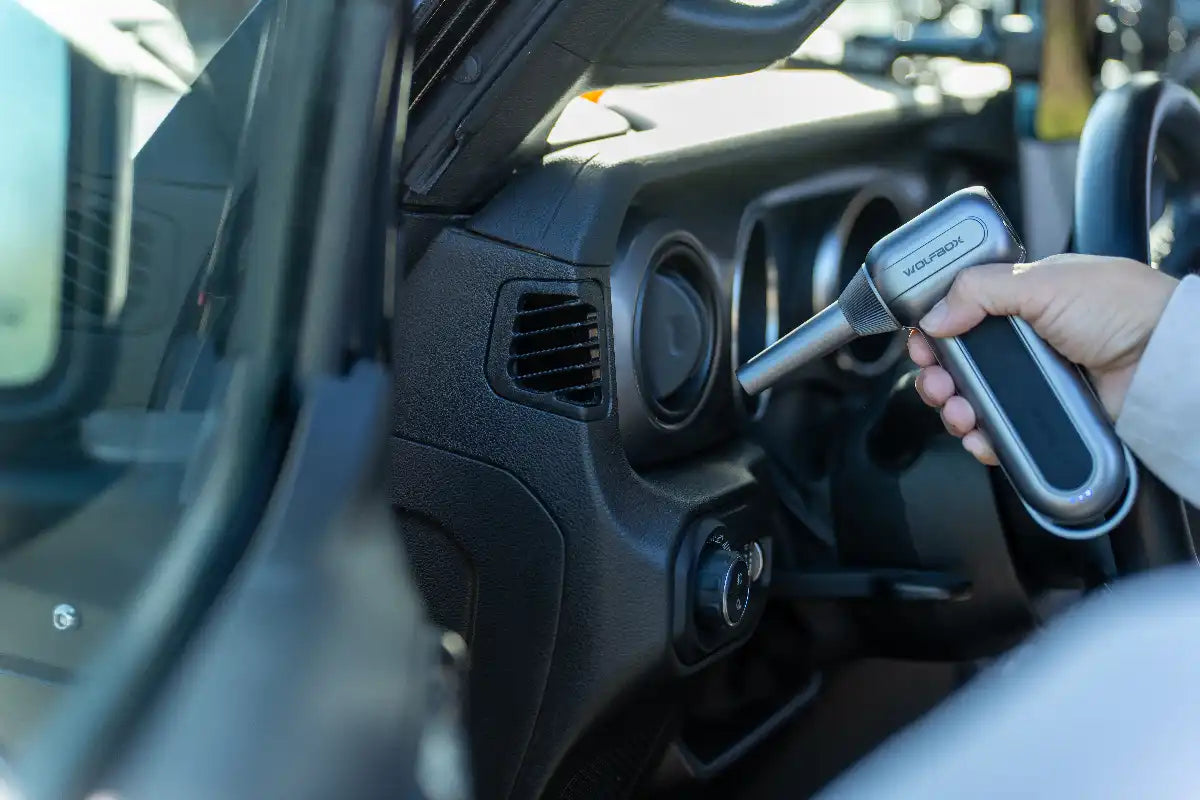
The WOLFBOX MF200 is a heavy-duty electric duster aimed at enthusiasts, engineered for sustained cleaning power. The standout feature is a hot-swappable 6,000 mAh battery, allowing you to swap it instantly without waiting for a recharge. It’s driven by a brushless motor that can reach up to 110,000 RPM, pushing wind speeds of up to 210 MPH, meaning it produces the highest static pressure in its class. [1]
For laptops and ultrabooks, this kind of airflow means it can dislodge stubborn dust caked inside the cooling system and the exhaust grills. The WOLFBOX MF200 features 3 variable-speed gears, meaning you can dial down the pressure when you’re cleaning the delicate parts. In addition to that, the fast charge and the wider range of nozzles make it one of the best and most flexible tools on the market. [1]
Pros
- Hot-swappable battery
- High peak pressure
- Fast recharge
Cons
- Not the lightest option on this list
WOLFBOX MF100
The WOLFBOX MF100 is considered the little brother of the MF200 because it’s a model designed for mobility. The smaller size means it weighs less and is also more compact, but it is still equipped with a brushless motor capable of spinning up to 150,000 RPM. Despite being equipped with an internal 6,000 mAh battery, you still get a very respectable 100 minutes of runtime on the lowest setting, which is plenty for cleaning up a laptop. [2]
The concentrated 45 m/s jet stream makes the WOLFBOX MF100 ideal for daily laptop and ultrabook upkeep. Since it’s compact, you can slip it in the laptop bag or pouch and have it with you for whenever you need it. The included nozzles and brush heads mean you can sweep crumbs or hair from beneath the keys. Despite the smaller size, it still packs a punch, and you can clean surface grime without worrying about delicate parts. [2]
Pros
- Light and portable
- The motor can spin up to 150,000 RPM
- Plenty of accessories
Cons
- The internal battery cannot be swapped
Kica Jet Fan 2
The Kica Jet Fan 2 is a premium minimalist air duster built in a sleek aluminum housing. It incorporates a speed slider, making it a bit different than many of its rivals because it gives a bit more precision in terms of air speed. The result is that you can easily switch from a gentle breeze for fragile components to a high-speed blast.
The compact footprint and dual-nozzle configuration of the Kica Jet Fan 2 make it a popular choice for those who are constantly traveling. It’s compact, but still does a very good job of keeping your keyboard, speaker grilles, and hinges clean from dust. Considering it’s designed with an aluminum chassis, the heat generated from the motor dissipates easily, meaning it’s not uncomfortable during longer cleanups.
Pros
- Slider for granular speed control
- Aluminium build
- Compact and travel-friendly
Cons
- The maximum static pressure isn’t as high as with some of its rivals
Doric Electric Compressed Air Blower
The Doric Electric Compressed Air Blower puts its focus on visibility and efficiency. It’s equipped with a front-facing LED that illuminates shadowy crevices, making it easier to see how well you’re cleaning things up. It features a 3-speed motor capable of delivering up to 100,000 RPM, paired with a pistol-style design that helps minimize hand fatigue during longer cleanup sessions.
When it comes to laptop and ultrabook maintenance, the Doric Electric Compressed Air Blower does a phenomenal job, especially when you’re cleaning things up in not the brightest environments. The focused LED beam ensures you can see all the dust clinging to ribbon cables, near fan cleanings, or around connectors. It features a standard USB-C charging port and comes with anti-static brush attachments.
Pros
- Integrated LED for working in less-than-ideal lighting conditions
- Comfortable design that prevents hand fatigue
- Anti-static brushes are included
Cons
- The design isn’t the most compact in its class
MetroDataVac ED500 (Corded)
Unlike the other entries on this list, the MetroDataVac ED500 is a classic benchtop standard for ducting your electronics. This model is corded, meaning portability isn’t something to consider. It’s designed with a rugged 500W motor and all-steel chassis. As a corded option, you won’t have to worry about the battery draining, as you’ll get uninterrupted airflow.
The MetroDataVac ED500 is the kind of choice you’d go for if you’re a technician or power user who needs something with a bit more beef and doesn’t need the portability. I can blow out accumulated debris from intakes and corners in seconds without breaking a sweat. The unit comes with a grounded construction to mitigate static buildup and includes a flexible hose for getting into tighter spots.
Pros
- Corded model, meaning uninterrupted airflow
- Heavy-duty construction
- Grounded design to minimize the risk of electrostatic discharge
Cons
- As a corded option, you have limited portability
What is the Best Air Duster for Laptops and Ultrabooks
Each model on today’s list is different, meaning it will be the best for a different scenario and target group:
- WOLFBOX MF200: Best for power users and multi-device cleanouts, thanks to the swappable battery and high static pressure [3] [5]
- WOLFBOX MF100: Ideal option for commuters who would be happy to have a lightweight model that can still perform excellently [4] [5]
- Kica Jet Fan 2: Best for more delicate components thanks to the stepless slider allowing you to control the airflow with greater precision
- Doric Electric Air Blower: An ideal option for those who often need to clean in poorly lit conditions thanks to the embedded LED on the front
- MetroDataVac ED500: Best for dedicated desk and workshop stations, meaning it can offer uninterrupted airflow because it’s a corded model
FAQs
Can Air Dusters Damage Laptop Fans?
Yes, air dusters can damage laptop fans if they’re not used correctly. High-speed airflow can spin the small fan blades far beyond their rated RPM, which can wear out the bearings or, in some cases, generate back-EMF (electromotive force) voltage into the system. To avoid this, make sure to hold the fan blade stationary gently with a clean plastic probe.
Are Electric Air Dusters Safe for Keyboards?
Yes, electric air dusters are safe for keyboards. They are much safer than canned air because they don’t spray any kind of liquid that can damage the plastic or electronics. With that said, the keyboard on an ultrabook is still gentle, which is why it’s recommended to start blowing air at the lowest setting and from further away to avoid ripping the keys from the keyboard.
How Often Should I Dust a Laptop?
You should dust your laptop every couple of weeks, depending on how you use it and in what scenarios. This covers surface dust and keyboard cleaning. If you’re using your laptop on blankets and other soft surfaces, you should have a habit of doing a deeper cleaning every couple of months to allow the cooling system to work optimally.
Can I Recharge My Electric Air Duster With a Power Bank?
Yes, you can recharge your electric air duster with a power bank. One thing to keep in mind is the capacity of the power bank and how much it will recharge the air duster.
Will Using an Electric Duster Void My Laptop Warranty?
Using an electric duster properly to clean your laptop will not void your warranty. With that said, any kind of damage that results from the cleaning, like overspinning the fan or ripping keys from the keyboard, will void your warranty.
References
[1] https://wolfbox.com/products/compressed-air-duster-mf200
[2] https://wolfbox.com/products/compressed-air-duster-mf100
[3] https://geardiary.com/2025/11/10/wolfbox-mf200-review/
[4] https://maketecheasier.com/deal/wolfbox-electric-air-duster/
[5] https://wccftech.com/wolfbox-portable-air-blowers-with-removable-batteries-are-34-percent-off-on-amazon/


Leave a comment
This site is protected by hCaptcha and the hCaptcha Privacy Policy and Terms of Service apply.