




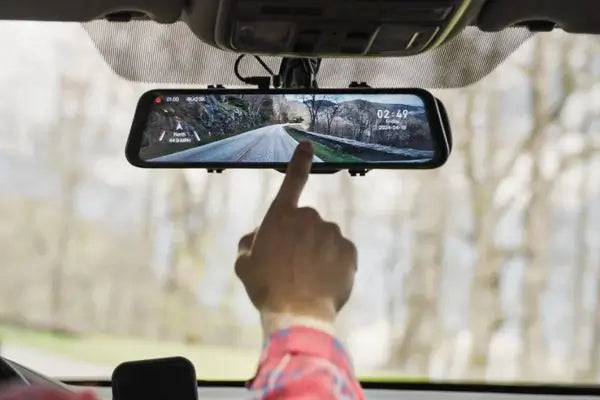
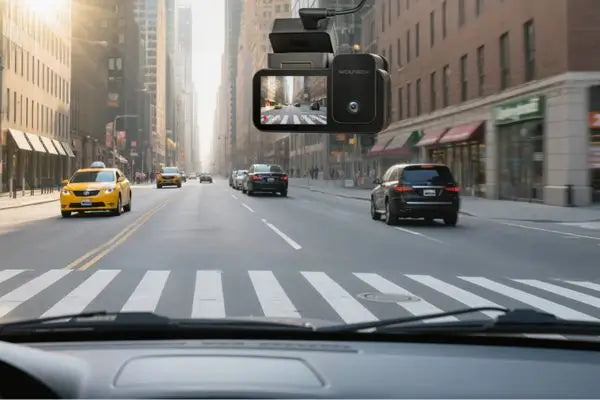


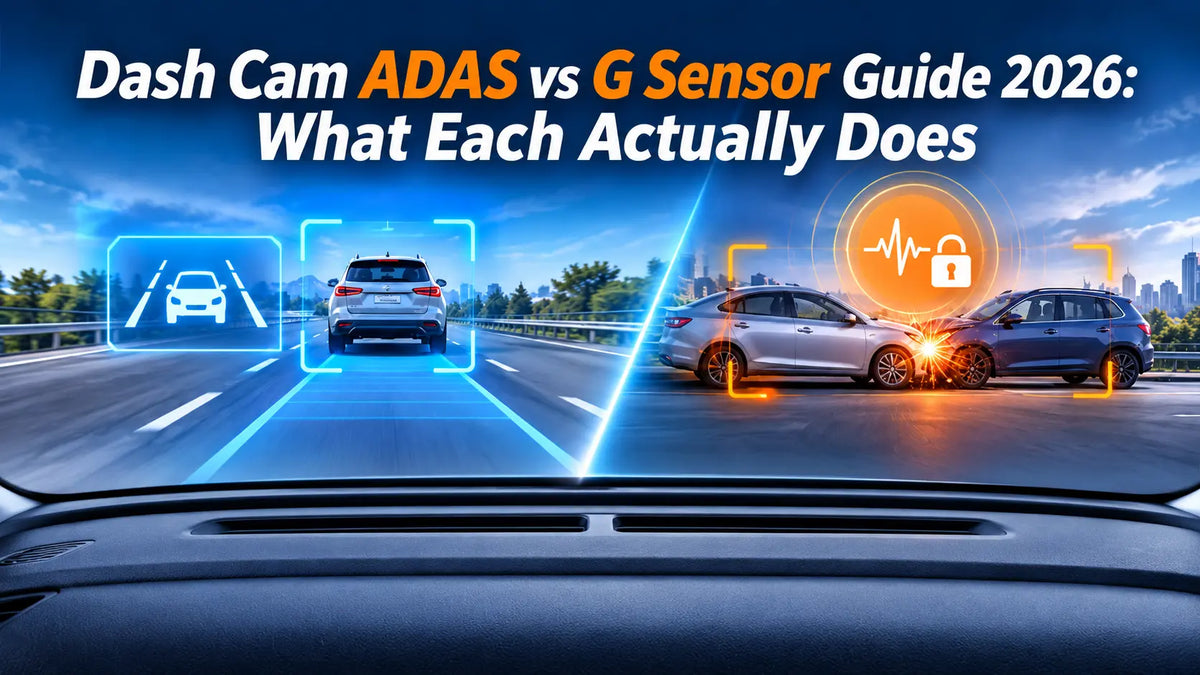
A dash cam does more than record video — modern models can watch the road ahead and protect your footage when things go wrong.[7] Two technologies handle these jobs: ADAS (Advanced Driver Assistance Systems) that alerts you to potential collisions before they happen, and the G-sensor that detects impacts and locks the evidence so it cannot be overwritten. They sound similar, and many buyers confuse them, but they serve completely different purposes. This guide explains what each technology does, which WOLFBOX models include them, and why you may want one, the other, or both.
The Short Answer
ADAS is a prevention tool — it uses the front camera and onboard processing to warn you of lane departures, forward collisions, and other risks before you react.[1] The G-sensor is a protection tool — it is a 3-axis accelerometer that detects sudden G-force changes from impacts, hard braking, or parking lot bumps, and locks the current video file so loop recording cannot overwrite it.[3] The WOLFBOX G850 Pro includes ADAS with five collision avoidance features.[6] The WOLFBOX G900 Pro focuses on recording quality and G-sensor event protection without ADAS.[5] If you want both, the G850 Pro is currently the only WOLFBOX mirror dash cam that combines ADAS warnings with dash cam recording.
What Is ADAS in a Dash Cam?
ADAS stands for Advanced Driver Assistance Systems. In factory-installed systems, ADAS may use radar, ultrasonic sensors, and multiple cameras to monitor the vehicle's surroundings and support functions such as automatic emergency braking and lane-keeping assist. Some systems can actively intervene in steering or braking, while others provide warnings only.[1]
In a dash cam, ADAS typically provides driver alerts rather than direct vehicle control. Depending on the model, it may include features such as forward collision warnings, lane departure warnings, forward vehicle starting alerts, and pedestrian detection warnings. These features help drivers stay aware of potential hazards but do not replace attentive driving or the vehicle's built-in safety systems.
Dash cam ADAS offers a retrofit option for vehicles that do not have certain factory-installed driver assistance features. However, its capabilities depend on the dash cam's supported functions, camera positioning, calibration, and environmental conditions. Lighting, weather, road markings, and camera visibility can all affect detection accuracy.
ADAS Features in the WOLFBOX G850 Pro
The WOLFBOX G850 Pro is the current WOLFBOX mirror dash cam that includes ADAS, with five distinct collision avoidance warnings:[6]
- Lane Departure Warning (LDW): Tracks lane markings and alerts you if the vehicle drifts across a lane line without an active turn signal. Most useful on highways and well-marked roads; less reliable on faded markings or in heavy rain.[1]
- Forward Collision Warning (FCW): Measures distance and closing speed to the vehicle ahead. When the system calculates that you are approaching too quickly, it sounds an urgent alert — giving you extra reaction time even though it cannot brake for you.[1]
- Rear Collision Warning: Detects vehicles approaching from behind at high speed — useful for spotting a distracted driver closing in while you are stopped in traffic.
- Side Collision Warning: Monitors adjacent lanes for vehicles entering your blind spot or drifting into your lane from the side.
- Pedestrian Collision Warning: Detects pedestrians crossing in front of the vehicle and warns of potential impact.
According to IIHS research, lane departure warning systems reduce single-vehicle, sideswipe, and head-on crashes by 11% and injury crashes of those same types by 21%. Forward collision warning combined with automatic emergency braking reduces rear-end crashes by approximately 50% — though dash cam FCW lacks the automatic braking component, the warning alone shortens driver reaction time and provides a meaningful safety benefit.[2]
What ADAS Does Not Do
Dash cam ADAS does not brake, steer, or accelerate. It does not replace factory safety systems. It warns only — and those warnings are only as reliable as the camera's view of the road. Direct sunlight washing out the image, heavy rain, fog, faded lane markings, or a dirty windshield all reduce detection accuracy.[1] Treat dash cam ADAS as a helpful second set of eyes, not a primary safety system.
What Is a G-Sensor and How Does It Work?
A G-sensor is a tiny 3-axis MEMS (Micro-Electro-Mechanical System) accelerometer — the same type of silicon chip that triggers automotive airbags and rotates your smartphone screen. "G" stands for gravitational force: 1G equals Earth's normal gravity (9.8 m/s²). The sensor continuously samples acceleration across three axes — forward/backward, left/right, and up/down — several hundred times per second.[3]
During normal driving, the G-sensor registers gentle, gradual G-force changes from acceleration, braking, and cornering. These stay below the sensitivity threshold and are ignored. When a sharp event occurs — a collision, a hard emergency brake, a pothole strike, or a parking lot door ding — the G-force reading spikes above the configured threshold. The dash cam then immediately:[3]
- Locks the current video clip — marking it as read-only so loop recording cannot overwrite it
- Saves buffered footage — capturing approximately 10 seconds before the trigger plus the seconds after
- Moves the locked file to a protected folder — typically labeled "Event" or "Emergency" on the microSD card
This is fundamentally different from motion-detection recording. Motion detection starts recording when it sees movement; the G-sensor protects footage that is already being recorded. In an accident, the G-sensor ensures the impact and the moments leading up to it are saved and locked.[3]
G-Sensor in the WOLFBOX G900 Pro
The WOLFBOX G900 Pro includes a G-sensor for automatic event detection and file locking, combined with buffered parking mode.[5] When the vehicle is parked and the G-sensor detects an impact — a shopping cart strike, a parking lot bump, or a hit-and-run — it wakes the camera, captures the event, and locks the file. The G900 Pro features adjustable G-sensor sensitivity with four settings: Off, Low, Medium, and High. When the G-sensor detects a sudden impact, it can trigger emergency video locking to help protect important footage. For parking surveillance, the camera also supports G-Trigger Recording when connected to a compatible hardwire kit.[5]
The G900 Pro does not include ADAS. Its focus is on recording quality: a 4K Sony STARVIS 2 IMX678 front sensor, 2.5K rear camera, 12-inch touch screen, and GPS logging. For drivers who prioritize video clarity and evidence protection over collision warnings, the G900 Pro delivers the best recording quality in WOLFBOX's mirror dash cam lineup.[5]
ADAS vs G-Sensor: Key Differences at a Glance
|
|
ADAS |
G-Sensor |
|---|---|---|
|
What it does |
Warns you before a potential collision |
Locks footage after an impact or sudden G-force event |
|
How it works |
Camera-based image processing detects vehicles, lanes, pedestrians, and potential hazards. |
3-axis MEMS accelerometer measures G-force spikes |
|
When it acts |
Before or during a developing hazard
|
After a physical event (impact, hard brake, bump) |
|
Goal |
Prevention — help you avoid the incident |
Protection — preserve evidence of the incident |
|
Active in parking? |
No — requires vehicle speed data
|
Yes — accelerometer stays active in parking mode |
|
WOLFBOX model |
G850 Pro[6] |
G900 Pro[5] |
The two technologies are complementary, not competing. ADAS tries to keep you out of trouble. The G-sensor makes sure that if trouble finds you anyway, the evidence survives.
How ADAS and G-Sensor Work Together
When a dash cam has both ADAS and the G-sensor — as in the G850 Pro — they cover both sides of an incident: the warnings that might prevent it, and the locked footage that documents it if prevention fails.[6]
In parking mode, the G-sensor acts as the primary trigger. Even when the display is off and the camera is in a low-power standby state, the accelerometer keeps sampling for impact signatures. A parking lot bump or hit-and-run produces a G-force spike that wakes the camera, which powers on, captures the event, and locks the file within approximately one second.[3][4]
For parking mode to work, the dash cam needs continuous power through a hardwire kit connected to the vehicle's fuse box. WOLFBOX hardwire kits include a low-voltage cutoff that disconnects power if the car battery drops below a safe threshold, preventing battery drain.[5][6]
For a detailed look at how parking mode holds up during severe weather — when falling branches, hail, and wind-driven debris pose the highest risk to parked vehicles — see WOLFBOX's guide to dash cam parking mode for storm season.[8]
How to Configure G-Sensor Sensitivity
Dash cams with a G-sensor offer adjustable sensitivity, typically Low, Medium, and High. The right setting balances protection against false triggers:[3]
- Too sensitive: Speed bumps, potholes, and other road vibrations may trigger unnecessary file locking. Over time, these false triggers can fill the protected folder and use up available storage.
- Not sensitive enough: Minor collisions, such as a low-speed parking lot bump, may not generate enough force to trigger the G-sensor. If the footage is not locked, loop recording may eventually overwrite it.
- Recommended approach: Start at Medium and monitor the protected folder during normal driving. If frequent false triggers occur, lower the sensitivity to Low. If important impacts are not being detected, consider increasing it to High. For parking protection, enable G-sensor-triggered parking recording with a compatible hardwire kit and periodically check that important clips are being saved.[5][6]
Frequently Asked Questions
Which WOLFBOX dash cam has ADAS?
The WOLFBOX G850 Pro includes ADAS with five collision avoidance features: lane departure warning, forward collision warning, rear collision warning, side collision warning, and pedestrian collision warning.[6] The G900 Pro focuses on recording quality and G-sensor protection without ADAS.[5]
Does the G900 Pro have ADAS?
No. The WOLFBOX G900 Pro is built around recording quality — a 4K Sony STARVIS 2 IMX678 front sensor, 2.5K rear camera, and 12-inch touch screen — with a G-sensor for impact detection and event file locking. It does not include ADAS collision warnings.[5]
Do I need ADAS if my car already has factory safety systems?
Dash cam ADAS serves as a secondary layer. If your car already has factory LDW and FCW, dash cam ADAS is redundant for those specific functions. However, the G850 Pro adds rear collision, side collision, and pedestrian warnings that many factory systems lack. If your car has no factory ADAS at all, the G850 Pro provides a retrofit option at a fraction of the cost of a newer vehicle.[1][6]
Can I turn off ADAS alerts?
Yes. On the G850 Pro, you can enable or disable each ADAS feature — LDW, FCW, rear, side, and pedestrian warnings — independently through the settings menu. You can also adjust alert volume or mute alerts entirely while keeping the dash cam recording normally.[6]
What happens when the G-sensor Event folder fills up?
When the protected folder is full, the dash cam either stops locking new events or begins overwriting the oldest locked files, depending on firmware. Periodically review and clear the Event folder — especially after long trips on rough roads that generate false triggers.[5][6]
Do I need a hardwire kit for G-sensor parking mode?
Yes. The G-sensor stays active in parking mode, but the dash cam needs continuous power. Without a hardwire kit, the dash cam powers off when you turn off the ignition, and the G-sensor cannot detect parking impacts. A WOLFBOX hardwire kit connects to the fuse box and includes a voltage cutoff to prevent battery drain. Installation takes approximately 45–90 minutes, depending on the vehicle and the installer's experience.[5][6]
References
[1] What is ADAS?, Synopsys Glossary. https://www.synopsys.com/glossary/what-is-adas.html
[2] Advanced Driver Assistance Systems, IIHS/HLDI Research. https://www.iihs.org/topics/advanced-driver-assistance
[3] MEMS Accelerometers in Consumer Electronics, STMicroelectronics Technical Documentation. https://www.st.com/content/stcom/en/about/innovation---technology/MEMS.html
[4] Best Dash Cams With Parking Mode 2026, Dashboard Camera Reviews, 2026. https://dashboardcamerareviews.com/best-parking-mode-dash-cams/
[5] WOLFBOX G900Pro 12MP WiFi Touch Screen Smart Rear View Mirror Dash Cam, WOLFBOX Official Product Page. https://wolfbox.com/products/wolfbox-2024-g900-pro-wifi-touch-screen-parking-monitoring-dash-cam-smart-mirror-with-starvis-678-sensor
[6] WOLFBOX G850Pro 4K WiFi ADAS Front and Rear Mirror Dash Cam, WOLFBOX Official Product Page. https://wolfbox.com/products/wolfbox-g850pro-dash-cam-4k-wifi-car-dash-camera-front-and-rear-mirror-dashcam
[7] Dash Cam Collection, WOLFBOX Official Store. https://wolfbox.com/collections/dash-cam
[8] Best Dash Cam With Parking Mode for Storm Season, WOLFBOX Official Blog (dash-cams). https://wolfbox.com/blogs/dash-cams/best-dash-cam-parking-mode-storm-season


Leave a comment
All comments are moderated before being published.
This site is protected by hCaptcha and the hCaptcha Privacy Policy and Terms of Service apply.